
Epson 220 & Epson 220XL Ink Cartridges
Epson 220 and 220XL ink cartridges are available in standard and high-yield capacities, alongside multi-pack bundles and compatible alternatives for daily document printing. Selecting 220XL high-yield cartridges reduces your cost-per-page while extending the time between cartridge changes across all compatible WorkForce and Expression Home printers. Our 4.8 Google Star rating shows that our customers consistently receive high-quality cartridges backed by reliable performance.
Printers Compatible with Epson 220 & Epson 220XL Ink Cartridges


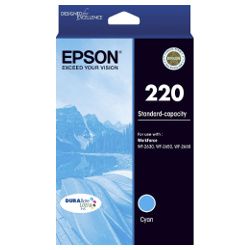


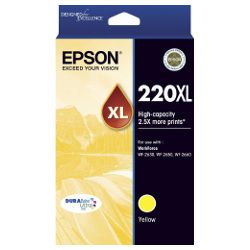
Choose Between Epson 220 & 220XL Ink Cartridges
Replace the Complete Colour Set
Running low on every colour? The 4-Pack 220 Genuine (from $74.81) replaces the full set in one order.
Print More with XL Cartridges
For fewer reorders overall, the 4-Pack 220XL Genuine (from $143.67) covers every colour with higher-capacity cartridges and also qualifies for free delivery.
Replace Just One Colour
No need to replace every colour at once - a single Genuine 220 Cyan cartridge (from $18.74) covers just the one that's run out.
Save with Compatible Cartridges
Compatible cartridges are made for the same printers and cost less, with a single 220XL Cyan cartridge from $11.67 or a 4-pack 220XL for $46.12.
Stock Up for Frequent Printing
High print volumes are easier with a bigger pack. The 10-Pack 220XL Compatible (from $112.77) is the lower-cost way to stock up. Prefer genuine ink? The 8-Pack 220XL Genuine (from $278.72) is the official equivalent. Both packs qualify for free delivery.
Expected Page Output and Replacement Cycles
Epson tests 220 and 220XL yield under ISO/IEC 24711 standard test patterns. Standard 220 cartridges yield 175 Black and 165 colour pages, while 220XL high-yield options produce up to 550 Black and 450 colour pages, reducing cost-per-page by over 30%.
| Cartridge Number | Type | Colour | Page Yield | Cost Per Page |
|---|---|---|---|---|
| 220 | Standard | Black | 175 | $0.12 |
| 220 | Standard | Cyan | 165 | $0.11 |
| 220 | Standard | Magenta | 165 | $0.11 |
| 220 | Standard | Yellow | 165 | $0.11 |
| 220XL | High Yield | Black | 550 | $0.073 |
| 220XL | High Yield | Cyan | 450 | $0.081 |
| 220XL | High Yield | Magenta | 450 | $0.081 |
| 220XL | High Yield | Yellow | 450 | $0.081 |
Cost Per Page = Total Cartridge Price ÷ Page Yield (at 5% coverage). Prices based on Genuine cartridges.
Choosing Between Genuine and Compatible Options
Compatible 220XL cartridges offer a cost-effective alternative to genuine Epson inks without compromising print reliability. Under Australian Consumer Law, using compatible cartridges does not void your printer warranty. Read our detailed guide comparing genuine and compatible cartridges to determine which option suits your printing requirements.
How to Stock and Manage Your Ink Replacements
For standard text documents, 220XL high-yield black cartridges deliver the lowest cost-per-page. If you print balanced colour documents or graphics, multi-packs provide the best value. Compatible cartridges include a 100% money-back guarantee under our standard Returns policy. We dispatch directly from warehouses in Perth, Brisbane, Sydney, Melbourne and Adelaide to ensure fast delivery across Australia. Free delivery applies on all orders over $99. Explore our complete range of Epson ink cartridges for all model series.
Pro Tip for Epson 220 Ink Users
Epson four-cartridge individual ink systems require all cartridges to retain a minimum ink level for the printer to function. Running any single colour completely dry will prevent the printer from outputting documents, even if you are printing purely black text, as the Micro Piezo printhead relies on liquid ink across all channels to prevent nozzle drying and thermal damage.
Frequently Asked Questions
Can I mix standard 220 and high-yield 220XL cartridges in the same printer?
Yes, Epson printers allow you to mix standard 220 and 220XL high-yield cartridges simultaneously across different slots. You can run a 220XL Black cartridge alongside standard 220 colour cartridges without any compatibility or driver issues.
Why does my Epson printer stop printing text when a colour cartridge runs empty?
Epson ink cartridges use individual printhead channels. To prevent dry firing and permanent nozzle damage, the printer halts all printing tasks when any single ink cartridge reads empty, even if you are printing purely black text.
What happens if individual colours deplete at different rates?
Because the 220 series uses individual colour cartridges (Cyan, Magenta, Yellow), you only need to replace the specific colour that runs out. Buying individual 220XL cartridges for your most frequently used colours prevents unnecessary ink waste.
Is 220XL the same as 220 XL?
Yes. 220XL and 220 XL refer to the exact same high-yield Epson cartridge series. The space is simply a formatting variation used by different search platforms.


