
Epson WorkForce WF-2650 Ink Cartridges
Your Epson WorkForce WF-2650 uses the 220 / 220XL ink cartridge series, operating on a four-cartridge individual ink system (Black, Cyan, Magenta, Yellow). We have been supplying reliable consumables for this printer since Nov 2014. Switching to high-yield 220XL cartridges is the most effective approach for home offices to prevent frequent individual cartridge replacements during peak document workflows. Our 4.8 Google rating is built on dependable cartridge performance and uncompromising product quality.





Real-world page yields and output expectations
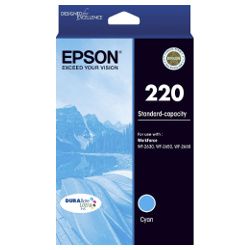
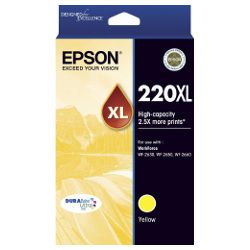
Standard capacity 220 cartridges yield roughly 175 pages for black and 165 pages per colour, measured using the ISO/IEC 24711 standard for inkjet printing. The high-yield 220XL black cartridge delivers up to 500 pages (550 in genuine), significantly reducing cost per page for daily document creation.
| Cartridge Number | Type | Colour | Page Yield | Cost Per Page |
|---|---|---|---|---|
| 220 | Standard | Black | 175 | $0.12 |
| 220 | Standard | Cyan | 165 | $0.11 |
| 220 | Standard | Magenta | 165 | $0.11 |
| 220 | Standard | Yellow | 165 | $0.11 |
| 220XL | High Yield | Black | 550 | $0.073 |
| 220XL | High Yield | Cyan | 450 | $0.081 |
| 220XL | High Yield | Magenta | 450 | $0.081 |
| 220XL | High Yield | Yellow | 450 | $0.081 |
Cost Per Page = Total Cartridge Price ÷ Page Yield (at 5% coverage). Prices based on Genuine cartridges.
Choosing between genuine and compatible cartridges
Compatible 220XL cartridges offer a practical way to drop printing expenses without sacrificing text sharpness or print reliability. Under Australian Consumer Law, using compatible cartridges does not void your printer warranty. Every compatible unit comes with a full money back guarantee to ensure hassle-free printing. To understand the differences in ink formulation and performance, read our genuine vs compatible cartridge guide.
How to choose and order your cartridges
If your office prints mostly text documents, opting for 220XL high-yield black cartridges alongside standard colour units keeps running expenses down. Complete four-colour value packs offer the best overall economy for replacing the full set at once. Free delivery applies on all orders over $99. We ship directly from strategically located warehouses in Perth, Brisbane, Sydney, Melbourne, and Adelaide for fast arrival. View all available Epson ink cartridges across our store, or check our returns policy for details on guarantees.
Pro Tip
Replacing cartridges as soon as the printer signals low ink prevents printhead nozzle drying. If a single colour runs out, replace only that individual cartridge to avoid unnecessary ink wastage across the other channels.
Frequently Asked Questions
Can I mix genuine 220 and compatible 220XL cartridges in the same printer?
Yes, the Epson WorkForce WF-2650 accepts a mix of genuine and compatible cartridges across its four slots. You can replace an empty genuine black cartridge with a compatible 220XL while keeping genuine colour cartridges installed without causing recognition or print quality issues.
Why does my printer report low ink on colour cartridges when I only print in black?
The printer uses small amounts of colour ink during automatic printhead cleaning cycles to prevent clogging and maintain printhead health. Additionally, standard print modes blend subtle amounts of colour ink into black output to improve tonal depth and crispness.
Do 220XL high-yield cartridges physically fit in the same slot as standard 220 cartridges?
Yes, 220XL cartridges share the exact same external dimensions as standard 220 cartridges and fit into the identical physical slots. The XL designation refers purely to the higher volume of ink contained inside the internal reservoir.


