
Kyocera Wireless Printers
Discover our range of Kyocera wireless printers, designed for convenience, efficiency, and dependable performance. Perfect for homes, small offices, and larger businesses, these printers eliminate the hassle of cables while offering fast, high-quality printing. At Ink Depot, we stock the latest Kyocera wireless models, all backed by Australia-wide shipping and a simple returns policy.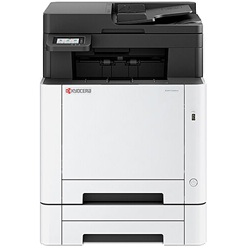
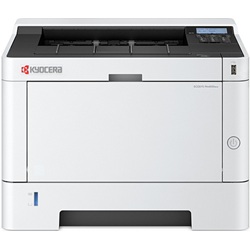
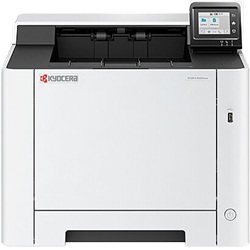
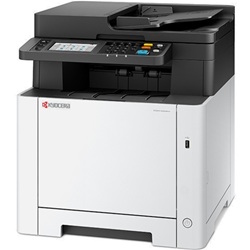
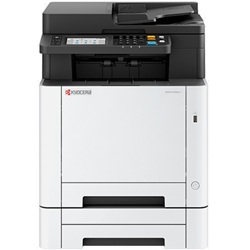
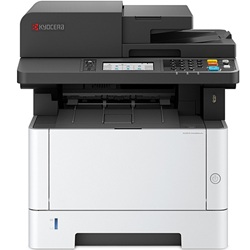


Effortless Connectivity with Kyocera Wireless Printers
In today’s fast-paced world, wireless printing isn’t just a luxury—it’s a necessity. Kyocera wireless printers combine robust performance with flexible connectivity, making them the ideal solution for both personal and professional use. Whether you’re printing from a desktop, laptop, tablet, or smartphone, Kyocera ensures seamless wireless operation without compromising on print quality or speed.
Key Benefits of Kyocera Wireless Printers
- Cable-Free Printing: With Wi-Fi capabilities, there's no need for physical connections—simply print from anywhere in your home or office.
- Mobile & Cloud Support: Most Kyocera models support Google Cloud Print, Apple AirPrint, and mobile apps, so you can print on the go.
- Energy Efficient: These printers are engineered to consume less power, saving on energy bills without affecting output.
- High-Volume Output: Kyocera printers are known for their long-life components, ensuring fewer replacements and reduced downtime.
Whether you're setting up a compact home office or managing high workloads in a corporate environment, Kyocera wireless printers offer performance customised to your needs.
How to Choose the Right Kyocera Wireless Printer
When selecting a Kyocera wireless model, consider the following:
- Monthly Print Volume: Choose a model with the right duty cycle to match your usage.
- Monochrome vs. Colour: For everyday documents, a monochrome printer may be sufficient. For design or marketing use, opt for a colour version.
- Speed and Resolution: Look for printers that balance print speed (pages per minute) with high-resolution output for professional documents.
- Paper Handling: Some models offer dual trays or A3 capability—ideal for offices with varied paper size needs.
At Ink Depot, we help you compare models and specs easily so you find the best fit without the guesswork.
Maintenance Tips to Keep Your Printer Running Smoothly
Proper care ensures your Kyocera wireless printer delivers consistent results over time:
- Update Firmware Regularly: Stay updated with the latest enhancements from Kyocera for performance and security.
- Use Quality Toner: Whether you choose OEM or compatible cartridges, make sure they’re from a trusted source to protect your printer’s lifespan.
- Keep it Dust-Free: Regularly clean the outer surface and interior paper paths to prevent jams and smudging.
- Run Diagnostic Tools: Kyocera wireless printers come with built-in tools to help you detect and fix issues.
Other products you may interested in


