
Paper Shredders
Find the right paper shredder for disposing of personal and confidential documents at home or in the office. Ink Depot stocks auto-feed and manual-feed models suited to home, home-office and business use. Auto-feed shredders load a supported stack and handle it automatically, which suits busier environments with regular paperwork. Manual-feed shredders take a few sheets at a time, giving you more direct control for smaller, occasional jobs like household bills and statements.
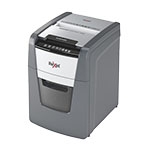
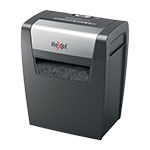
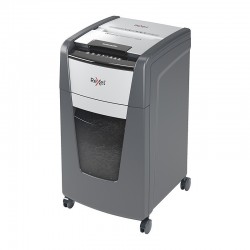
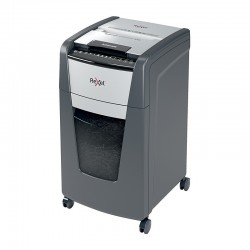
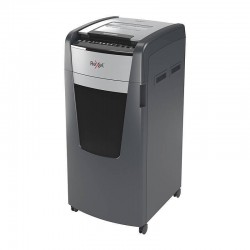


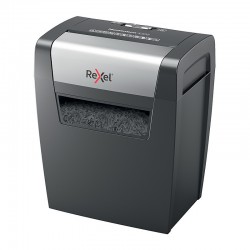

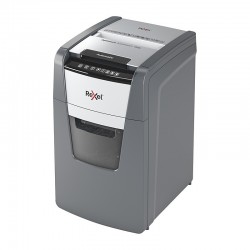
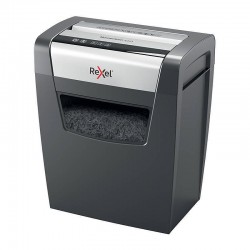
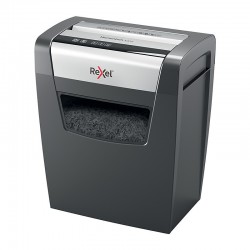
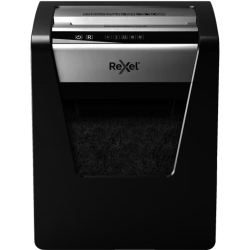
Choosing the Right Paper Shredder
The right shredder depends on how much paper you expect to process, how often you'll use it, and how much time you want to spend feeding it by hand. A compact model may suit occasional household bills and personal paperwork, while a shared office generally needs a larger bin and a capacity built for more frequent use. Even office-labelled shredders can require substantial cooling intervals, so check the rated run time and cooling requirements rather than assuming continuous operation.
Don't compare models by sheet capacity alone. Sheet capacity tells you how many pages the machine can pull through at once, whether that's a manual slot or an automatic feed chamber. It doesn't tell you how long the machine can run before it needs to cool down. Bin capacity is separate again: a bigger bin means fewer trips to empty it, but a bigger footprint too. These are three different numbers solving three different problems, so check each one instead of leaning on a single spec.
Before ordering, compare the following on the individual product page:
- Rated manual-feed sheet capacity, and automatic feed capacity where applicable (the two can differ on the same machine)
- Bin capacity and overall dimensions
- Rated run time and any required cooling period
- Cut type and, where listed, particle size or security level
- Support for staples, paper clips, cards or other materials, since this differs from model to model. Always check before feeding anything but plain paper through.
Auto-Feed Versus Manual-Feed Shredders
Auto-feed shredders let you load a supported stack of paper into a hopper and leave the machine to work through it, which suits offices or households with a regular, larger volume of documents. Manual-feed shredders take a few sheets at a time through a slot, giving you more direct control and often suiting smaller or more occasional shredding needs. Neither type wins outright: it depends on how much you're shredding and how hands-on you want to be. Browse auto-feed shredders or manual-feed shredders to compare the current range.
Understanding Shredder Cut Types
Shredders fall into three cut types. Strip-cut, the most basic option, slices paper into long strips and offers the least security. Cross-cut cuts it into small, confetti-like pieces; it's what Ink Depot's current Rexel range uses, and it covers most home and office needs. Micro-cut goes finer still, breaking paper down into particles that are much harder to piece back together. Exact particle size and security rating differ by model, so if a specific standard matters for your organisation, look it up on the product listing instead of guessing from the cut type name.
Paper Shredders for Home and Home Offices
Home shredding tends to be occasional: old bills, bank statements, and tax records, not a constant stream of paper. A compact cross-cut model usually covers it, and a manual-feed unit is small enough to sit beside a desk without taking up much room. Need a specific security level? Check the particle size and rating on the listing itself instead of assuming it from the cut type.
Paper Shredders for Offices and Businesses
Shared offices ask more of a shredder: more users, more frequent runs, bigger volumes at once. Auto-feed models with higher sheet capacity and larger bins hold up better here than a small manual unit, since fewer people are stuck standing over it feeding paper by hand or emptying the bin. Owning a shredder helps with day-to-day disposal, but it doesn't cover your organisation's privacy, record-retention or secure-disposal obligations on its own.
Looking After Your Paper Shredder
A few habits keep a shredder running well. Stay under the rated sheet capacity. Empty the bin before it's overstuffed instead of forcing extra pages in. Use only the oil or maintenance products the manufacturer recommends. Capacity, run time, and care needs all differ by machine, so it's worth a quick look at your specific manual, especially for cooling breaks after heavier use.
Shop Rexel Paper Shredders at Ink Depot
Ink Depot's current shredder range includes Rexel auto-feed and manual-feed cross-cut models, suited to home, home-office and business use. Delivery is available Australia-wide, with the exact cost calculated at checkout depending on your location and the item's size and weight. If something isn't right, review our returns policy for the current process. Browse the range above to compare current models and pricing.
Frequently Asked Questions
What's the difference between an auto-feed and a manual-feed shredder?
Auto-feed shredders take a supported stack of paper in a hopper and work through it on their own, which suits offices or households with a regular, larger volume of documents. Manual-feed shredders take a few sheets at a time through a slot, giving you more direct control and suiting smaller or more occasional needs.
What's the difference between sheet capacity and bin capacity?
Sheet capacity is how many pages the machine can pull through at once. Bin capacity is how much shredded paper the machine can hold before you need to empty it. A larger bin means fewer trips to empty it, but a bigger footprint too. The two figures solve different problems, so it's worth checking both.
Which cut type should I choose: strip-cut, cross-cut, or micro-cut?
Strip-cut is the most basic option and the least secure. Cross-cut, used across Ink Depot's current Rexel range, cuts paper into small, confetti-like pieces and suits most home and office needs. Micro-cut goes finer still, making documents harder to reconstruct. If a specific security rating matters to you, check the exact particle size on the product listing rather than assuming it from the cut type name.
Can I shred staples, paper clips, or cards?
This depends on the model, so check the individual product page before feeding anything other than plain paper through the shredder.
Do shredders need cooling breaks?
Many do, particularly with heavier use. Check the rated run time and any required cooling period on the product page, and follow your model's manual for specific cooling recommendations.
What type of shredder suits a shared office best?
Auto-feed models with higher sheet capacity and larger bins tend to hold up better in shared offices, since fewer people need to stop and feed paper by hand or empty the bin.


