
Canon PIXMA TR8560 Ink Cartridges
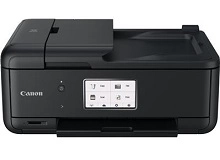
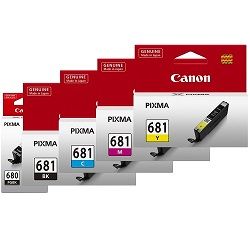
Your Canon PIXMA TR8560 uses the PGI-680 / CLI-681 ink cartridge series, which features a five-ink individual cartridge system comprising a pigment black ink and four dye-based colour inks. Designed predominantly for home office multitasking and high-quality document handling, this dual-black setup isolates text printing on plain paper from colour imaging. Because the printer draws from separate reservoirs based on document type, a common replacement pattern emerges where the heavy pigment black tank depletes rapidly from everyday correspondence, while the dye-based colorants deplete independently depending on graphic layout density.




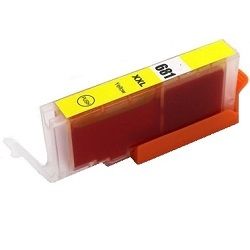
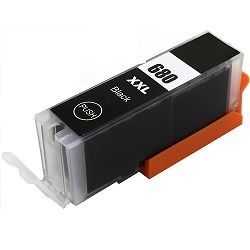

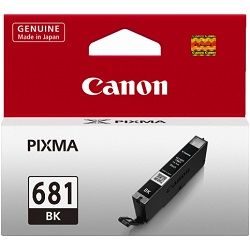
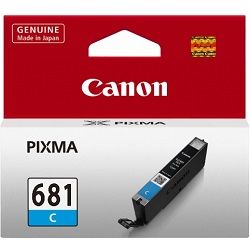


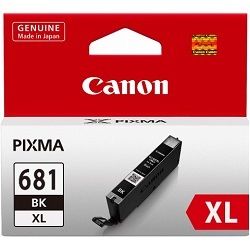
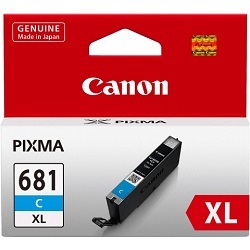
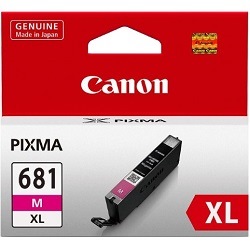


Expected page output and replacement cycles
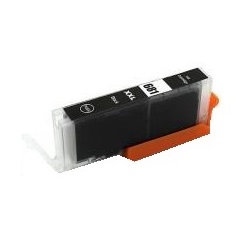
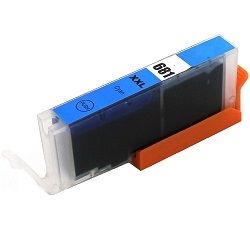
Document and image production lifecycles depend entirely on whether you deploy standard, XL, or XXL high-yield variants. The pigment black cartridge, responsible for sharp monochrome text, ranges from a modest entry-level capacity up to an extended-run version built for heavy text production. Meanwhile, the dye-based colour inks handle colour details and photographic elements. Canon calculates these official page yields using the standardised ISO/IEC 24711 international framework for inkjet print metrics, which relies on continuous printing of test documents across plain paper surfaces. Real-world returns fluctuate depending on environmental conditions, printing frequency, and graphic density coverage.
| Cartridge Number | Type | Colour | Page Yield | Cost Per Page |
|---|---|---|---|---|
| CLI-681BK | Standard | Black | 1,500 | $0.012 |
| PGI-680BK | Standard | Black | 200 | $0.089 |
| CLI-681C | Standard | Cyan | 250 | $0.071 |
| CLI-681M | Standard | Magenta | 250 | $0.071 |
| CLI-681Y | Standard | Yellow | 250 | $0.068 |
| PGI-680XLBK | High Yield | Black | 400 | $0.071 |
| CLI-681XLBK | High Yield | Black | 3,120 | $0.009 |
| CLI-681XLC | High Yield | Cyan | 515 | $0.055 |
| CLI-681XLM | High Yield | Magenta | 515 | $0.055 |
| CLI-681XLY | High Yield | Yellow | 515 | $0.055 |
| PGI-680XXLBK | Extra High Yield | Black | 600 | $0.053 |
| CLI-681XXLBK | Extra High Yield | Black | 6,360 | $0.005 |
| CLI-681XXLC | Extra High Yield | Cyan | 760 | $0.045 |
| CLI-681XXLM | Extra High Yield | Magenta | 760 | $0.045 |
| CLI-681XXLY | Extra High Yield | Yellow | 760 | $0.045 |
Cost Per Page = Total Cartridge Price ÷ Page Yield (at 5% coverage). Prices based on Genuine cartridges.
Genuine vs compatible cartridges
Choosing between genuine and compatible options allows you to manage running costs without compromising on reliability. Third-party compatible replacements arrive fully chipped to interact seamlessly with your printer, displaying real-time ink levels. Under Australian Consumer Law, using compatible cartridges does not void your printer warranty. If you require absolute permanence for archival documents, genuine factory options ensure maximum fade resistance, whereas premium compatibles provide a practical path to reducing running costs for daily drafts and internal home business paperwork. For a deeper understanding of these options, review our comparative overview by visiting our blog at genuine vs compatible cartridges.
Choosing the right cartridge setup
Managing your ink supply efficiently requires selecting packs that match your household printing patterns. If your workflow consists primarily of text invoices, statements, and single-page forms, stocking up on high-yield black standalone cartridges prevents premature downtime. For users balancing mixed colour presentations or family projects, opting for multi-cartridge bundles remains the most economical strategy, lowering the overall acquisition cost relative to buying single items sequentially. All compatible ink replacements feature a comprehensive money-back guarantee to ensure protection if they fail to perform.
Review our flexible terms by visiting our Returns policy for complete peace of mind. Free delivery applies on all orders over $99 (conditions apply), with all inventory dispatched quickly from our dedicated distribution centres located across Perth, Brisbane, Sydney, Melbourne, and Adelaide. To explore additional options, view our complete range of Canon ink cartridges.
Pro Tip
The dual-black system printer intelligently, but you must select the correct media settings in your print menu. Sending a text document to the printer under a "Photo Paper" setting forces the printer to generate text using the dye-based photo black and colour inks rather than the dedicated large pigment black cartridge, causing uneven ink depletion and unnecessarily increasing your cost-per-page.
Frequently Asked Questions
Why does my printer have two different black ink cartridges?
The system uses the wide PGI-680 cartridge filled with pigment black ink specifically for crisp, water-resistant text on plain paper. The slim CLI-681 black cartridge contains dye-based ink, which activates during color photography and illustrations to create deeper contrast and smooth gradient transitions on glossy media.
Can I install an XXL cartridge alongside a standard capacity cartridge?
Yes, standard, XL, and XXL versions of the PGI-680 and CLI-681 series share identical physical dimensions and slots. You can mix and match different capacities inside the carriage based on your individual usage, such as running an XXL black tank alongside standard colour cartridges.
What happens if one colour runs out while the others are full?
The printer requires all five individual slots to contain an active, unexpired cartridge with remaining ink to function. If a single colorant like magenta or cyan depletes completely, the system ceases printing to protect the printhead from overheating, making bundle backups highly useful.


