
HP 63, 63XL Ink Cartridges
The HP 63 and 63XL cartridge series features a two-ink configuration across standard and high-yield capacities, providing flexible replacement volumes for home and small home office setups. Both genuine options and premium third-party compatible replacements are available to manage ongoing operational costs. Because this specific thermal printing architecture integrates the firing nozzles directly onto the physical cartridge bodies, every single cartridge swap functions as a complete printhead refresh to keep document output lines crisp.
Printers Compatible with HP 63 Ink Cartridges


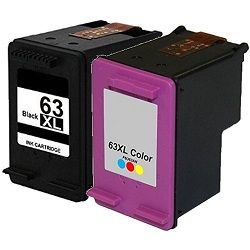



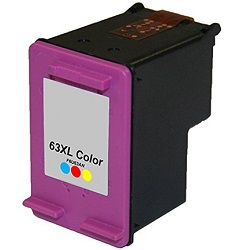


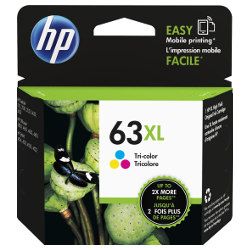
Real-world page yields and testing metrics
These low-volume thermal cartridges have distinct physical reservoir capacities depending on the chosen variant. HP calculates these totals using the industry-standard ISO/IEC 24711 protocol for continuous colour inkjet printing to deliver baseline figures.
| Cartridge Number | Type | Colour | Page Yield | Cost Per Page |
|---|---|---|---|---|
| 63 | Standard | Black | 190 | $0.23 |
| 63 | Standard | Colour | 165 | $0.35 |
| 63XL | High Yield | Black | 480 | $0.20 |
| 63XL | High Yield | Colour | 330 | $0.31 |
Cost Per Page = Total Cartridge Price ÷ Page Yield (at 5% coverage). Prices based on Genuine cartridges.
Facts regarding third-party compatible alternatives
Using generic replacements provides immediate financial savings on standard everyday documents. Under Australian Consumer Law, using compatible cartridges does not void your printer warranty. These third-party options slide onto the carriage assembly tracks exactly like their genuine equivalents, ensuring electronic contact alignment remains true. Every alternative cartridge in our stock carries a comprehensive money-back guarantee to protect against potential cartridge errors. To view the legal protections regarding third-party usage, read our explanatory summary on the genuine vs compatible cartridge blog.
Buying options and domestic delivery
Standard capacity cartridges generally carry an expensive per-millilitre cost that penalises frequent users. If your printing patterns are intermittent or limited to less than 50 pages a month, standard genuine HP 63 cartridges prevent ink sedimentation during inactive periods. For larger household printing or school assignments exceeding 150 pages monthly, moving to high-yield 63XL multi-packs or compatible bundles keeps your printing going without constant carriage maintenance stops.
Our compatible options include an unconditional money-back guarantee if you experience performance issues. Any faulty or incorrectly selected items can be handled seamlessly under our formal returns policy. Free delivery applies on all orders over $99 (conditions apply), fulfilled straight from our regional dispatch centers located in Perth, Brisbane, Sydney, Melbourne, and Adelaide. To source consumables for other printer models, check our main collection of HP ink cartridges.
Pro Tip
The HP 63 series uses a combined tri-colour cartridge housing cyan, magenta, and yellow altogether. If you print documents with heavy margins or solid blocks in a single colour like red, the yellow and magenta ink chambers will empty while the cyan chamber remains mostly full, requiring you to discard the entire unit regardless of remaining ink.
Frequently Asked Questions
Can a printer that came with standard HP 63 cartridges physically fit the high-yield HP 63XL version?
Yes, the 63XL cartridge shares the exact outer physical frame dimensions, locking clip latch, and copper contact strip pattern as the standard 63. The physical difference is inside the shell, where the high-yield version uses a much larger internal sponge to hold more ink.
Why does my printer display an "Incompatible Cartridge" error message after installing a compatible 63XL?
This error occurs if there is a tiny smudge of oil from your fingers on the copper contact points or if the cartridge did not snap tightly into the cradle. Take out the cartridge, clean the small copper plates gently with a dry cloth, and firmly snap it back in until it clicks.
If I only print in black, do I still need a working HP 63 colour cartridge installed in the printer?
Yes, these DeskJet, Envy, and OfficeJet printers will lock the printer and refuse to operate if either carriage slot is empty. To print purely in black text without wasting colour ink, keep an old colour cartridge in the cradle and adjust your printer settings to "Black and White Only".


