
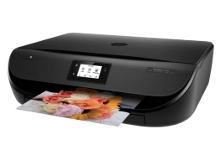
HP Envy 4520 Ink Cartridges
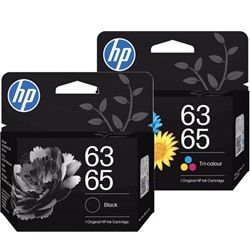
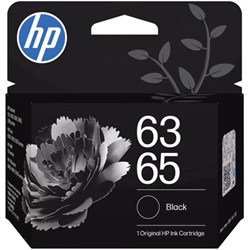
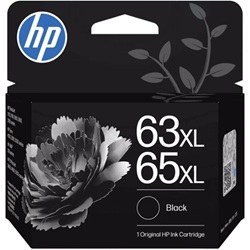
Your HP Envy 4520 uses the HP 63 and 63XL ink cartridge series. Ink Depot has been supplying reliable consumables for this all-in-one wireless printer since Mar 2016. Replacing standard 63 (F6U62AA) black cartridges with high-yield 63XL (F6U64AA) options increases output from 190 to 480 pages, cutting replacement frequency during household printing. Our 4.8 Google rating reflects a long-standing track record of premium cartridge performance.






Expected Page Output and Replacement Cycles
Page yields for the HP 63 series are measured using ISO/IEC 24711 standard test pages at 5% page coverage. Household printing involving heavy graphics or photo projects depletes tri-colour cartridges faster than standard black text documents.
| Cartridge Number | Type | Colour | Page Yield | Cost Per Page |
|---|---|---|---|---|
| 63 | Standard | Black | 190 | $0.22 |
| 63 | Standard | Black | 100 | $0.31 |
| 63 | Standard | Colour | 120 | $0.35 |
| 63 | Standard | Colour | 165 | $0.36 |
| 63XL | High Yield | Black | 300 | $0.24 |
| 63XL | High Yield | Black | 480 | $0.20 |
| 63XL | High Yield | Colour | 330 | $0.31 |
Cost Per Page = Total Cartridge Price ÷ Page Yield (at 5% coverage). Prices based on Genuine cartridges.
Choosing Between Genuine and Compatible Options
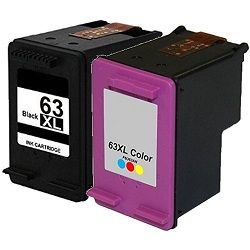
Under Australian Consumer Law, using compatible cartridges does not void your printer warranty. Installing compatible HP 63XL cartridges gives you high print volume at a lower cost per page without compromising performance. To learn more about how aftermarket options perform alongside original cartridges, read our detailed genuine vs compatible cartridge guide.
Best Way to Stock These Cartridges
For frequent document printing, upgrading to high-yield 63XL (F6U64AA) black cartridges provides more than double the capacity of standard 63 (F6U62AA) units. If you choose compatible 63XL options, they are fully risk-free and backed by a money-back guarantee under our returns policy. Order your HP ink cartridges today with fast dispatch. Free delivery applies on all orders over $99, shipped from our Australian warehouses in Sydney, Melbourne, Brisbane, Adelaide, and Perth.
Pro Tip for HP Envy 4520 Inks
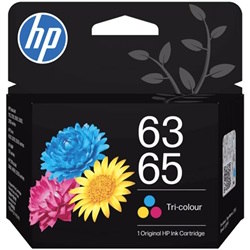
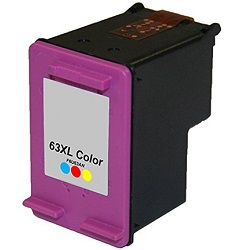
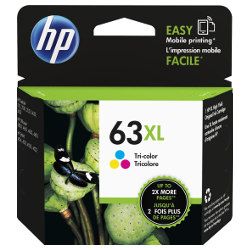
Because the HP 63 tri-colour cartridge contains cyan, magenta, and yellow in a single unit, running out of just one colour requires replacing the whole colour cartridge. Upgrading to 63XL (F6U63AA) colour cartridges gives you extra ink volume to prevent premature depletion during photo projects.
Frequently Asked Questions
Can I install a 63XL cartridge if my HP Envy 4520 came with standard HP 63 cartridges?
Yes. HP 63XL high-yield cartridges share the exact physical dimensions as standard HP 63 cartridges and fit into the same slot inside your Envy 4520 printer, but contain significantly more ink.
What happens if one colour runs out in the HP 63 tri-colour cartridge?
The HP 63 tri-colour (F6U61AA / F6U63AA) cartridge combines cyan, magenta, and yellow ink into one unit with an integrated printhead. If one colour depletes completely, the cartridge must be replaced to restore accurate full-colour printing.
Can I mix a genuine HP 63 black cartridge with a compatible 63XL colour cartridge?
Yes, you can mix genuine and compatible HP 63 or 63XL cartridges in your printer without operational conflicts or error messages.


