
Lexmark Ink Cartridges
Lexmark inkjet printers are most commonly used in small businesses and home offices. Experience high-quality printing with genuine Lexmark ink cartridges or with the compatible and remanufactured alternatives. Ink Depot is the best place to find cheap ink cartridges for Lexmark printers.
Trending Lexmark Ink Cartridges


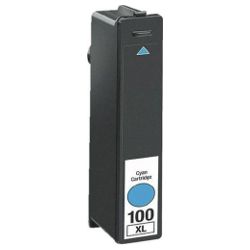


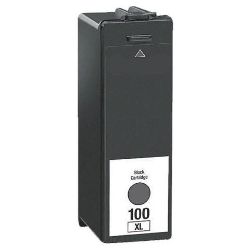


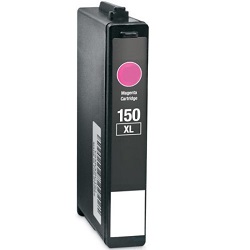
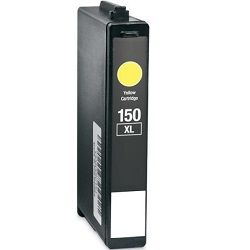
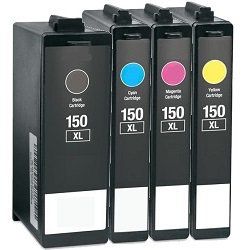
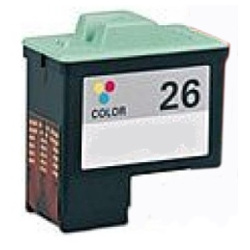
Lexmark printers are built for reliability, and the right ink cartridge keeps them that way. Whether you're printing school assignments at home with a Lexmark CX series or running a busy office on a Lexmark MB or MX machine, using the correct cartridge makes a real difference to your print quality, cost per page, and how long your printer lasts.
Ink Depot stocks both genuine Lexmark ink cartridges and compatible Lexmark cartridges, with delivery available Australia-wide, including Sydney, Melbourne, Brisbane, Perth, Adelaide, Canberra, Gold Coast, and regional areas.
| Lexmark Ink Series | Common Printer Families | Key Features & Yields |
|---|---|---|
| Lexmark 26 | Z13, Z23, Z25, Z33, Z35, Z515, Z605, Z611, Z615, Z617, Z640, Z645, Z647, X75, X1150, X1185, X1270, X2250 | Dye-based colour ink with smaller ink-drop technology for sharper images and smoother colour blending. Colour yield of approximately 275 pages. Suits light home and family printing. |
| Lexmark 33 | P315, P450, P4330, P4350, P6250, P6350, X3330, X3350, X5250, X5270, X5450, X5470, X7170, X7350, X8350, Z816 | Tricolour cartridge with cyan, magenta, and yellow combined. Yields approximately 190 pages at 5% coverage. Pairs with the Lexmark 32 black for everyday home printing. |
| Lexmark 100XL | Genesis S815/S816, Impact S305, Interact S605, Interpret S405, Intuition S505, Pinnacle Pro901, Platinum Pro905, Prestige Pro805, Prevail Pro705, Prospect Pro205 | Individual ink cartridges, so you only replace the colour you need. XL colour cartridges yield approximately 600 pages, while XL black yields up to 510 pages. Delivers up to 3x the pages of standard yield. |
| Lexmark 150XL | S315, S415, S515, S319, Pro715, Pro915 | High-yield black prints up to 750 pages, while colour cartridges yield approximately 700 pages each. Separate cyan, magenta, and yellow cartridges make this a strong option for home offices with moderate print volumes. |
Lexmark Return Programme Cartridges Explained
You may notice some Lexmark cartridges labelled as Return Programme cartridges. These are genuine Lexmark cartridges sold at a slightly lower price on the condition that the empty cartridge is returned to Lexmark for recycling after use.
The print quality and page yield are exactly the same as standard genuine Lexmark cartridges. The only difference is the recycling agreement attached to the cartridge purchase.
If you prefer not to participate in the return program, standard non-return versions are also available for many Lexmark cartridge series.
How to Get Better Results from Your Lexmark Ink
Choose XL cartridges if you print regularly. XL cartridges usually cost more upfront, but they contain significantly more ink and work out much cheaper per page over time. They are ideal for home offices, school printing, and regular document printing.
Print something every week or two. Like most inkjet printers, Lexmark cartridges can dry out if left unused for long periods. Printing even a simple test page regularly helps keep the nozzles clear and reduces streaky or faded printing.
Use the printer cleaning utility before replacing cartridges. If your print quality suddenly drops, it does not always mean the cartridge is empty. Running the built-in nozzle cleaning or alignment tool can often restore normal print quality without needing a replacement cartridge.
Check your paper settings before printing photos. Many print quality issues are actually caused by incorrect paper settings rather than the cartridge itself. Choosing the correct paper type in your printer settings can noticeably improve colour accuracy and sharpness.
Page yields are based on ISO testing. The page yields shown for Lexmark cartridges are based on ISO testing at approximately 5% page coverage. Printing photos or heavily coloured documents will reduce the number of pages you get from each cartridge.
Delivery & Availability
Ink Depot supplies Lexmark ink cartridges across Australia, including metro and regional locations. Both genuine and compatible cartridge options are available for many popular Lexmark printer series.
If you are unsure which Lexmark cartridge fits your printer, our team can help confirm compatibility before you place your order.
Frequently Asked Questions
1. How do I know which Lexmark cartridge fits my printer?
The cartridge number is usually printed on the currently installed cartridge or listed inside the printer. You can also search your Lexmark printer model on our website to find matching cartridges.
2. Can I use a Return Programme cartridge without returning it?
Yes. The cartridge will still work normally even if it is not returned, although the program exists to encourage recycling and reduce cartridge waste.
3. Why does my Lexmark printer show an error with a compatible cartridge?
Some Lexmark printers may display a non-genuine cartridge warning message. In many cases, this is simply a notification and printing can continue normally after confirming the message.
4. My Lexmark colour prints look muddy and oversaturated. The cartridge is new, so what's wrong?
Nine times out of ten, this is a paper setting mismatch, not a cartridge problem. Open your printer driver, go to print properties, and check what paper type is selected.
If it is set to Photo Paper or Glossy but you are printing on plain paper, the printer may lay down more ink than the paper can absorb. Switch it to Plain Paper and reprint. You should see an immediate difference.
This is one of the most common and most overlooked causes of colour problems on Lexmark inkjet printers.
Other products you may interested in


