HP OfficeJet Pro 7740 Ink Cartridges
Your HP OfficeJet Pro 7740 uses the 955 / 955XL / 959XL ink cartridge series. This wide-format office printer employs a four-cartridge pigment ink system, where each colour is replaced individually as it expires. For small business environments, the high-yield 955XL series is the standard choice to manage frequent document production. Because this printer is often used for A3 marketing materials and spreadsheets, you will likely notice the magenta and cyan cartridges depleting faster than yellow if your branding uses specific warm or cool tones.


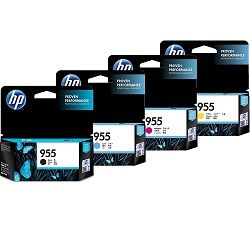

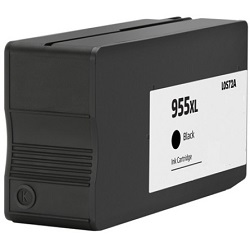


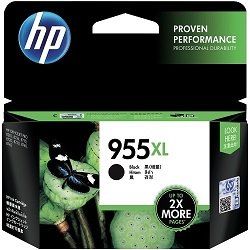


Real-world page output and cartridge longevity
The 955 series uses the ISO/IEC 24711 standard to determine page yields, which involves continuous printing of a five-page suite of mixed text and graphics until the cartridge is empty. While these figures provide a baseline for comparison, actual results in an office setting vary based on coverage. If you are printing full-coverage A3 posters, your yield per cartridge will be significantly lower than the stated A4 averages. High-volume users typically transition to the 955XL or 959XL black cartridges to maintain a lower cost-per-page for administrative documents.
High-yield stocking and delivery
For busy offices, the most efficient way to manage replacements is through bundle packs. Value packs containing all four colours (CMYK) ensure you aren't caught short when one colour unexpectedly hits empty during a print run. If you primarily produce text-heavy documents, stocking an extra 955XL high-capacity black cartridge is recommended.
Free delivery applies on all orders over $99 (conditions apply). We ensure fast distribution by shipping from our local warehouses in Perth, Brisbane, Sydney, Melbourne, and Adelaide. If you are looking to reduce overheads, our compatible range comes with a money-back guarantee should they not meet your expectations. You can view our full returns policy for complete peace of mind. To find more products, visit our HP ink cartridges page.
Choosing between genuine and compatible options
We provide both genuine HP 955XL cartridges and high-quality compatible alternatives. Our compatibles are designed to match the fit and function of the original units at a lower price point. Under Australian Consumer Law, using compatible cartridges does not void your printer warranty. You can read more about your rights and the differences between these options in our genuine vs compatible guide.
Pro Tip
If you receive a "Low Ink" warning on your OfficeJet Pro 7740, you can usually continue printing until the output actually begins to fade. However, always keep a spare set on hand, as HP's thermal inkjet technology requires a small amount of ink in all tanks to prevent the printhead from overheating during operation.
Frequently Asked Questions
Can I use a 955XL cartridge if my printer currently has a standard 955 installed?
Yes, the 955XL and standard 955 cartridges are identical in physical dimensions and fit into the same slots. The only difference is the volume of ink contained inside the tank, making the XL version more cost-effective for most users.
Why does my black ink run out even when I only print in colour?
The OfficeJet Pro 7740 uses a small amount of black ink even during colour print jobs to improve contrast and sharpen the edges of graphics. Additionally, the printer performs periodic maintenance cycles to keep the printhead nozzles clear, which consumes a tiny portion of all ink colours.
Are the 955XL cartridges pigment-based or dye-based?
The 955XL series uses pigment-based inks for all four colours. This is specific to the OfficeJet Pro range to ensure that prints are smudge-resistant, water-resistant, and highlighter-friendly, which is a requirement for professional business documents and wide-format plans.