
HP OfficeJet Pro 7740 Ink Cartridges
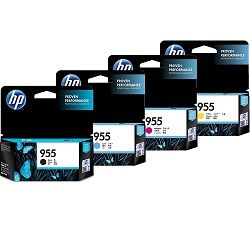
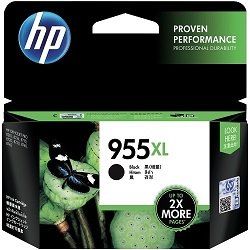
Shop ink cartridges for your HP OfficeJet Pro 7740, which uses the HP 955 and 955XL ink cartridge series. Ink Depot has supplied reliable consumables for this A3 wide-format business printer since Aug 2017. Our 4.8 Google rating reflects a long-standing track record of premium cartridge performance. Upgrading from standard L0S60AA black ink to high-yield L0S72AA options significantly reduces replacement frequency during heavy document printing runs.







Expected page output and replacement cycles
Page yield ratings for HP 955 and 955XL cartridges follow ISO/IEC 24711 standard testing protocol for inkjet printers. Actual page yields vary based on document coverage, paper size, and colour ink saturation during A3 printing.
| Cartridge Number | Type | Colour | Page Yield | Cost Per Page |
|---|---|---|---|---|
| 955 | Standard | Black | 1,000 | $0.052 |
| 955 | Standard | Cyan | 700 | $0.056 |
| 955 | Standard | Magenta | 700 | $0.056 |
| 955 | Standard | Yellow | 700 | $0.056 |
| 955XL | High Yield | Black | 2,000 | $0.043 |
| 955XL | High Yield | Cyan | 1,600 | $0.042 |
| 955XL | High Yield | Magenta | 1,600 | $0.042 |
| 955XL | High Yield | Yellow | 1,600 | $0.042 |
Cost Per Page = Total Cartridge Price ÷ Page Yield (at 5% coverage). Prices based on Genuine cartridges.
Choosing between genuine and compatible options
We supply both original HP cartridges and high-quality compatible alternatives. Under Australian Consumer Law, using compatible cartridges does not void your printer warranty. Compatible options offer substantial cost savings per page for high-volume office environments. You can compare genuine and compatible cartridges to determine which option fits your workspace requirements.
How to select the right ink pack
For routine office paperwork and text-heavy reports, choosing high-yield L0S72AA black cartridges reduces cartridge changeovers. If your team produces colour presentations or oversized A3 promotional flyers, multi-packs offer better value. Compatible cartridges include a complete money-back guarantee if they do not meet performance expectations. Review our returns policy for details. Orders are dispatched quickly from dispatch centres in Perth, Brisbane, Sydney, Melbourne, and Adelaide. Free delivery applies on all orders over $99. View our full catalogue of HP ink cartridges for related models.
Pro Tip
Always keep an extra L0S72AA black ink cartridge on hand. The HP OfficeJet Pro 7740 uses small amounts of colour ink during automated printhead servicing routines even when printing mono documents, but completely depleted black cartridges will halt all printing activity until replaced.
Frequently Asked Questions
Can I mix genuine HP cartridges with compatible cartridges in the same printer?
Yes, compatible HP 955XL cartridges work seamlessly alongside original HP cartridges. The printer reads each cartridge slot independently, so you can replace empty individual colours with compatible cartridges without affecting the remaining genuine cartridges.
What is the difference between HP 955 and HP 955XL cartridges?
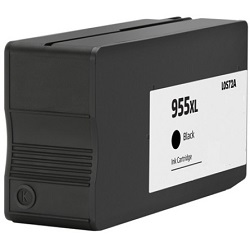
HP 955 and HP 955XL cartridges share identical external dimensions and install into the same physical slots. The XL variants contain extra ink capacity, yielding roughly double the printed pages of standard cartridges while lowering your cost per page.
Why does my HP OfficeJet Pro 7740 consume colour ink when I only print black and white?
The printer periodically performs maintenance cycles to clear printhead nozzles and prevent ink from drying out. These brief maintenance routines use minor amounts of all installed colours to keep the thermal inkjet firing system operational over time.


