
HP Envy 6020 Ink Cartridges
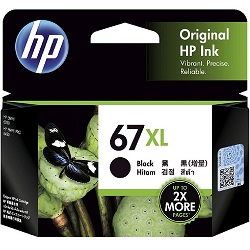
Your HP Envy 6020 uses the 67, 67XL, 67XXL ink cartridge series, featuring a two-cartridge system: one black and one tri-colour. We have been supplying consumables for this printer since May 2020. Because the tri-colour cartridge contains cyan, magenta and yellow in a single unit, an imbalance in your printing habits—such as printing many logos with blue tones—will require you to replace the entire colour unit even if other colours remain. For more frequent users, moving to the XL or compatible XXL variants is the standard way to reduce the number of physical cartridge swaps.

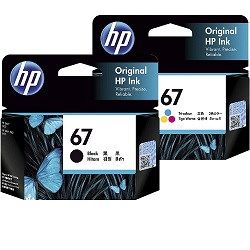

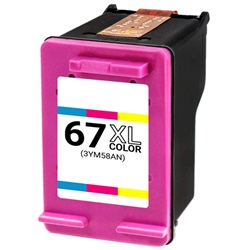
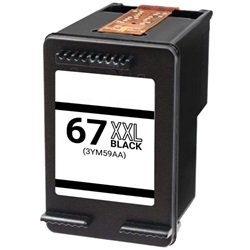
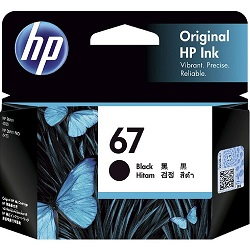


Managing Tri-colour Cartridge Yields
This printer relies on the ISO/IEC 24711 standard for inkjet yield measurements, which helps establish a baseline for how many pages you can expect. However, real-world results depend heavily on what you print. If you primarily print text documents with small colour accents, your black cartridge will deplete significantly faster than the colour one. Conversely, photo printing uses all three chambers of the tri-colour cartridge simultaneously, leading to much faster replacement cycles. Choosing the 67XL or 67XXL high-yield options provides a larger ink reservoir, which is particularly beneficial for preventing mid-project interruptions.
| Cartridge Number | Type | Colour | Page Yield | Cost Per Page |
|---|---|---|---|---|
| 67 | Standard | Black | 120 | $0.27 |
| 67 | Standard | Colour | 100 | $0.34 |
| 67XL | High Yield | Black | 240 | $0.22 |
| 67XL | High Yield | Colour | 200 | $0.27 |
| 67XXL | Extra High Yield | Black | 400 | $0.074 |
Cost Per Page = Total Cartridge Price ÷ Page Yield (at 5% coverage). All calculations use Genuine cartridge prices.
Genuine vs Compatible Cartridges
You can choose between genuine HP supplies and third-party compatible options for this printer. Under Australian Consumer Law, using compatible cartridges does not void your printer warranty. This allows you to select the consumable that best fits your budget. Our compatible 67 series cartridges are designed to meet the performance of the original units, providing a reliable alternative for everyday home and school documents. You can read more about this in our genuine vs compatible guide.
Best Way to Stock These Cartridges
For users who print sporadically, standard 67 cartridges are a safe choice to ensure ink is used before it can sit too long in the printhead mechanism. However, if you are printing school assignments or weekly reports, we suggest looking at bundle packs or compatibles to keep your running costs down. All our compatible cartridges come with a money-back guarantee if they do not perform to your expectations. For more details on our commitment to service, please view our returns policy. Free delivery applies on all orders over $99 (conditions apply). We ship from warehouses in Perth, Brisbane, Sydney, Melbourne and Adelaide to ensure your HP ink cartridges arrive promptly.
Pro Tip
The HP 67 series uses an integrated printhead design. This means every time you replace the cartridge, you are also replacing the firing mechanism, which helps maintain print quality over the life of the printer compared to printers with fixed permanent heads.
Frequently Asked Questions
Can I use a 67XXL black cartridge even if I previously used a standard 67?
Yes. The 67, 67XL and 67XXL cartridges share the same external dimensions and fit into the same slot in the HP Envy 6020. The "XL" and "XXL" designations simply refer to the volume of ink contained inside the shell.
Why does my printer show the colour cartridge is low when I only print in black?
Most inkjet printers, including the Envy 6020, use a small amount of colour ink even during black-and-white printing for maintenance cycles and to "enrich" the black tones (known as rich black). Over time, this will deplete the tri-colour cartridge even if you don't print photos.
What happens if one colour runs out in the tri-colour cartridge?
Since the cyan, magenta and yellow inks are housed in a single 67 series cartridge, you cannot replace them individually. If any one of the three colours is exhausted, you will need to replace the entire colour cartridge to restore full-colour printing.


