
HP DeskJet 2722e Ink Cartridges
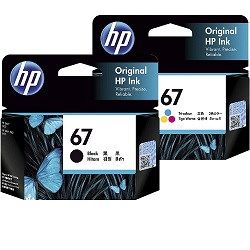
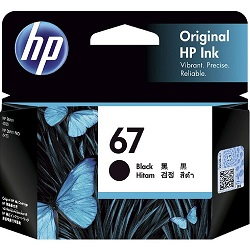
Your HP DeskJet 2722e uses the 67 cartridge series, consisting of one black and one tri-colour cartridge. This dual-cartridge system is designed for home or student use, where printing is intermittent rather than high-volume. Because the tri-colour cartridge houses cyan, magenta, and yellow together, an imbalance in your colour usage—such as printing many logos with blue—will require you to replace the entire colour unit even if other shades remain. For the most cost-effective replenishment, moving to XL or XXL variants is highly recommended to reduce the frequency of these changes.




Managing your HP 67 ink supplies
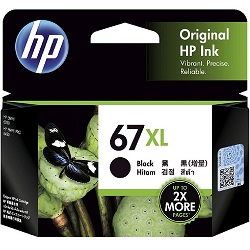
For users of the HP DeskJet 2722e, the most effective way to manage supplies is to look at your primary document type. If you mostly print black-and-white school assignments or shipping labels, stocking up on the 67XL or 67XXL black cartridges is a smarter move than buying standard packs. Because the standard 67 black cartridge has a relatively small reservoir, frequent users find the XXL capacity far more convenient. If you find yourself replacing cartridges often, consider our bundle packs to ensure you have both units ready.
Free delivery applies on all orders over $99 (conditions apply). We dispatch daily from our national warehouse network in Brisbane, Sydney, Melbourne, Adelaide, and Perth to ensure your HP ink cartridges arrive promptly. You can shop with confidence knowing our products are backed by our returns policy.
Expected page output and replacement cycles
Page yields for the 67 series are determined by HP using the ISO/IEC 24711 standard for inkjet printing. This standard involves printing a suite of five standard pages until the cartridge is depleted. In a home environment, your actual mileage may vary based on how much "white space" is on your pages and how often the printer performs maintenance cycles. Generally, the high-yield 67XL provides roughly double the output of a standard cartridge, making it the preferred choice for those who want to avoid mid-task interruptions.
| Cartridge Number | Type | Colour | Page Yield | Cost Per Page |
|---|---|---|---|---|
| 67 | Standard | Black | 120 | $0.27 |
| 67 | Standard | Colour | 100 | $0.34 |
| 67XL | High Yield | Black | 240 | $0.22 |
| 67XL | High Yield | Colour | 200 | $0.27 |
Cost Per Page = Total Cartridge Price ÷ Page Yield (at 5% coverage). All calculations use Genuine cartridge prices.
Pro Tip
If you primarily print in black, your printer will still use a small amount of colour ink from the tri-colour cartridge to "prime" the printhead and improve print sharpness. To preserve your colour ink, ensure you select "Black Ink Only" or "Grayscale" in your printer preferences when colour isn't essential.
Frequently Asked Questions
Can I install a 67XXL cartridge in my printer if I usually use the standard 67?
Yes. The 67, 67XL, and 67XXL cartridges share the same physical footprint and are designed to fit into the same slot in your DeskJet 2722e. The only difference is the amount of ink contained inside the internal reservoir.
What happens if one colour runs out in the tri-colour cartridge?
Because the 67 colour series is a single-unit design, you cannot replace individual colours. Once any of the three internal chambers (cyan, magenta, or yellow) is empty, you will need to replace the entire tri-colour cartridge to restore full-colour printing capabilities.
Why does my black ink seem to run out faster than the page yield suggests?
The 120-page estimate for a standard 67 black cartridge is based on 5% page coverage. If you are printing full-page text documents or homework with images, your coverage is likely much higher (often 15-20%), which will naturally reduce the number of pages you get before the low-ink warning appears.


