
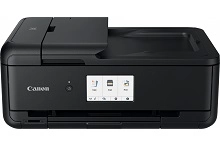
Canon PIXMA Home TS9560 Ink Cartridges
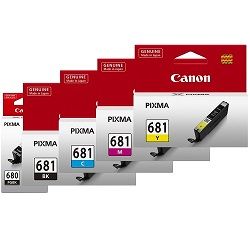
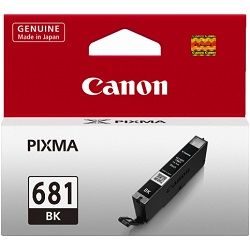
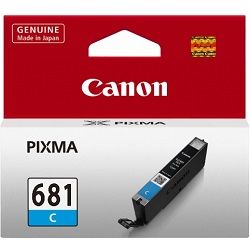
Your Canon PIXMA Home TS9560 uses the PGI-680, PGI-680XL, PGI-680XXL, CLI-681, CLI-681XL, CLI-681XXL cartridge series, employing a specialized five-ink system that separates document text workflows from photographic imaging. This advanced architecture relies on a large pigment black ink alongside dye-based cyan, magenta, yellow, and photo black variants to match output tasks to specific nozzle channels. Creative project cycles and domestic document printing cause individual ink reservoirs to drain at completely separate rates depending on your layout types. Because a heavy run of graphics leaves text wells untouched while draining primary tones, replacing individual standalone cartridges as they expire maintains reliable system uptime without the need to discard mixed ink blocks.




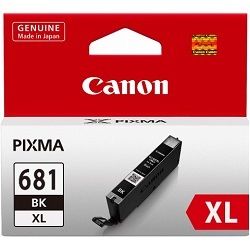
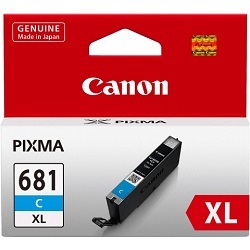
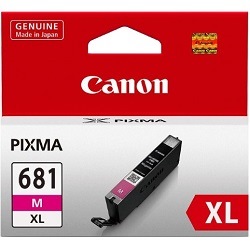


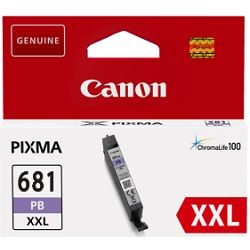


Document output and photo print lifecycles
Page capacities for this five-ink ecosystem are determined using two distinct testing methods to reflect how the separate ink types are physically consumed. Text-heavy document yields for the pigment PGI-680 series are evaluated under the ISO/IEC 24711 standard, using a continuous text matrix. Conversely, the dye-based CLI-681 colour variations use the ISO/IEC 29102 standard, which relies on a series of full-bleed photographic test templates. Real-world ink consumption patterns vary considerably because standard text documents bypass the dye-based tanks entirely, whereas printing colour graphics or scrapbooks shifts the physical consumption load onto the smaller colour reservoirs, causing noticeable differences in longevity between document black and photo inks.
| Cartridge Number | Type | Colour | Page Yield | Cost Per Page |
|---|---|---|---|---|
| CLI-681BK | Standard | Black | 1,500 | $0.012 |
| PGI-680BK | Standard | Black | 200 | $0.089 |
| CLI-681C | Standard | Cyan | 250 | $0.071 |
| CLI-681M | Standard | Magenta | 250 | $0.071 |
| CLI-681Y | Standard | Yellow | 250 | $0.068 |
| PGI-680XLBK | High Yield | Black | 400 | $0.071 |
| CLI-681XLBK | High Yield | Black | 3,120 | $0.009 |
| CLI-681XLC | High Yield | Cyan | 515 | $0.055 |
| CLI-681XLM | High Yield | Magenta | 515 | $0.055 |
| CLI-681XLY | High Yield | Yellow | 515 | $0.055 |
| PGI-680XXLBK | Extra High Yield | Black | 600 | $0.053 |
| CLI-681XXLBK | Extra High Yield | Black | 6,360 | $0.005 |
| CLI-681XXLC | Extra High Yield | Cyan | 760 | $0.045 |
| CLI-681XXLM | Extra High Yield | Magenta | 760 | $0.045 |
| CLI-681XXLY | Extra High Yield | Yellow | 760 | $0.045 |
| CLI-681XXLPB | Extra High Yield | Photo | 9,140 | $0.004 |
Cost Per Page = Total Cartridge Price ÷ Page Yield (at 5% coverage). Prices based on Genuine cartridges.
Managing replacement setups and delivery
If you manage a steady stream of domestic administrative printing, choosing the high-capacity XXL variants helps lower your general maintenance interventions. For users printing photo media alongside text, purchasing bundled packs provides a complete inventory refresh that ensures a missing primary tone will not halt a weekend project.
Free delivery applies on all orders over $99 (conditions apply). To maintain rapid delivery timelines throughout Australia, we dispatch all orders from regional logistics centres in Perth, Brisbane, Sydney, Melbourne, and Adelaide. Browse our complete inventory of Canon ink cartridges to keep your workspace fully supplied, and review our established returns policy should you need information on unsealed supply returns.
Specialty media accessories
This printing system supports unique printable components alongside regular paper stocks, utilizing specialized trays like the NL-101 multi-purpose guide for handling custom optical media discs and nail sticker layouts. When working with these alternative print options, maintaining clean guide feeds prevents alignment errors during processing. Experience Tip: If the system fails to recognize the specialty tray, check that the reflective alignment markers on the edge of the guide are completely free of smudges or fingerprint oils.
Pro Tip
The large PGI-680 pigment black tank is dedicated solely to plain paper document printing, while the smaller CLI-681 photo black cartridge is reserved for graphic blending and photo media. To stop your printer from drawing expensive photo black ink for regular text files, make sure your print driver settings are explicitly set to plain paper rather than photo or matte paper when running basic text documents.
Frequently Asked Questions
Can I mix different capacities like a PGI-680XXL black with standard CLI-681 colour cartridges in the same carriage?
Yes, the printer handles any capacity combination across its carriage slots. You can install an XXL pigment black to manage high volumes of text documents alongside standard capacity cyan, magenta, and yellow tanks if your colour output remains low.
Why does my CLI-681 photo black cartridge slowly deplete even though I only print plain black text documents?
The printer initiates automated printhead maintenance cycles periodically to prevent the microscopic nozzles from drying out. These maintenance routines draw a tiny fraction of ink from all installed tanks, including the photo black, to keep the firing mechanisms clear.
What happens if one of the CLI-681 colour tanks runs completely dry while I am printing basic monochrome documents?
The printer will pause operations and require a replacement cartridge before it resumes any task. It relies on all five channels to complete routine startup checks and head-cooling processes, meaning it cannot bypass a spent tank even for text-only printing.


