
Canon PIXMA Home TS8260 Ink Cartridges
Your Canon PIXMA Home TS8260 uses the PGI-680 and CLI-681 ink cartridge series. We have been supplying consumables for this printer since 20 Dec 2019, catering to complex imaging demands that require precise tonal transitions. This particular creative setup relies on an specialized six-cartridge framework featuring separate pigment black, dye black, cyan, magenta, yellow, and dedicated photo blue fluid wells. Because high-resolution snapshot projects alter colour depletion patterns based on scene dominance, home gallery enthusiasts usually find themselves replacing specific creative individual wells while standard text tanks remain untouched.

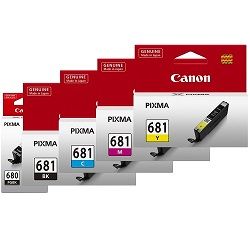


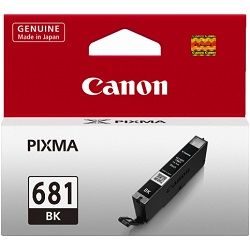
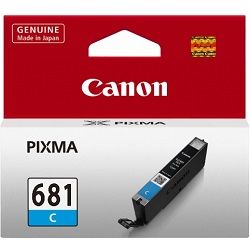


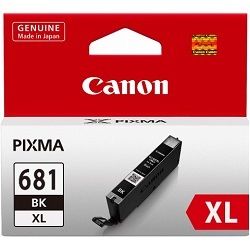
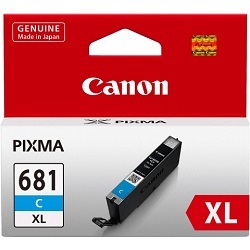
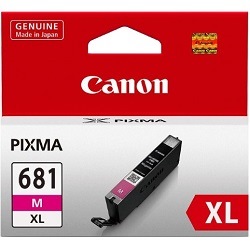


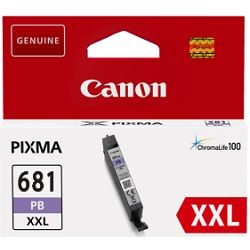


Strategic ink replenishment and home delivery
Print workflows dictate distinct cartridge investment choices. If you print photos, purchasing complete multi-cartridge bundles or upgrading to maximum-capacity XXL variants helps equalise fluid reserves across the unevenly used color palette. Text-heavy document print runs alternatively exhaust the larger PGI-680 series pigment black cartridge first, requiring separate backup tanks to keep operations running. Free delivery applies on all orders over $99 (conditions apply). All orders are processed rapidly and shipped directly from our dedicated domestic warehouse infrastructure located in Perth, Brisbane, Sydney, Melbourne, and Adelaide. For order adjustments or change of mind returns, please refer directly to our comprehensive Returns policy.
Creative fluid capacities and output standards
Estimated document limits are evaluated by the manufacturer using the standardized ISO/IEC 24712 inkjet reporting methodology on plain paper. This standard testing routine measures fluid longevity against a continuous test suite containing five individual page templates, though actual coverage scales upwards significantly during deep borderless printing tasks. True photo blue and dye-colour preservation cycles use distinct micro-drop measurements that vary wildly based on image warmth or blue sky dominance, meaning real-world output fluctuates past laboratory baselines. To inspect related inventory across this manufacturing ecosystem, see our primary catalogue of Canon ink cartridges.
| Cartridge Number | Type | Colour | Page Yield | Cost Per Page |
|---|---|---|---|---|
| CLI-681BK | Standard | Black | 1,500 | $0.012 |
| PGI-680BK | Standard | Black | 200 | $0.089 |
| CLI-681C | Standard | Cyan | 250 | $0.071 |
| CLI-681M | Standard | Magenta | 250 | $0.071 |
| CLI-681Y | Standard | Yellow | 250 | $0.068 |
| PGI-680XLBK | High Yield | Black | 400 | $0.071 |
| CLI-681XLBK | High Yield | Black | 3,120 | $0.009 |
| CLI-681XLC | High Yield | Cyan | 515 | $0.055 |
| CLI-681XLM | High Yield | Magenta | 515 | $0.055 |
| CLI-681XLY | High Yield | Yellow | 515 | $0.055 |
| PGI-680XXLBK | Extra High Yield | Black | 600 | $0.053 |
| CLI-681XXLBK | Extra High Yield | Black | 6,360 | $0.005 |
| CLI-681XXLC | Extra High Yield | Cyan | 760 | $0.045 |
| CLI-681XXLM | Extra High Yield | Magenta | 760 | $0.045 |
| CLI-681XXLY | Extra High Yield | Yellow | 760 | $0.045 |
| CLI-681XXLPB | Extra High Yield | Photo | 9,140 | $0.004 |
Cost Per Page = Total Cartridge Price ÷ Page Yield (at 5% coverage). Prices based on Genuine cartridges.
Managing supplementary printer accessories
This creative printing unit accommodates a specialty NL-101 nail sticker printing tray alongside its standard cartridge configuration. This unique accessory channel handles highly technical specialty transfers, enabling automated pattern decoration directly via targeted mobile applications. Experience Tip: Ensure the physical guide rails on your accessory tray are completely free of lint or dust prior to loading, as minor physical obstructions can trip the optical media sensors and cause feed alignment errors during specialty cycles.
Pro Tip
The six-cartridge configuration relies on the CLI-681XXLPB photo blue tank to minimize graininess in bright sky and ocean images by substituting a lighter blue hue instead of forcing the printer to layer heavy cyan dots. Never leave an empty photo blue slot in the carriage for prolonged periods even if you are only running mono text documents, as the thermal printing element requires fluid presence across all channels to prevent ambient heat from cracking the micro-nozzle plate.
Frequently Asked Questions
Why does this specific printing framework feature two completely separate black ink cartridges?
The system splits tasks between distinct ink types to preserve quality across different media. The wide PGI-680 black cartridge holds a heavy, crisp pigment-based ink formulated specifically to bind tightly with plain copy paper for sharp text presentation, whereas the slender CLI-681 photo black cartridge contains a gloss-cooperative dye ink engineered to blend smoothly with glossy photo stocks without bronzing or reflecting unevenly.
Can I mix a high-capacity CLI-681XXL yellow tank into a carriage that still has standard CLI-681 cyan and magenta cartridges?
Yes, every cartridge position across the six-bay configuration operates on its own individual electronic tracking chip. You can freely combine standard, XL, and XXL fluid capacities within the same carriage assembly based on your personal text or photo printing patterns without causing software errors or mechanical alignment imbalances.
What happens if my photo blue ink cartridge runs dry while I am printing basic text documents?
The printer will lock out all operational tasks until the depleted tank is refreshed. Even though standard mono text letters rely almost entirely on the large pigment black tank, the unified micro-fine printhead assembly relies on fluid from every single chamber to lubricate and cool the nozzle heaters during operation, preventing terminal overheating damage.


