
HP 965, 965XL, 969XL Ink Cartridges
The HP 965, 965XL and 969XL ink cartridge family uses four separate cartridges — black pigment ink kept separate from individual cyan, magenta and yellow dye inks. In a typical office, black runs out two to three times faster than colour. 24%, . 69%.
Printers Compatible with HP 965 & 969 Ink Cartridges


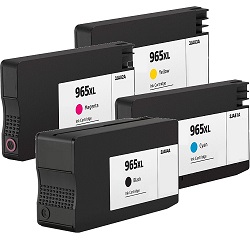

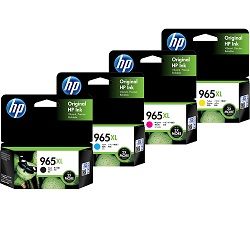


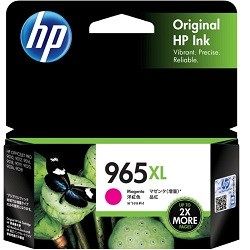
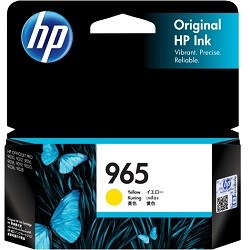

Choosing between genuine and compatible options
For businesses focused on reducing overheads, compatible 965XL cartridges offer the most significant price advantage. These units are manufactured with the latest generation chips to ensure they are recognised by OfficeJet Pro firmware. Under Australian Consumer Law, using compatible cartridges does not void your printer warranty. You can read more about how these perform compared to originals in our genuine vs compatible cartridges guide. All our compatible 965XL inks include a money back guarantee to ensure reliable performance in your office environment.
Expected page output and replacement cycles
HP calculates the page yield for the 965 series using the ISO/IEC 24711 standard, based on continuous printing of a standard five-page document. In a small business setting, the standard 965 black (3JA80AA) provides roughly 1,000 pages, while the 965XL (3JA84AA) doubles this to 2,000 pages. High-volume users should prioritise the XL variants to minimise the frequency of printer downtime during multi-page print runs.
| Cartridge Number | Type | Colour | Page Yield | Cost Per Page |
|---|---|---|---|---|
| 965 | Standard | Black | 1,000 | $0.054 |
| 965 | Standard | Cyan | 700 | $0.059 |
| 965 | Standard | Magenta | 700 | $0.059 |
| 965 | Standard | Yellow | 700 | $0.059 |
| 965XL | High Yield | Black | 2,000 | $0.041 |
| 965XL | High Yield | Cyan | 1,600 | $0.040 |
| 965XL | High Yield | Magenta | 1,600 | $0.040 |
| 965XL | High Yield | Yellow | 1,600 | $0.040 |
Cost Per Page = Total Cartridge Price ÷ Page Yield (at 5% coverage). All calculations use Genuine cartridge prices.
Pro Tip
HP OfficeJet Pro printers frequently perform automatic maintenance cycles to prevent the pigment ink from clogging the printhead. This process uses a small amount of ink from all four cartridges. If you primarily print in black, your colour cartridges will still slowly deplete; always keep a 965XL colour set on hand, as the printer will lock out all functions if even one cartridge is reported as empty.
Best way to stock these cartridges
If your office prints high volumes of invoices and reports, 8-pack bundles provide the lowest price per unit. For home office users who print intermittently, standard genuine cartridges are suitable for maintaining printhead health. We ship directly from our national warehouse network in Brisbane, Sydney, Melbourne, Perth, and Adelaide to ensure rapid restock. Free delivery applies on all orders over $99 (conditions apply). For details on returns, visit our returns policy or browse our wider range of HP ink cartridges.
Frequently Asked Questions
Can I use 965XL cartridges in a printer that came with standard 965 inks?
Yes, 965XL high yield cartridges have the same physical dimensions as standard 965 cartridges. They fit into the same slots but contain a larger internal ink reservoir to provide more than double the page output.
What is the difference between 965 and 969XL black cartridges?
While both belong to the same family, 969XL is an extra-high-yield black option specifically compatible with a subset of the OfficeJet 9000 series. Always check your specific printer model compatibility before switching to 969XL to ensure the chip is recognised.
Why does my printer show "low ink" even though I just installed a compatible 965XL?
This sometimes occurs due to HP firmware updates. If the printer displays a non-genuine warning, simply click 'OK' or 'Continue' to bypass it. The internal ink level monitor on our compatible 965XL chips will still accurately track your usage until the cartridge is empty.


