
HP 965, 965XL & 969XL Ink Cartridges
HP 965 and 965XL ink cartridges are used by the HP OfficeJet 9010, 9012, 9016, 9018, 9019, 9020, 9026 and 9028. Black, cyan, magenta and yellow are sold individually, so each colour is replaced only when it runs out. Genuine cartridges come in standard 965 and high-yield 965XL sizes, while compatibles come in 965XL only, and multi-packs are stocked in both ranges. Our 4.8 Google Star rating shows that our customers consistently receive high-quality cartridges backed by reliable performance.
Printers Compatible with HP 965, 965XL & 969XL Ink Cartridges


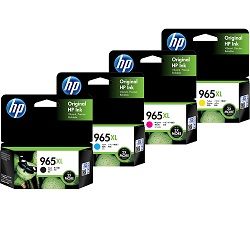


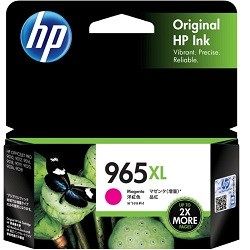
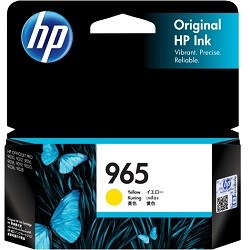

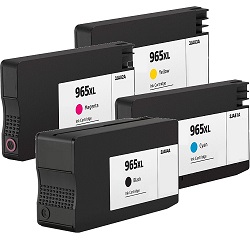


Rated Page Output for Each 965 Cartridge
Standard HP 965 cartridges are rated at 1,000 pages for black and 700 pages for each colour. The 965XL raises this to 2,000 black pages and 1,600 colour pages. HP rates its inkjet cartridge yields using the ISO/IEC 24711 standard.
| Cartridge Number | Type | Colour | Page Yield | Cost Per Page |
|---|---|---|---|---|
| 965 | Standard | Black | 1,000 | $0.053 |
| 965 | Standard | Cyan | 700 | $0.058 |
| 965 | Standard | Magenta | 700 | $0.058 |
| 965 | Standard | Yellow | 700 | $0.058 |
| 965XL | High Yield | Black | 2,000 | $0.040 |
| 965XL | High Yield | Cyan | 1,600 | $0.039 |
| 965XL | High Yield | Magenta | 1,600 | $0.039 |
| 965XL | High Yield | Yellow | 1,600 | $0.039 |
Cost Per Page = Total Cartridge Price ÷ Page Yield (at 5% coverage). Prices based on Genuine cartridges.
Choose Between HP 965 & 965XL Ink Cartridges
Replace the Complete Colour Set
The 4-Pack 965 Genuine (from $171.12) gives you every colour in a single order and qualifies for free delivery.
Print More with XL Cartridges
If you print often, the 4-Pack 965XL Genuine (from $264.00) gives the same colour coverage with more pages per cartridge and also qualifies for free delivery.
Replace Just One Colour
When just one colour needs replacing, a single Genuine 965 Cyan cartridge (from $40.63) is all that's required.
Save with Compatible Cartridges
To keep costs down, choose compatible cartridges - a single 965XL Cyan cartridge from $23.42 or a 5-pack 965XL for $117.90 with free delivery.
Stock Up for Frequent Printing
For frequent printing, a larger pack cuts down on reorders. The 10-Pack 965XL Compatible (from $235.79) is the lower-cost way to stock up. Prefer genuine ink? The 8-Pack 965XL Genuine (from $522.62) is the official equivalent. Both packs qualify for free delivery.
What to Know About Compatible 965XL Cartridges
The compatible range covers the high-yield 965XL only. It includes individual black, cyan, magenta and yellow cartridges and multi-packs. These cartridges are listed at the same ratings as genuine 965XL cartridges: 2,000 pages for black and 1,600 pages for each colour. Using a compatible cartridge does not by itself remove your rights under Australian Consumer Law. However, damage caused by a faulty cartridge may not be covered by the printer manufacturer's warranty. For a fuller comparison, read our guide to genuine vs compatible cartridges.
Matching Cartridges to Your Office Printing
For text-heavy documents, the 965XL black lifts the rated yield from 1,000 to 2,000 pages. For regular colour reports and charts, 965XL colour cartridges are rated at 1,600 pages, compared with 700 for standard 965 colours. Compatible 965XL cartridges suit tighter budgets and come with a money-back guarantee if they do not work. See our returns policy for details. Free delivery applies on all orders over $99, and we ship from warehouses in Perth, Brisbane, Sydney, Melbourne and Adelaide. Browse more HP ink cartridges.
Pro Tip: Check What the 965XL Multi-Pack Covers
The genuine 965XL multi-pack code 3JA81AA-83AA spans the cyan (3JA81AA), magenta (3JA82AA) and yellow (3JA83AA) cartridge numbers. This means the 965XL black (3JA84AA) is a separate purchase. The genuine standard 965 multi-pack code 3JA77AA-80AA runs through to the black 3JA80AA. Check the cartridge numbers before ordering so you are not left without black.
Frequently Asked Questions
Can a 965XL replace a standard 965 cartridge in the same printer?
Yes. Both sizes are listed for the same HP OfficeJet 9010 and 9020 series models, so you can fit a 965XL when a standard 965 runs out. The XL is rated at 2,000 pages for black compared with 1,000 pages. Each XL colour is rated at 1,600 pages compared with 700 pages.
Which HP product codes match the 965 and 965XL cartridges?
Genuine HP 965 codes are 3JA80AA (black), 3JA77AA (cyan), 3JA78AA (magenta) and 3JA79AA (yellow). Genuine 965XL codes are 3JA84AA (black), 3JA81AA (cyan), 3JA82AA (magenta) and 3JA83AA (yellow).
Are compatible 965XL cartridges rated lower than genuine 965XL?
No. Our compatible 965XL cartridges are listed at the same ratings as genuine 965XL: 2,000 pages for black and 1,600 pages for cyan, magenta and yellow. The current range has no compatible version of the standard 965, so compatible buyers get the high-yield size.
Is 965XL the same as 965 XL?
Yes. 965XL and 965 XL refer to the same high-yield HP cartridge. The space is simply a formatting difference between packaging labels and store listings.


