
HP 65, 65XL Ink Cartridges
The HP 65 and 65XL ink cartridge series uses a two-cartridge system containing one black cartridge and one tri-colour cartridge, Engineered for compact DeskJet, Envy, and AMP printers. Sourcing consumables for these systems requires choosing between low-capacity standard replacements, high-yield XL setups, or third-party compatible bundles. Genuine and compatible variations allow you to tailor your purchase to your specific home printing volume and budget requirements.
Printers Compatible with HP 65 Ink Cartridges





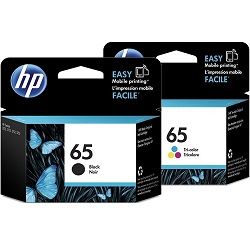

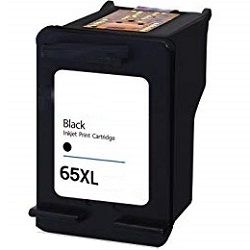
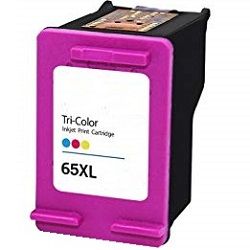
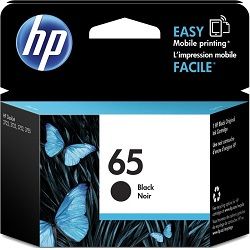
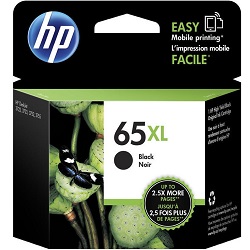


Expected page output and replacement cycles
Page yield metrics for this entry-level inkjet series are calculated using the international ISO/IEC 24711 standard, which tests cartridges via continuous document printing on A4 sheets at a structured 5% surface coverage per colour. Genuine standard HP 65 black cartridges yield 120 pages, whereas standard tri-colour tanks supply 100 pages. Upgrading to high-yield 65XL cartridges increases ink capacity to 300 pages for both black and tri-colour tanks. Because home document printing profiles naturally vary, regular full-page school assignments, heavy graphics, and routine border alignments will accelerate ink consumption and lower real-world page output below these theoretical laboratory standards.
| Cartridge Number | Type | Colour | Page Yield | Cost Per Page |
|---|---|---|---|---|
| 65 | Standard | Black | 120 | $0.28 |
| 65 | Standard | Colour | 100 | $0.37 |
| 65XL | High Yield | Black | 300 | $0.24 |
| 65XL | High Yield | Colour | 300 | $0.29 |
Cost Per Page = Total Cartridge Price ÷ Page Yield (at 5% coverage). Prices based on Genuine cartridges.
Genuine vs compatible cartridges
Operating a home setup provides a direct choice between original manufacturer consumables and third-party options. Under Australian Consumer Law, using compatible cartridges does not void your printer warranty. Opting for premium compatible 65XL alternatives delivers a 300-page operational yield while reducing your initial purchase cost per tank significantly below original retail benchmarks. Read through our detailed genuine vs compatible cartridges breakdown to see how these alternatives compare for your day-to-day document needs.
Choosing the right cartridge setup
Document composition determines your ideal purchasing path. If your household prints mainly text-based documents or forms, the black cartridge will deplete rapidly while the colour levels remain full, making standalone black XL replacements or targeted 4-packs the most practical choice. For mixed family use involving colour graphics or creative tasks, a tri-colour cartridge is necessary, but remember that if any single ink chamber (cyan, magenta, or yellow) runs empty, the entire multi-colour tank must be replaced. Premium compatible variations carry a full money-back guarantee to ensure complete system performance.
All orders are processed through a national logistics network to minimize printing downtime. Free delivery applies on all orders over $99 (conditions apply), with stock moving daily out of regional distribution centres located in Perth, Brisbane, Sydney, Melbourne, and Adelaide. To explore the wider collection of printing consumables matching this brand, view our complete HP ink cartridges catalogue. Detailed order protection terms can be reviewed at any time via our Returns policy page.
Pro Tip
The HP 65 and 65XL series utilizes an integrated printhead mechanism where the micro-nozzle firing array is built directly into the base of each individual cartridge rather than the internal printer chassis. This design means that every single time you replace an individual cartridge, you are replacing the physical print mechanism, which eliminates long-term nozzle wear. If your printer sits completely idle for over three weeks and causes text to look faint, you can often fix the issue by gently pressing the printhead face against a damp, lint-free paper towel to pull fresh ink through the micro-nozzles.
Frequently Asked Questions
Can I run a standard genuine HP 65 black cartridge alongside a premium compatible 65XL tri-colour cartridge?
Yes, the printer firmware tracks and registers each cartridge bay independently via its specific microchip connection. Mixing standard and high-yield capacities or combining genuine and compatible items across the two separate slots will not cause operational locks or performance errors.
Why does my printer show an "Ink Low" message immediately after installing a new compatible 65XL cartridge?
This occurs because certain internal printer firmware versions cannot read the fluid levels on remanufactured microchips correctly. You can bypass this prompt by clicking "OK" or "Continue" on your screen, which allows the printer to resume normal text and graphic output until the ink is completely spent.
What happens to the remaining ink in a 65XL tri-colour cartridge if I only print in yellow?
The cartridge holds three distinct ink reservoirs inside a single shell. If you print items that deplete the yellow ink completely, the cartridge will cease firing colour correctly and must be replaced entirely, regardless of how much residual cyan or magenta ink remains inside the other two chambers.


