
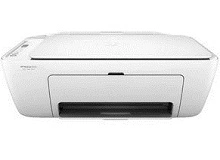
HP DeskJet 2620 2621 2623 2624 Ink Cartridges
Your HP DeskJet 2620, 2621, 2623, and 2624 printers use the HP 65 and 65XL ink cartridge series. Designed as compact wireless all-in-one printers for light household and study printing, Ink Depot has supplied reliable consumables for these models since Apr 2018. While standard 65 black and 65 tri-colour cartridges suit occasional document printing, upgrading to high-yield 65XL options significantly reduces replacement frequency. Our 4.8 Google rating reflects a long-standing track record of premium cartridge performance.
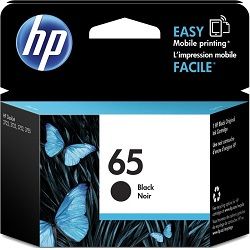


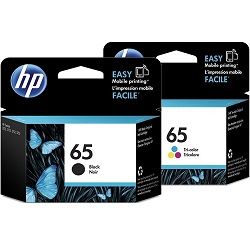


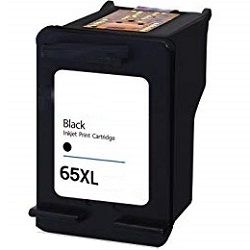
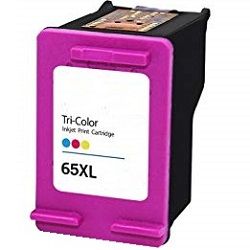

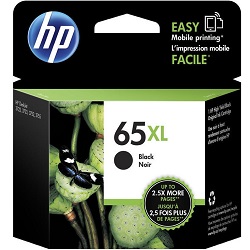

Expected page output from HP 65 cartridges
High-yield HP 65XL cartridges offer more than double the printed page capacity compared to standard HP 65 cartridges. Page yields for these cartridges are measured according to ISO/IEC 24711 standard testing guidelines for continuous A4 inkjet printing.
| Cartridge Number | Type | Colour | Page Yield | Cost Per Page |
|---|---|---|---|---|
| 65 | Standard | Black | 120 | $0.27 |
| 65 | Standard | Colour | 100 | $0.37 |
| 65XL | High Yield | Black | 300 | $0.24 |
| 65XL | High Yield | Colour | 300 | $0.28 |
Cost Per Page = Total Cartridge Price ÷ Page Yield (at 5% coverage). Prices based on Genuine cartridges.
Choosing between genuine and compatible HP 65XL cartridges
Choosing compatible HP 65XL cartridges allows you to print everyday family documents at a lower cost without sacrificing print clarity. Under Australian Consumer Law, using compatible cartridges does not void your printer warranty. Read our guide comparing genuine and compatible cartridges to help choose the best option for your home.
Best ways to buy and delivery options
If you primarily print text documents, standard black cartridges suit light use, while multipacks provide better overall value for family printing. If you select compatible options, they come backed by a money-back guarantee under our returns policy. We ship directly from warehouses in Perth, Brisbane, Sydney, Melbourne and Adelaide. Free delivery applies on all orders over $99. Explore our complete selection of HP ink cartridges today.
Pro Tip for HP DeskJet 2600 Series Inks
Because HP 65 tri-colour cartridges combine Cyan, Magenta, and Yellow into a single unit, printing heavily in a single shade will deplete that specific reservoir first, requiring the entire tri-colour cartridge to be replaced.
Frequently Asked Questions
Do the HP DeskJet 2620, 2621, 2623, and 2624 all use the same ink cartridges?
Yes, all four models in the HP DeskJet 2600 range use the exact same HP 65 and 65XL black and tri-colour ink cartridges.
Can I install a high-yield HP 65XL cartridge if my printer came with standard HP 65 ink?
Yes, HP 65XL cartridges have identical physical exterior dimensions to standard HP 65 cartridges and fit into the exact same cartridge slots, but contain a larger internal ink reservoir.
What happens when one colour runs out in the HP 65 tri-colour cartridge?
Because the HP 65 tri-colour cartridge houses cyan, magenta, and yellow ink in a single unit, you will need to replace the entire cartridge once any single colour is fully depleted to restore full-colour printing.
How does the integrated printhead design in HP 65 cartridges benefit print quality?
HP 65 cartridges feature a printhead built directly onto the cartridge. Every time you replace a black or tri-colour cartridge, you effectively install a fresh printhead, preventing long-term nozzle clogging issues in the printer itself.


