
HP DeskJet 3720 Ink Cartridges
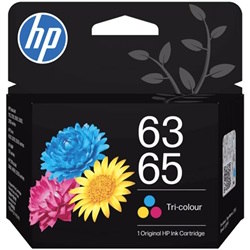
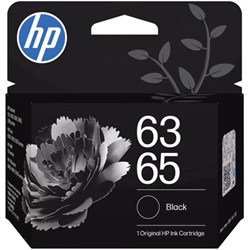
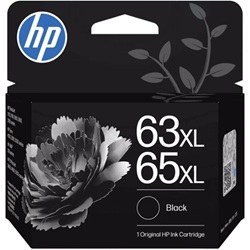
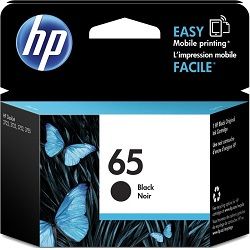
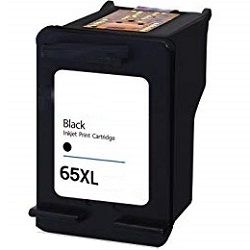
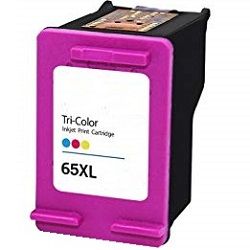
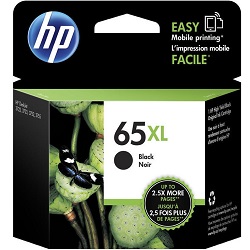
Your HP DeskJet 3720 uses the HP 65 and 65XL ink cartridges. Ink Depot has been supplying reliable consumables for this printer since Jun 2021. Designed as an ultra-compact all-in-one printer for light home or student duties, this printer relies on a two-cartridge system containing one black cartridge and one tri-colour cartridge. Switching from standard N9K02AA black cartridges to high-yield N9K04AA XL options dramatically reduces replacement frequency for household printing. Our 4.8 Google rating reflects a long-standing track record of premium cartridge performance.

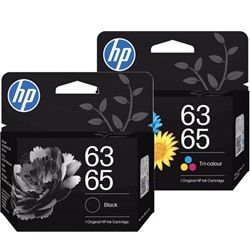





Expected Page Output and Replacement Cycles
Standard HP 65 cartridges suit occasional printing, while 65XL high-yield options provide up to two and a half times more printed pages. Page yields are measured according to ISO/IEC 24711 testing standards under continuous printing conditions.
| Cartridge Number | Type | Colour | Page Yield | Cost Per Page |
|---|---|---|---|---|
| 65 | Standard | Black | 120 | $0.27 |
| 63 | Standard | Black | 100 | $0.31 |
| 63 | Standard | Colour | 120 | $0.35 |
| 65 | Standard | Colour | 100 | $0.37 |
| 63XL | High Yield | Black | 300 | $0.24 |
| 65XL | High Yield | Black | 300 | $0.24 |
| 65XL | High Yield | Colour | 300 | $0.28 |
Cost Per Page = Total Cartridge Price ÷ Page Yield (at 5% coverage). Prices based on Genuine cartridges.
Choosing Between Genuine and Compatible HP 65XL Cartridges
Compatible 65XL cartridges offer a budget-friendly alternative to genuine HP cartridges without sacrificing print clarity on schoolwork or everyday documents. Under Australian Consumer Law, using compatible cartridges does not void your printer warranty. Read our comprehensive genuine vs compatible cartridges guide to evaluate which option fits your household printing habits.
Smart Buying Options and Nationwide Delivery
If you print predominantly school assignments or text documents, high-yield N9K04AA black cartridges offer superior long-term economy over standard units. For mixed household printing, combining N9K04AA black and N9K03AA colour cartridges in value packs keeps your printer ready. Compatible cartridges include a money-back guarantee for complete peace of mind. Check our returns policy for details. Free delivery applies on all orders over $99, dispatched quickly from our Australian warehouses in Perth, Brisbane, Sydney, Melbourne, and Adelaide. Browse our full range of HP ink cartridges today.
Pro Tip
HP 65 tri-colour cartridges house Cyan, Magenta, and Yellow in a single unit. If one colour runs out during heavy graphic printing, the entire cartridge must be replaced, so keeping an XL colour spare avoids unexpected print stops.
Frequently Asked Questions
Can I use HP 65XL cartridges in place of standard HP 65 cartridges?
Yes, HP 65XL cartridges have the exact same physical dimensions as standard HP 65 cartridges and slot directly into the same printer bay, delivering significantly more printed pages per cartridge.
Why does my HP DeskJet 3720 require a new tri-colour cartridge when only one colour is faded?
The HP 65 colour cartridge uses an integrated tri-colour system where Cyan, Magenta, and Yellow inks share a single reservoir and printhead. Once one internal ink chamber depletes, the cartridge can no longer mix colours accurately.
What is the difference between genuine and compatible HP 65XL cartridges?
Genuine HP cartridges are manufactured directly by HP, whereas compatible 65XL cartridges are engineered by third-party manufacturers to meet identical performance standards at a reduced cost per page.


