
HP OfficeJet 9010 9012 9016 9018 9019 Ink Cartridges
Your HP OfficeJet 9010 9012 9016 9018 9019 uses the 965, 965XL, 969XL cartridge series, demanding a four-cartridge ink management setup to handle daily business demands. Our 4.8 Google rating reflects a long-standing track record of premium cartridge performance. We have been supplying replacement ink options for these business printer layouts since Jul 2019, supporting continuous corporate operations. Because commercial administrative workflows run through black ink far quicker than individual colour channels, workplace teams frequently switch to high-yield XL setups to reduce physical replacement cycles and keep office productivity moving forward smoothly.

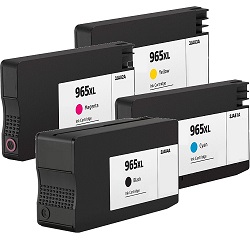

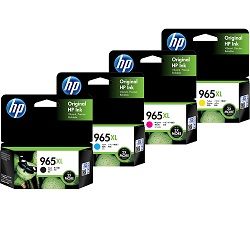


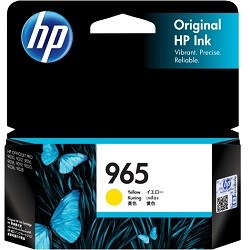


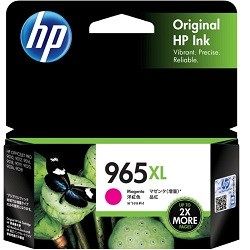

Page yield expectations and printing lifecycles
Managing corporate document workflows requires an accurate understanding of consumable lifespans. HP calculates page yield metrics using the international ISO/IEC 24711 standard for inkjet configurations, which simulates a standard series of mixed text and graphic pages. Review the table below to evaluate print life across standard and high-capacity options before placing your order.
| Cartridge Number | Type | Colour | Page Yield | Cost Per Page |
|---|---|---|---|---|
| 965 | Standard | Black | 1,000 | $0.054 |
| 965 | Standard | Cyan | 700 | $0.059 |
| 965 | Standard | Magenta | 700 | $0.059 |
| 965 | Standard | Yellow | 700 | $0.059 |
| 965XL | High Yield | Black | 2,000 | $0.041 |
| 965XL | High Yield | Cyan | 1,600 | $0.040 |
| 965XL | High Yield | Magenta | 1,600 | $0.040 |
| 965XL | High Yield | Yellow | 1,600 | $0.040 |
Cost Per Page = Total Cartridge Price ÷ Page Yield (at 5% coverage). Prices based on Genuine cartridges.
Choosing between genuine and compatible options
Commercial environments looking to reduce printing costs can smoothly transition to certified generic ink supplies. Under Australian Consumer Law, using compatible cartridges does not void your printer warranty. These alternative options deliver sharp corporate text and bright document graphics while matching original shapes, which you can read about in our detailed genuine vs compatible cartridges guide.
Best way to stock these cartridges
If your office primarily distributes multi-page text documents or transactional records, choosing high-yield 965XL bundle options provides the most stable protection against sudden printer downtime. Our premium compatible cartridges are backed by a complete money-back guarantee, ensuring financial protection if an item falls short of professional standards. Free delivery applies on all orders over $99 (conditions apply). To provide rapid dispatch across the country, we ship items directly from regional warehousing depots in Sydney, Melbourne, Brisbane, Adelaide, and Perth. Browse the full range of HP ink cartridges to top up your corporate inventory.
Pro Tip
These business inkjet printers utilise individual, fixed printheads that rely on a continuous flow of fluid to stay cool during rapid operation. If you allow any individual colour cartridge to dry out completely, the air pockets can cause thermal damage to the firing nozzles, so changing empty tanks quickly is crucial to maintaining long-term print resolution.
Frequently Asked Questions
Can I use a high-yield 965XL ink cartridge alongside standard 965 cartridges?
Yes, this system lets you mix standard and high-capacity XL sizes interchangeably across different slots. The physical exterior casing sizes are uniform across both options, meaning an individual high-yield black or colour tank will slide perfectly into its dedicated track alongside standard-capacity cartridges.
Why does my printer report an empty cartridge alert when there is still fluid moving inside?
The integrated tracking microchip estimates remaining consumption by counting ink drops fired rather than checking the physical volume of the fluid. If your workplace prints small, fine fonts or minimal text lines, the internal printer counter might trigger a replacement alert slightly before the physical reservoir is completely dry.
How do I prevent lines or missing streaks on text pages when replacing the ink tanks?
Missing lines can happen if tiny air bubbles get trapped near the intake ports during a fresh installation. To clear them, access the maintenance panel through the control screen and run a single printhead cleaning routine, which pulls ink down from the cartridge to establish an immediate, unbroken flow.


