
Epson Workforce WF-7710 Ink Cartridges
Your Epson WorkForce WF-7710 uses the252, 252XL, 254XL ink cartridge series to produce detailed photo memories and razor-sharp text documents. Our 4.8 Google rating demonstrates our long-standing commitment to premium cartridge quality and reliable performance. Ink Depot has been supplying dependable replacement supplies for this advanced 4-ink individual tank system since Jun 2020, helping creative home users manage multi-channel colour workflows without buying bulky composite sets.
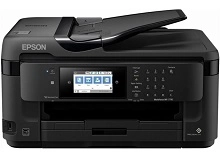

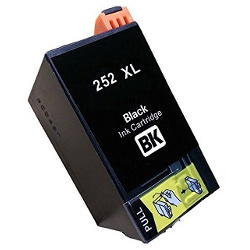
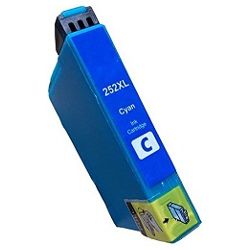

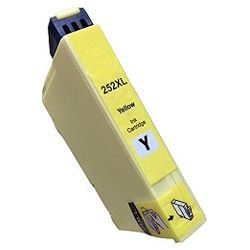

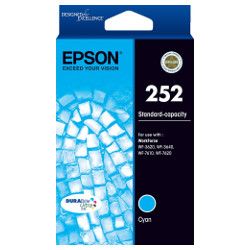
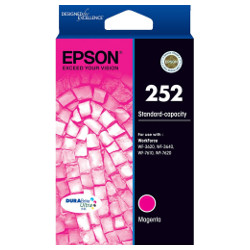


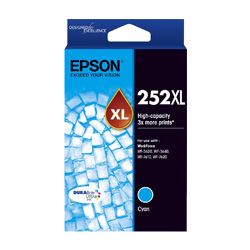
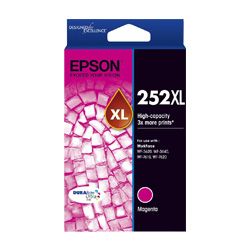

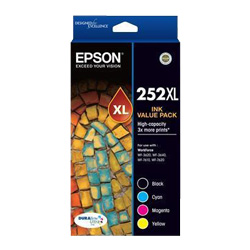
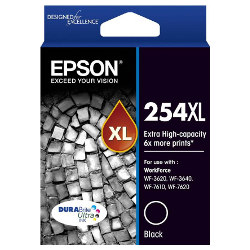

What to expect from each cartridge type
Managing a dedicated home photo studio requires predictable performance criteria across different print tasks. The genuine and compatible 252, 252XL, and 254XL variants are meticulously evaluated under the ISO/IEC 24711 industrial quality standard for inkjet technology to define standard page yields. Because vibrant full-colour imaging uses separate black and colour reservoirs unevenly, individual replacement lines help minimise overall long-term print costs.
| Cartridge Number | Type | Colour | Page Yield | Cost Per Page |
|---|---|---|---|---|
| 252 | Standard | Black | 250 | $0.11 |
| 252 | Standard | Cyan | 300 | $0.095 |
| 252 | Standard | Magenta | 300 | $0.095 |
| 252 | Standard | Yellow | 300 | $0.095 |
| 252XL | High Yield | Black | 1,100 | $0.048 |
| 252XL | High Yield | Cyan | 1,100 | $0.048 |
| 252XL | High Yield | Magenta | 1,100 | $0.048 |
| 252XL | High Yield | Yellow | 1,100 | $0.048 |
| 254XL | Extra High Yield | Black | 2,200 | $0.035 |
Cost Per Page = Total Cartridge Price ÷ Page Yield (at 5% coverage). Prices based on Genuine cartridges.
Compatible ink alternatives and consumer protections
Opting for premium compatible 252XL ink alternatives allows home offices to scale up daily print volumes affordably. Under Australian Consumer Law, using high-quality third-party compatible cartridges will not void your printer's standard warranty. You can review the manufacturing standards and performance comparisons of these aftermarket units on our comprehensive genuine vs compatible cartridges comparison guide.
Managing replacements for mixed documents and photography
This printer uses a distinct four-colour structure consisting of separate black, cyan, magenta, and yellow tanks to generate vivid, high-contrast imagery and crisp office documents. If you print heavy business text, updating the high-yield black unit is primary, whereas heavy color illustration relies on the cyan, magenta, and yellow tanks. Choosing bundle kits keeps all channels refreshed simultaneously. Free delivery applies on all orders over $99 (conditions apply), which are dispatched daily from modern logistics hubs located in Sydney, Melbourne, Brisbane, Adelaide and Perth. Every order remains protected by the guidelines in our Returns policy. Secure your supplies today by exploring our full Epson ink cartridges range.
Pro Tip
The Epson individual ink system requires all installed cartridges to contain ink to perform automated printhead maintenance: do not leave an empty 252, 252XL, or 254XL tank in the carriage for an extended period, as dry residues can block the micro-nozzles and impact print quality across other color channels.
Frequently Asked Questions
Can I use a high-capacity 254XL black ink cartridge alongside standard 252 color cartridges?
Yes. The printer handles each cartridge slot independently, allowing you to install an extra-high-yield 254XL black tank alongside standard 252 or high-yield 252XL color cartridges to suit your commercial text printing requirements.
What is the difference between the Epson 252XL and 254XL black cartridges?
While both cartridges contain premium ink formulations tailored for individual ink tanks, the 254XL extra-high-yield black cartridge features a larger body and holds more ink volume than the 252XL version, resulting in significantly higher page outputs for heavy text production.
Why does my computer screen flag a notification when I install a compatible ink cartridge?
Epson software routinely alerts users when non-genuine consumables are inserted. This is a standard advisory notice; simply acknowledge the message on your control panel or computer monitor to complete installation and begin printing normally.


