
Canon PIXMA MG2460 Ink Cartridges
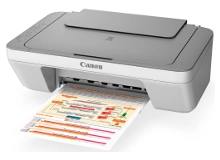
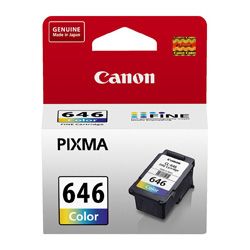
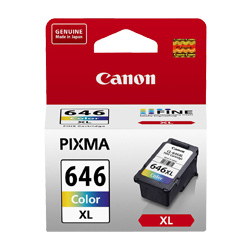
Your Canon PIXMA MG2460 uses the PG-645, PG-645XL, CL-646, CL-646XL cartridge series, functioning on a direct two-cartridge configuration containing one black and one tri-colour container. This model is highly popular for home and student setups where printing occurs in short bursts, as the printhead is integrated directly into each cartridge body. Whenever you install a fresh cartridge, you completely refresh the physical ink-firing mechanism, preventing the microscopic nozzle clogs common to printers that sit idle for weeks. Because the yellow, cyan, and magenta inks reside in three separate compartments under a single plastic lid, your specific colour document mix directly controls how quickly the tri-colour tank runs dry.



What to know about compatible cartridges
To manage household budgets or high-volume school printing, transitioning to compatible PG-645XL and CL-646XL cartridges offers excellent cost savings. These third-party alternatives match the dimensions and electronic chip configurations of genuine Canon tanks, meaning they slide securely into the carriage and register correct ink levels. Under Australian Consumer Law, using compatible cartridges does not void your printer warranty. If you are interested in reading more about how compatible alternatives stand up to original manufacturer items, check out our comprehensive guide on genuine vs compatible cartridges.
Expected page output and replacement cycles
Page yields for the PG-645 and CL-646 family are measured using the ISO/IEC 24711 standard for inkjet systems. This process uses a continuous print test representing typical text documents with small colour graphics. Real-world output depends heavily on what you print; if you print high-coverage photos or dense presentation slides, your cartridge will run out faster than if you print simple text lines. Moving to the high-capacity PG-645XL black and CL-646XL colour tanks more than doubles the available ink volume without changing physical cartridge sizes, which reduces how often you need to replace them.
| Cartridge Number | Type | Colour | Page Yield | Cost Per Page |
|---|---|---|---|---|
| PG-645 | Standard | Black | 180 | $0.14 |
| CL-646 | Standard | Colour | 180 | $0.17 |
| PG-645XL | High Yield | Black | 400 | $0.083 |
| CL-646XL | High Yield | Colour | 400 | $0.098 |
Cost Per Page = Total Cartridge Price ÷ Page Yield (at 5% coverage). All calculations use Genuine cartridge prices.
Choosing the right cartridge setup
If your daily print work consists of black text pages like flight tickets, school homework, or shipping labels, keeping a high-yield PG-645XL black cartridge on hand is recommended. If you print colourful graphics or family photos, purchasing a bundled value pack containing both the black and tri-colour XL cartridges is the most effective way to lower your overall cost-per-page. If you choose our compatible alternatives, they are backed by a complete money back guarantee if they do not perform to your expectations.
Free delivery applies on all orders over $99 (conditions apply). We ship our stock directly from physical distribution warehouses in Perth, Brisbane, Sydney, Melbourne, and Adelaide to ensure your order arrives at your door as quickly as possible. Browse our full online selection of Canon ink cartridges to complete your setup. If you accidentally purchase the wrong ink series for your workspace, we make returning unopened items simple under our official returns policy.
Pro Tip
Because the CL-646 and CL-646XL tri-colour cartridges store cyan, magenta, and yellow ink in three separate internal chambers, printing documents with a heavy single-colour background will drain that specific reservoir first. To get the maximum life from your tri-colour cartridge, run a printhead alignment check from the maintenance menu if you notice faint stripes, which ensures the nozzles release ink evenly.
Frequently Asked Questions
Can I install a PG-645XL high-yield cartridge alongside a standard CL-646 colour cartridge?
Yes. You can freely mix and match standard and high-yield cartridges within the carrier cradle. The printer's internal sensor reads the chip of each individual cartridge separately, allowing you to use a high-yield black cartridge for text documents alongside a standard colour cartridge if you rarely print in colour.
Why does my PIXMA printer show an "ink running low" message immediately after I install a compatible PG-645XL cartridge?
Compatible cartridges sometimes trigger a standard alert on Canon printers due to differences in third-party chip manufacturing. Simply hold down the "Stop/Reset" button (the red triangle inside a circle) on your printer's physical control panel for five seconds to bypass the warning and resume printing.
Why does my colour cartridge require replacing when I only print black text documents?
Even when you print in black-and-white, your printer periodically uses tiny amounts of colour ink from the CL-646 cartridge to clean the nozzles and keep the printhead primed. This automatic maintenance cycle is necessary to prevent dried ink from permanently blocking the printhead jets.


