
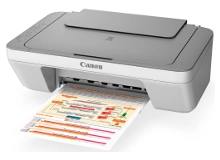
Canon PIXMA MG2460 Ink Cartridges
Shop ink cartridges for your Canon PIXMA MG2460, which uses the Canon PG-645 and CL-646 ink cartridge series. Ink Depot has been supplying reliable consumables for this entry-level home printer since Sep 2014. Upgrading from standard PG-645 black cartridges to high-yield PG-645XL options significantly reduces replacement frequency during heavy homework runs. Our 4.8 Google rating reflects a long-standing track record of premium cartridge performance.



Expected Page Yield and Cartridge Output
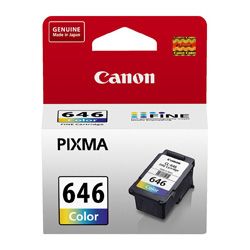
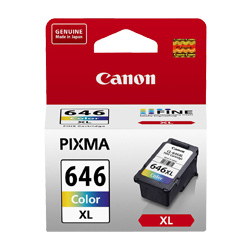
Standard PG-645 and CL-646 cartridges deliver approximately 180 pages, whereas high-yield PG-645XL and CL-646XL cartridges provide up to 400 pages based on standard ISO/IEC 24711 testing. Using XL cartridges substantially improves printing economy for routine home and student tasks.
| Cartridge Number | Type | Colour | Page Yield | Cost Per Page |
|---|---|---|---|---|
| PG-645 | Standard | Black | 180 | $0.14 |
| CL-646 | Standard | Colour | 180 | $0.19 |
| PG-645XL | High Yield | Black | 400 | $0.11 |
| CL-646XL | High Yield | Colour | 400 | $0.11 |
Cost Per Page = Total Cartridge Price ÷ Page Yield (at 5% coverage). Prices based on Genuine cartridges.
Choosing Genuine vs Compatible Canon Cartridges
For budget-conscious home users, compatible PG-645XL and CL-646XL cartridges offer identical page output at a lower price point. Under Australian Consumer Law, using compatible cartridges does not void your printer warranty. Read our comprehensive genuine vs compatible cartridge guide to evaluate performance differences before buying.
Ordering Strategies & Fast Australian Delivery
If you print mainly text documents, purchasing high-yield PG-645XL black ink offers the best longevity. For occasional family photos or colour assignments, combined PG-645XL and CL-646XL bundle packs reduce overall expense. Our compatible cartridges include a full money-back guarantee if they do not perform to your expectations. Explore our full range of Canon ink cartridges with total confidence. For hassle-free shopping, visit our returns policy page. Free delivery applies on all orders over $99, dispatched quickly from our warehouses in Perth, Brisbane, Sydney, Melbourne and Adelaide.
Cartridge Pro Tip
The CL-646 is a tri-colour cartridge containing cyan, magenta, and yellow ink in a single housing. If your home printing leans heavily toward a single colour (such as blue headings or red charts), that specific colour reservoir will deplete first, requiring the entire tri-colour cartridge to be replaced even if other colours remain.
Frequently Asked Questions
Can I mix standard PG-645 and high-yield CL-646XL cartridges in the Canon PIXMA MG2460?
Yes, standard and XL cartridges share identical physical dimensions and fit the exact same slots. You can safely run a high-yield PG-645XL black cartridge alongside a standard CL-646 colour cartridge without operational issues.
Why does my CL-646 colour cartridge run out even when I mostly print black text?
The PIXMA MG2460 uses small amounts of colour ink during routine printhead maintenance cycles to keep the microscopic nozzles clear, which gradually consumes tri-colour ink over time even during black-and-white printing.
What happens when one colour runs out in the CL-646 tri-colour cartridge?
Because cyan, magenta, and yellow share a single physical unit, running out of any individual ink shade requires replacing the entire CL-646 or CL-646XL cartridge to resume accurate colour balance.


