
Brother DCP-L2640DW Toner Cartridges
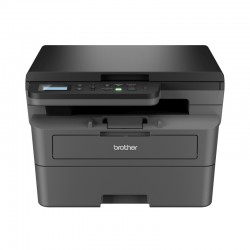
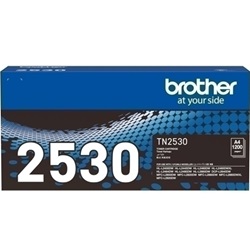
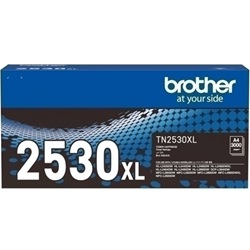
Your Brother DCP-L2640DW uses the TN2530 / TN2530XL / TN2530XXL cartridge series. This mono laser printer relies on a two-part consumable system consisting of a toner cartridge and a separate drum unit. For small business environments, the replacement behaviour typically leans toward the high-yield TN2530XL variants, as they significantly reduce the frequency of user intervention during heavy print runs. Managing these separate components ensures that you only replace the toner when the powder is depleted, rather than discarding the imaging drum prematurely, which maintains consistent text sharpness across thousands of pages.



Understanding toner yield for office workflows
The page yield for this series is measured using the ISO/IEC 19752 standard for monochrome laser printers. Because this printer is designed for high-volume document production, the standard TN2530 serves well for occasional use, but most small business users gravitate toward the TN2530XL. The higher capacity toner is more resilient to long periods of inactivity while providing a more stable output for multi-page reports.
| Cartridge Number | Type | Colour | Page Yield | Cost Per Page |
|---|---|---|---|---|
| TN2530 | Standard | Black | 1,200 | $0.084 |
| TN2530XL | High Yield | Black | 3,000 | $0.051 |
Cost Per Page = Total Cartridge Price ÷ Page Yield (at 5% coverage). All calculations use Genuine cartridge prices.
Genuine vs compatible cartridges
We provide both original Brother supplies and premium compatible alternatives for this printer. Choosing compatible TN2530XL cartridges can provide a substantial reduction in operating costs without sacrificing the clarity of your business documents. All our compatible cartridges come with a money-back guarantee. Under Australian Consumer Law, using compatible cartridges does not void your printer warranty. You can read more about this on our genuine vs compatible blog.
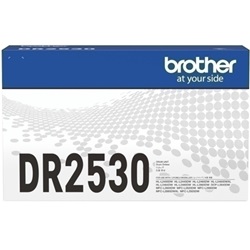
Managing the DR2530 Drum Unit
Unlike inkjet printers, the Brother DCP-L2640DW requires a DR2530 drum unit to transfer the toner onto the paper. While the toner might be replaced every few months, the drum unit has a much longer lifespan, typically lasting for 15,000 pages.
Experience Tip: When you install a new DR2530, you must manually reset the drum counter via the printer menu to clear the 'Replace Drum' warning, otherwise the printer may refuse to print even with a new unit installed.
Best ways to buy and stock toner
If you primarily print text-heavy documents or invoices, stocking up with a bundle pack is the most efficient way to manage your supplies. Our multi-packs of TN2530XL compatibles offer the lowest cost per page for high-volume users. For peace of mind, all orders are covered by our returns policy.
Free delivery applies on all orders over $99 (conditions apply). To ensure prompt arrival, we ship from local warehouses in Perth, Brisbane, Sydney, Melbourne and Adelaide. Browse our full range of Brother toner cartridges to find the best fit for your office.
Pro Tip
Always keep a spare toner cartridge on hand, but only buy the drum unit when the printer specifically signals the drum is nearing the end of its 15,000-page life. The toner and drum almost never expire at the same time.
Frequently Asked Questions
Does the DCP-L2640DW require both a toner and a drum to work?
Yes. This printer uses a modular system where the TN2530 toner cartridge clips into the DR2530 drum unit. You do not need to replace the drum every time you change the toner; typically, you will go through three to four high-yield toners before the drum requires replacement.
Can I use a TN2530XL cartridge if my printer came with a standard one?
Absolutely. The TN2530 and TN2530XL have the same external dimensions and fit into the same DR2530 drum unit. The XL version simply contains a larger volume of toner powder, allowing for a higher page output.
What should I do if the print is light but the toner is not empty?
If your text is looking faded despite having toner, the "corona wire" on the drum unit might be dirty. Slide the green tab on the DR2530 drum unit back and forth several times to clean the wire, then ensure the tab is returned to its home position before printing again.


