
HP 206A, 206X Toner Cartridges
HP Color LaserJet Pro printers utilizing the 206A and 206X toner cartridge series are engineered for business workloads that require clear text and accurate colour documents. Users can select between standard yield 206A cartridges or high yield 206X versions depending on their monthly print volumes. Premium compatible replacements are also available alongside genuine options, offering a highly economical alternative to significantly reduce recurring office operating overheads without risking document sharpness.
Printers Compatible with HP 206A & 206X Toner Cartridges


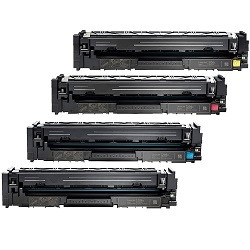


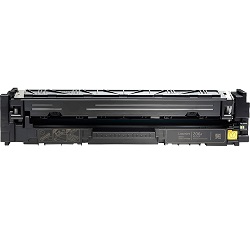
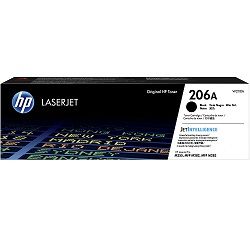
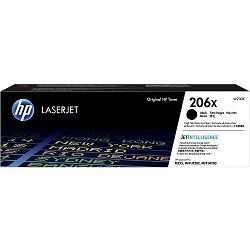


Page output and cartridge lifecycle tracking
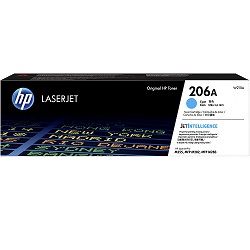
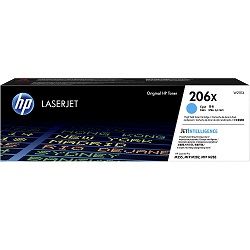
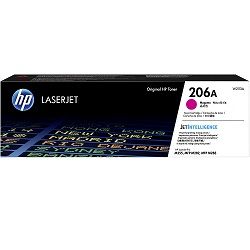
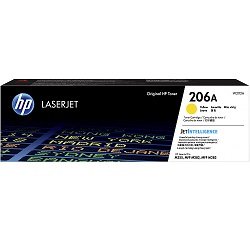
Evaluating your business print volume dictates whether the 206A standard capacity or 206X high yield variant is more cost-effective. The standard 206A black cartridge (W2110A) yields 1,350 pages, while the colour alternatives (W2111A, W2112A, W2113A) deliver up to 1,250 pages. Upgrading to the 206X high yield setup expands the black toner lifecycle to 3,150 pages and colour capacities to 2,450 pages. HP calculates these metrics using the standardised ISO/IEC 19798 testing method for colour laser equipment, based on 5% page coverage. Continuous printing of graphics, complex PDF invoices, or marketing material significantly increases this coverage percentage, accelerating toner consumption across all four separate compartments.
| Cartridge Number | Type | Colour | Page Yield | Cost Per Page |
|---|---|---|---|---|
| 206A | Standard | Black | 1,350 | $0.10 |
| 206A | Standard | Cyan | 1,250 | $0.13 |
| 206A | Standard | Magenta | 1,250 | $0.13 |
| 206A | Standard | Yellow | 1,250 | $0.13 |
| 206X | High Yield | Black | 3,150 | $0.066 |
| 206X | High Yield | Cyan | 2,450 | $0.090 |
| 206X | High Yield | Magenta | 2,450 | $0.090 |
| 206X | High Yield | Yellow | 2,450 | $0.090 |
Cost Per Page = Total Cartridge Price ÷ Page Yield (at 5% coverage). Prices based on Genuine cartridges.
Clear legal facts about compatible toners
Using alternative premium consumables will not jeopardise your legal consumer protections. Under Australian Consumer Law, using compatible cartridges does not void your printer warranty. Manufacturers cannot force you to buy genuine replacements to maintain your statutory rights. Every third-party W2110A and W2110X series cartridge we supply matches the physical housing of the genuine alternative, allowing seamless slotting into the internal tray of your Color LaserJet Pro. You can read the full breakdown of your rights on our genuine vs compatible cartridges comparison guide.
Selecting your cartridge configuration and dispatch logistics
Document type dictates your buying path. If your office primarily runs monochrome invoices or statements, purchase single high-capacity 206X black cartridges to lower operating costs. For workplaces handling regular colour reports, multi-packs offer a streamlined replacement path. Selecting a compatible multi-pack drops the acquisition cost sharply, and these third-party options carry a comprehensive money-back guarantee to ensure complete performance satisfaction. If an issue arises, our fast resolution system is backed by our full returns policy. Free delivery applies on all orders over $99 (conditions apply). To maintain rapid delivery timelines, we ship directly from automated logistical hubs across Australia located in Sydney, Melbourne, Brisbane, Adelaide, and Perth. Secure your supplies via our main HP toner cartridges catalogue page.
Pro Tip
Always replace 206A or 206X cartridges only when the printer panel explicitly states the toner is fully exhausted, rather than when the first "low toner" warning appears. Color LaserJet Pro hardware triggers early alerts to give offices time to reorder, but substantial powder remains in the hopper that can safely deliver hundreds of additional legible pages.
Frequently Asked Questions
Can I mix a genuine HP 206A black cartridge with compatible 206X colour cartridges?
Yes. The printer firmware treats each cartridge slot independently, meaning you can run a combination of standard and high yield or genuine and compatible toners simultaneously without error codes.
Why does my Color LaserJet Pro report low toner when I just installed a compatible 206X cartridge?
This occurs if the third-party cartridge uses a recycled chip that retains prior lifecycle data. The toner will print perfectly at full density; you simply need to bypass the prompt by clicking "Continue" or "OK" on the printer touchscreen interface.
Do 206A and 206X toners include the drum unit, or is that a separate replacement?
The HP 206A and 206X cartridge system utilizes an all-in-one design where the imaging drum and the toner hopper are integrated into a single physical unit. Every time you change your toner, you are automatically installing a fresh drum, eliminating the hidden secondary cost of standalone maintenance components.


