
HP Color LaserJet Pro M283fdn Toner Cartridges
Shop toner cartridges for your HP Color LaserJet Pro M283fdn, which uses the HP 206A and 206X toner cartridge series. Designed for fast office document production, this compact laser printer relies on four separate colour toners. Upgrading from standard 206A (W2110A) black cartridges to high-yield 206X (W2110X) alternatives more than doubles page count during high-volume print runs. Ink Depot has supplied quality consumables for this printer since Apr 2020. Our 4.8 Google rating reflects a long-standing track record of premium cartridge performance.


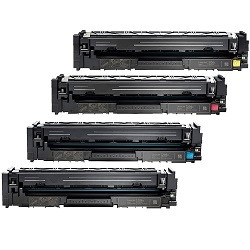


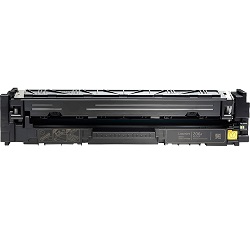
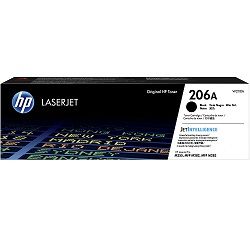
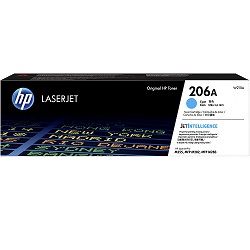
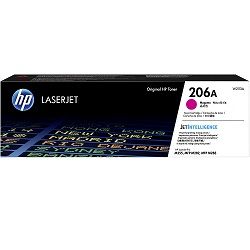
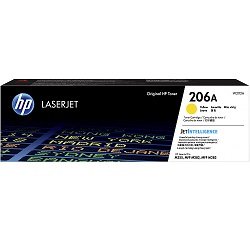
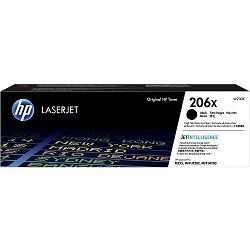
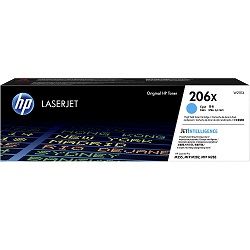


Expected page output and replacement cycles
Page yields for the HP 206A and 206X series are evaluated using ISO/IEC 19798 testing standards for colour laser printers. Standard 206A toners yield up to 1,350 black and 1,250 colour pages, whereas high-yield 206X toners provide up to 3,150 black and 2,450 colour pages for lower operating costs.
| Cartridge Number | Type | Colour | Page Yield | Cost Per Page |
|---|---|---|---|---|
| 206A | Standard | Black | 1,350 | $0.10 |
| 206A | Standard | Cyan | 1,250 | $0.13 |
| 206A | Standard | Magenta | 1,250 | $0.13 |
| 206A | Standard | Yellow | 1,250 | $0.13 |
| 206X | High Yield | Black | 3,150 | $0.065 |
| 206X | High Yield | Cyan | 2,450 | $0.088 |
| 206X | High Yield | Magenta | 2,450 | $0.088 |
| 206X | High Yield | Yellow | 2,450 | $0.088 |
Cost Per Page = Total Cartridge Price ÷ Page Yield (at 5% coverage). Prices based on Genuine cartridges.
Choosing between genuine and compatible options
Under Australian Consumer Law, using compatible cartridges does not void your printer warranty. Review our genuine and compatible cartridge guide to understand how compatible alternatives perform against original manufacturer supplies.
Best way to stock these toners
For regular text printing, selecting high-yield 206X (W2110X) black toner provides the best per-page economy. If printing high-colour marketing materials, 206X colour toners ensure steady output without frequent swaps. Our compatible 206A and 206X cartridges deliver substantial savings and carry a money-back guarantee if they do not perform as expected under our returns policy. Free delivery applies on all orders over $99. We ship directly from warehouses in Perth, Brisbane, Sydney, Melbourne and Adelaide. Explore our full range of HP toner cartridges today.
Cartridge buying tip
When replacing multiple colour toners at once, purchasing 206X multipacks significantly reduces total order spend compared to buying individual standard-yield 206A units separately.
Frequently Asked Questions
Can I mix standard 206A and high-yield 206X cartridges in the HP Color LaserJet Pro M283fdn?
Yes, standard 206A and high-yield 206X toners share the exact same physical dimensions and fitting mechanism. You can safely install a high-yield 206X (W2110X) black toner alongside standard 206A colour toners without issue.
Why do colour toners deplete even if I primarily print black text documents?
The printer executes periodic internal calibration routines that use minute quantities of cyan, magenta, and yellow toner to align print clarity and keep internal components ready for seamless operation.
Do HP 206A and 206X cartridges include built-in microchips?
Yes, both standard and high-yield 206 series toners come equipped with integrated smart chips that accurately communicate remaining toner levels to the printer control display and connected software drivers.


