
Epson 802, 802XL Ink Cartridges
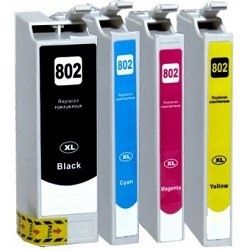
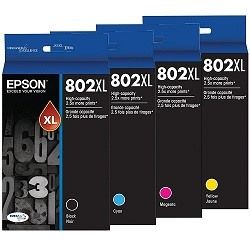
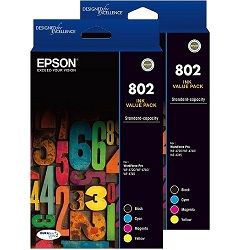
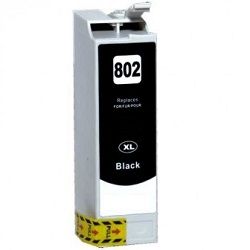
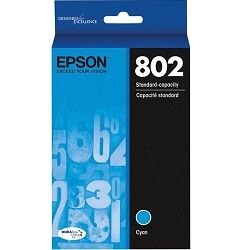
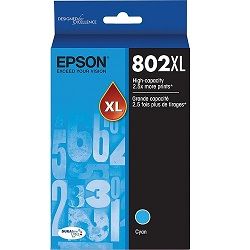
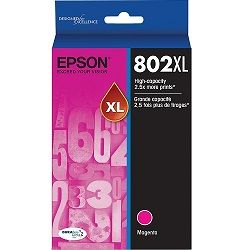
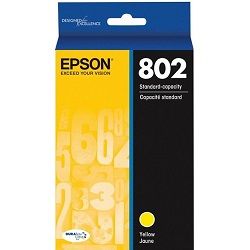
Epson 802 and 802XL ink cartridges provide a high capacity four colour printing setup engineered for heavy text production and business graphics. This cartridge series features distinct options including standard 802 tanks for lower volume needs and high yield 802XL alternatives that hold significantly more ink within the same outer shell dimensions. To lower baseline running costs, third party compatible ink options are available alongside genuine variants, fitting seamlessly into your printer tracking configuration.
Printers Compatible with Epson 802 Ink Cartridges




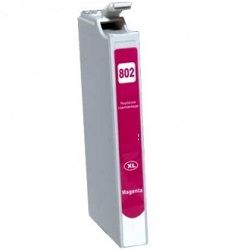
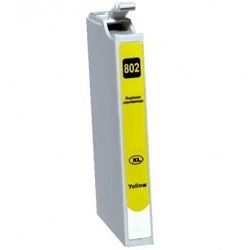
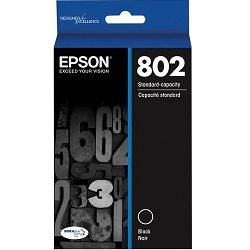
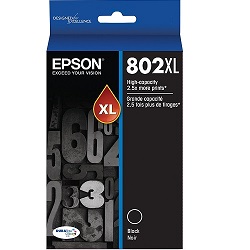


Expected page output and replacement cycles
Testing under the international ISO/IEC 24711 standard establishes baseline metrics for these business inkjet cartridges. Genuine standard 802 black ink cartridges print up to 900 pages, while the individual cyan, magenta, and yellow options output 650 pages. Upgrading to high yield 802XL cartridges increases maximum page capacities to 2600 pages for black and 1900 pages per colour.
| Cartridge Number | Type | Colour | Page Yield | Cost Per Page |
|---|---|---|---|---|
| 802 | Standard | Magenta | 650 | $0.066 |
| 802 | Standard | Yellow | 650 | $0.066 |
| 802 | Standard | Cyan | 650 | $0.066 |
| 802 | Standard | Black | 900 | $0.045 |
| 802XL | High Yield | Magenta | 1,900 | $0.039 |
| 802XL | High Yield | Yellow | 1,900 | $0.039 |
| 802XL | High Yield | Cyan | 1,900 | $0.039 |
| 802XL | High Yield | Black | 2,600 | $0.037 |
Cost Per Page = Total Cartridge Price ÷ Page Yield (at 5% coverage). Prices based on Genuine cartridges.
Choosing between genuine and compatible options
Under Australian Consumer Law, using compatible cartridges does not void your printer warranty. Premium compatible 802XL options feature upgraded microchips designed to communicate directly with your printer software, allowing accurate real time ink monitoring on your desktop screen. This ensures you retain standard low ink notifications while deploying alternative consumables. To review the legal framework, consult our detailed genuine vs compatible blog post.
Managing business printing costs
Commercial documents pull heavy amounts of black ink for text layout, whereas company logos and graphs draw from the cyan, magenta, and yellow slots simultaneously. Office users typically upgrade from standard 802 to high yield 802XL cartridges when their regular weekly print runs exceed 150 pages, preventing frequent mid-job replacement interruptions. If any compatible item encounters an unexpected software or recognition error, your transaction is protected by our clear money back terms outlined within our returns policy. Free delivery applies on all orders over $99 (conditions apply), with inventory dispatched from our local fulfillment centres located across Perth, Brisbane, Sydney, Melbourne, and Adelaide. You can explore matching supplies for different office equipment by viewing our complete Epson ink cartridges range.
Pro Tip
Do not remove old 802 or 802XL cartridges until you have the replacement tanks unboxed and ready to install immediately. Leaving the printhead slots exposed to air for more than five minutes causes residual business ink to dry inside the microscopic ink intake nozzles, which blocks fluid flow and forces your printer into multiple deep cleaning cycles that waste considerable ink.
Frequently Asked Questions
Can I run a standard 802 ink cartridge alongside a high yield 802XL ink cartridge?
Yes, Epson business printers manage each individual slot independently, allowing you to run standard 802 and high yield 802XL capacities concurrently across different colour tracks. The external dimensions of the cartridges are exactly identical, meaning they seat securely in the same printhead bay.
Why did my printer stop printing black text when only a colour cartridge ran out?
Epson business inkjet systems lock all printing when any single ink slot drops below its absolute operating minimum. This structural failsafe ensures that empty ink chambers are never subjected to printhead firing heat, preventing permanent thermal damage to the printhead micro nozzles.
Why does my colour ink drop over time even though I print exclusively in black text?
The printer uses small amounts of ink from all four individual slots during automatic printhead maintenance routines and initialization cycles. This automated purging process clears tiny particulate blockages and dried film from the nozzle plate to keep print paths open, meaning colour levels will decrease over extended periods.


