
Canon PIXMA MX420 Ink Cartridges
Your PIXMA MX420 uses the CL-511 / CL-513 / PG-510 / PG-512 cartridge series. Our 4.8 Google rating is built on dependable cartridge performance and uncompromising product quality. Ink Depot has supported users by supplying consumables for this printer since Mar 2011. The print system requires just one black cartridge and a combined tri-colour cartridge, a design that suits steady domestic document production. Document printing habits heavily impact replenishment cycles, as a single dominant colour running dry forces the replacement of the entire tri-colour housing even if the remaining colour wells are partially full.

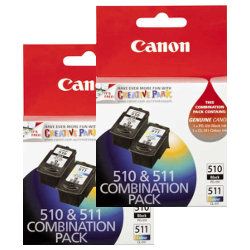


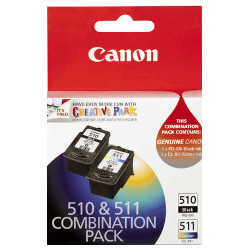
Real-world cartridge yield and performance
Expected ink tracking heavily depends on how frequently text pages versus colour images are produced. Standard document yield testing for these inkjet components follows the industry standard ISO/IEC 24711 metric, providing a structured benchmark based on standard text documentation coverage rather than dense graphical configurations.
| Cartridge Number | Type | Colour | Page Yield | Cost Per Page |
|---|---|---|---|---|
| PG-510 | Standard | Black | 220 | $0.14 |
| CL-511 | Standard | Colour | 244 | $0.14 |
Cost Per Page = Total Cartridge Price ÷ Page Yield (at 5% coverage). Prices based on Genuine cartridges.
Managing print workloads and ordering setups
If your daily print tasks lean heavily toward text documents, focusing on black multi-packs yields better practical convenience over single cartridge adjustments. For general household printing, picking up pre-arranged bundle packs reduces domestic printing costs while establishing a backup cartridge supply before the low-ink indicator blocks printer functions. All consumables supplied are covered by our standard change of mind terms outlined in our Returns policy. Free delivery applies on all orders over $99 (conditions apply), with items distributed directly out of our regional distribution centers located across Perth, Brisbane, Sydney, Melbourne and Adelaide. You can check alternative options via our main Canon ink cartridges catalog page.
Pro Tip
To protect against premature colour ink exhaustion, change your printer driver print settings to greyscale or monochrome when producing everyday drafts. This keeps the tri-colour cartridge fully disengaged and preserves your colour ink supply for times when full-colour graphics are truly required.
Frequently Asked Questions
Why does the low-ink alert trigger when I have only printed black text documents?
This printer regularises printhead maintenance by running routine self-cleaning printhead cycles. These essential maintenance routines draw microscopic amounts of ink from both the black and the tri-colour cartridge wells to stop dried ink blockages, causing the colour ink levels to gradually drop over time even without explicit colour printing.
Can I install high-capacity XL cartridges alongside standard capacity cartridges?
Yes, the printer allows you to mix standard and high-capacity cartridge variants in the carriage. The physical dimensions of the high-capacity options match the standard slots precisely, meaning an upgraded black cartridge will print perfectly alongside a standard tri-colour cartridge.
What happens to the remaining ink when one colour runs out in the tri-colour cartridge?
The integrated multi-colour cartridge shares a single physical housing for cyan, magenta, and yellow. When one specific colour is fully depleted, the printer can no longer blend accurate colours, requiring a complete replacement of the component regardless of the volume left in the remaining two wells.


