
Brother HL-2170W Toner Cartridges
Your Brother HL-2170W uses the TN-2130, TN-2150 cartridge series, operating on a dedicated monochrome laser system that utilises an independent toner and drum frame setup. Our 4.8 Google rating proves it: we consistently supply premium cartridges backed by rock-solid reliability. Ink Depot has been providing compatible and original print options for this series since Jun 2026. Small business operators consistently pivot to high yield black replacements over standard supplies to prevent regular printing interruptions during large text document runs.





Expected page output and replacement cycles
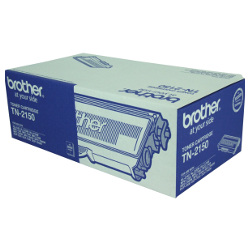
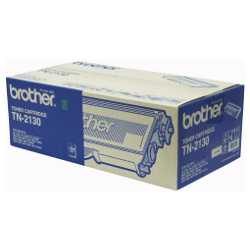
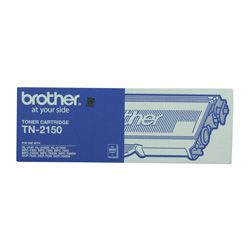
Page yield performance is measured in accordance with the international ISO/IEC 19752 standard for monochrome laser printers. Under these standard criteria, the standard capacity TN-2130 cartridge generates up to 1500 pages, whereas the high capacity TN-2150 option offers up to 2600 pages before running out of powder.
| Cartridge Number | Type | Colour | Page Yield | Cost Per Page |
|---|---|---|---|---|
| TN-2130 | Standard | Black | 1,500 | $0.069 |
| TN-2150 | High Yield | Black | 2,600 | $0.051 |
Cost Per Page = Total Cartridge Price ÷ Page Yield (at 5% coverage). Prices based on Genuine cartridges.
Choosing between genuine and compatible options
Under Australian Consumer Law, using compatible cartridges does not void your printer warranty. Offices running daily invoice and text processing tasks heavily favor compatible options to drop operational costs while keeping line definition crisp. To read a thorough comparison of third-party alternatives against original brand consumables, visit our article at genuine vs compatible cartridges.
Drum lifecycle and maintenance
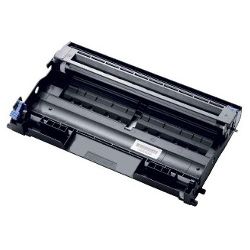
The independent DR-2125 drum unit plays a distinct role by transferring the laser image onto the sheet, remaining in place across several toner replacement cycles. Experience Tip: When putting in a fresh drum unit, the internal manual page counter must be cleared by holding down the Go button with the front access door swung open until all status lights flash.
Managing replacements and stock
If you print mainly text documents, keeping a spare high capacity TN-2150 toner in reserve prevents unexpected down periods during critical billing cycles. Opting for compatible options provides extra financial security for small teams as they are backed by a complete money-back guarantee outlined in our Returns policy. Free delivery applies on all orders over $99 (conditions apply). All orders are packed and dispatched swiftly from regional warehousing hubs situated across Perth, Brisbane, Sydney, Melbourne, and Adelaide. Review the complete manufacturer list on our master Brother toner cartridges catalogue page.
Pro Tip
When page text begins to fade unevenly, slide out the toner assembly and rock it gently from side to side to loosen up compacted powder inside the bin, adding immediate temporary life to the cartridge.
Frequently Asked Questions
Why does the Toner error light stay on after sliding a new high capacity TN-2150 toner into the printer?
This occurs when the physical reset wheel on the outer end of the replacement cartridge has failed to trigger the internal micro-switch; sliding the cartridge out and manually rotating the white plastic reset gear forward clears the alert.
Can I utilise a compatible TN-2150 laser toner cartridge inside an official genuine Brother DR-2125 drum unit?
Yes, the components operate on an open two-piece mechanical design, meaning a compatible toner cartridge locks perfectly into an original brand drum framework without compatibility conflicts.
How can I tell whether the faded text on my paper sheets means I need a new toner cartridge or a new drum unit?
Consistently light or washed-out text indicates the toner powder reservoir is exhausted, whereas repeating dark lines, parallel spots, or a faint grey misting down the page indicate the drum surface has sustained physical wear.


