
Canon PIXMA TS9060 Ink Cartridges
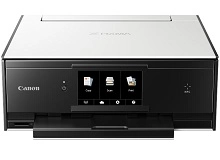
The Canon PIXMA TS9060 premium home printer utilises an advanced six-tank system designed to produce lab-quality photos and sharp text documents. We have been supplying replacement consumables for this high-end creative multi-functional unit since Mar 2017, helping households maintain flawless print quality. Our 4.8 Google rating demonstrates our commitment to service, supplying premium cartridges backed by rock-solid reliability. Because this system features an independent grey tank alongside individual black and colour inks, it delivers exceptional monochrome shading and precise tone tracking.






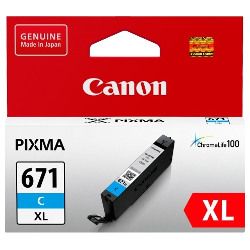


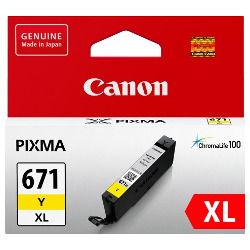


Premium Six-Tank System Design
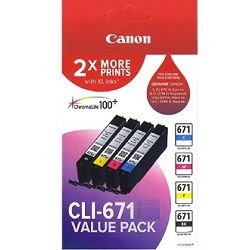
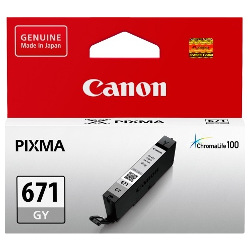
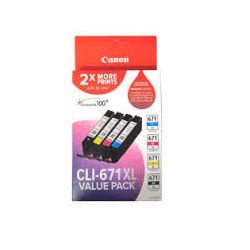
The PIXMA TS9060 separates its ink supply into six distinct reservoirs to maximise photo printing performance. It splits document printing and imagery production between a larger pigment black tank (PGI-670) and a dye-based black tank (CLI-671). The inclusion of a unique grey cartridge minimises graininess in monochrome photographs and ensures smooth tonal transitions. Selecting the right size—whether standard or high-capacity XL tanks—allows you to adapt your purchase to your specific home printing demands.
| Cartridge Number | Type | Colour | Page Yield | Cost Per Page |
|---|---|---|---|---|
| CLI-671BK | Standard | Black | 1,105 | $0.017 |
| PGI-670BK | Standard | Black | 300 | $0.073 |
| CLI-671C | Standard | Cyan | 311 | $0.061 |
| CLI-671M | Standard | Magenta | 311 | $0.061 |
| CLI-671GY | Standard | Yellow | 780 | $0.024 |
| CLI-671Y | Standard | Yellow | 311 | $0.061 |
| PGI-670XLBK | High Yield | Black | 500 | $0.059 |
| CLI-671XLBK | High Yield | Black | 4,425 | $0.007 |
| CLI-671XLC | High Yield | Cyan | 680 | $0.043 |
| CLI-671XLM | High Yield | Magenta | 680 | $0.043 |
| CLI-671XLGY | High Yield | Yellow | 3,350 | $0.009 |
| CLI-671XLY | High Yield | Yellow | 680 | $0.043 |
Cost Per Page = Total Cartridge Price ÷ Page Yield (at 5% coverage). Prices based on Genuine cartridges.
Genuine Consumables and Buying Strategy
Our current stock profile for this specific model focus entirely on authentic Canon consumables, providing maximum compatibility and vivid output. To keep printing costs manageable, many owners choose our value bundles which group black, grey, and colour tanks into a discounted package. Combining your tanks into a single multi-pack reduces the price per millilitre of ink. For a deeper look into market options, feel free to view our genuine vs compatible cartridges explanation overview.
Reliable Local Dispatch
Free delivery applies on all orders over $99 (conditions apply), sent rapidly from our local logistics networks situated across Sydney, Melbourne, Brisbane, Perth, and Adelaide. Stocking up on a full bundle ensures your creative workflows run uninterrupted. You can explore our complete range of Canon ink cartridges to find supplies for other household devices. If you need to review our product return guidelines, please visit our dedicated Returns policy page.
Pro Tip
The TS9060 incorporates an automated tilting control panel and an electric output tray mechanism. When swapping cartridges, ensure the panel is fully tilted open and wait for the ink carriage to move completely into view. Never manually pull or stop the carriage by hand; let the internal electronics position the bays safely to avoid knocking the micro-fine alignment out of place.
Frequently Asked Questions
What is the purpose of the grey cartridge in the PIXMA TS9060?
The specialised grey cartridge significantly expands the printer's colour gamut, particularly when printing black-and-white or sepia photographs. It helps create natural, balanced grey tones and smooth gradients while reducing the amount of colour ink needed to mix shades of grey.
Can I mix standard PGI-670 tanks with high-capacity CLI-671XL colour cartridges?
Yes, the printer accommodates mixed capacity setups perfectly. Standard and XL versions share the exact same external cartridge footprint, meaning they sit securely in their designated slots while the internal microchips track the remaining ink levels independently.
Why do my colour ink levels drop when I print black text documents?
To prevent the micro-fine printing nozzles from clogging, the printer conducts routine self-cleaning cycles during startup and throughout extended print tasks. These maintenance printers draw minor amounts of fluid from all six internal ink reservoirs, causing colour and grey levels to drop slightly over time even if your driver is set to monochrome.


