
Canon PIXMA MG3560 Ink Cartridges
The Canon PIXMA MG3560 home printer utilises a two-cartridge system: the PG-640 black and CL-641 colour tanks. We have been supplying replacement consumables for this popular all-in-one since Nov 2013, helping households maintain sharp document printing and vibrant photo output. Our 4.8 Google rating proves it: we consistently supply premium cartridges backed by rock-solid reliability. Because the colour cartridge contains cyan, magenta, and yellow ink in a single unit, this system is exceptionally easy to maintain for occasional home users.
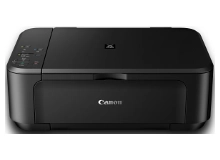


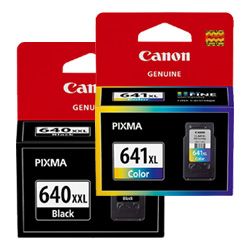


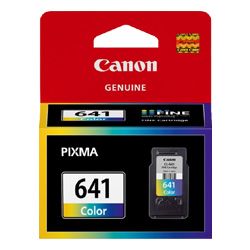
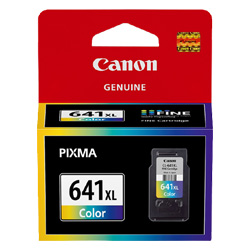


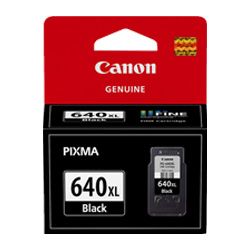


Capacity Options: Standard, XL, and XXL
The PIXMA MG3560 is compatible with three different ink volumes to suit your printing frequency. While standard PG-640 and CL-641 tanks are suitable for light use, the XL and XXL (black only) versions offer significantly more ink for busy families or students. High-capacity cartridges not only reduce the frequency of replacements but also lower your overall running costs.
| Cartridge Number | Type | Colour | Page Yield | Cost Per Page |
|---|---|---|---|---|
| PG-640 | Standard | Black | 180 | $0.14 |
| CL-641 | Standard | Colour | 180 | $0.19 |
| PG-640XL | High Yield | Black | 400 | $0.10 |
| CL-641XL | High Yield | Colour | 400 | $0.11 |
| PG-640XXL | Extra High Yield | Black | 600 | $0.081 |
Cost Per Page = Total Cartridge Price ÷ Page Yield (at 5% coverage). Prices based on Genuine cartridges.
Genuine vs Compatible Cartridges
Under Australian Consumer Law, using compatible cartridges does not void your printer warranty. We offer high-quality compatible alternatives for the PG-640XL and CL-641XL that deliver excellent performance at a lower price point. To compare the benefits of each, visit our genuine vs compatible cartridges guide. All compatible inks from our warehouse are backed by a money-back guarantee.
Value Bundles and Fast Delivery
For the best value, many MG3560 owners choose our ink bundles, which combine black and colour tanks into a single discounted package. Free delivery applies on all orders over $99 (conditions apply), sent quickly from our local distribution hubs in Sydney, Melbourne, Brisbane, Perth, and Adelaide. Browse our full range of Canon ink cartridges to keep your home office stocked.
Pro Tip
The PG-640 and CL-641 cartridges feature integrated printheads. This means every time you replace a cartridge, you are essentially installing a brand-new printing mechanism. If you notice streaks or missing lines that a standard cleaning cycle won't fix, simply replacing the cartridge usually resolves the issue immediately by providing a fresh set of nozzles.
Frequently Asked Questions
Can I use the PG-640XXL black cartridge with a standard CL-641 colour cartridge?
Yes, you can mix and match different capacities. The XXL black cartridge is designed to fit in the same slot as the standard version but contains a larger ink reservoir, making it perfectly compatible with any CL-641 colour tank.
What should I do if the printer doesn't recognise a new compatible cartridge?
If your MG3560 shows an "ink out" error after installing a new compatible tank, it is often a communication glitch. Try removing the cartridge, gently wiping the copper contacts with a lint-free cloth, and reinserting it firmly. You may also need to hold down the "Stop/Reset" button for five seconds to bypass the prompt.
Why is my colour cartridge empty when I only print in black and white?
The PIXMA MG3560 uses a small amount of colour ink during startup and maintenance cycles to keep the nozzles from clogging. Additionally, "Grayscale" settings often use a mix of colours to create deeper shades of grey. To minimise this, ensure your print settings are strictly set to "Black Ink Only" in the maintenance tab.


