
HP Officejet 6310 Ink Cartridges
Your HP Officejet 6310 uses the 92, 93 cartridge series, operating on a reliable dual-cartridge system with individual black and tri-colour tanks to manage daily household or office tasks. Backed by our 4.8 Google rating, we are dedicated to providing high-performance replacements that ensure consistent text and image output. We have been supplying replacement alternatives for this print structure since Jun 2026, helping residential setups and home office workspaces maintain a steady workflow. Because standard printing routines deplete the black text tank and colour graphic chambers at different intervals, home users and small teams frequently choose high-yield bundle setups to reduce replacement cycles and optimise long-term print value.

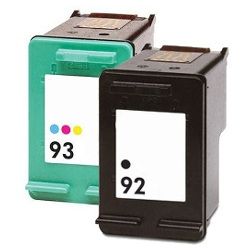


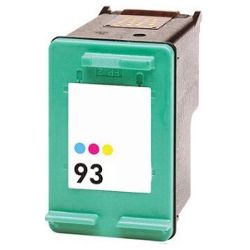
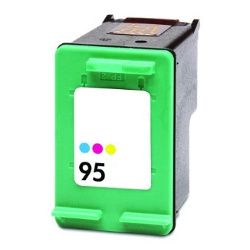
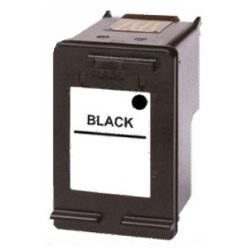
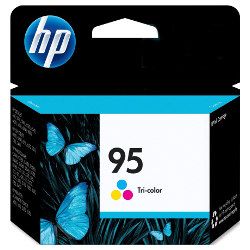
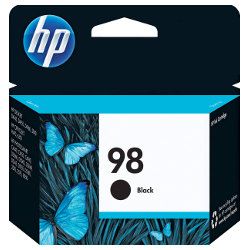
Page yield capacities and domestic printing lifecycles
Managing domestic projects and administrative office work requires clear foresight over consumable life cycles. HP calculates operational page yields for the 92, 93, 95, and 98 ink cartridge configurations using the international ISO/IEC 24711 standard for inkjet systems, which records ink usage patterns across standardised text and graphic files. Review the detailed layout below to plan your family or business print requirements.
| Cartridge Number | Type | Colour | Page Yield | Cost Per Page |
|---|---|---|---|---|
| 98 | Standard | Black | 400 | $0.14 |
| 95 | Standard | Colour | 260 | $0.18 |
Cost Per Page = Total Cartridge Price ÷ Page Yield (at 5% coverage). Prices based on Genuine cartridges.
Genuine vs compatible ink cartridges
Minimising ongoing print costs is simple when transitioning to premium generic ink tanks. Under Australian Consumer Law, utilising high-quality compatible consumables does not void your original manufacturer printer warranty. These budget-friendly options match original equipment designs in physical specifications and deep black clarity. Discover additional insights by browsing our genuine vs compatible cartridges guide.
Best ways to manage your print supply
When your weekly schedule involves multi-page student reports, invoices, or colour graphs, ordering high-capacity 95 and 98 cartridge bundle configurations offers the best protection against unexpected print delays. Every premium generic unit is backed by a comprehensive money-back guarantee, ensuring full financial reassurance for your budget. Free shipping applies to all orders exceeding $99 (conditions apply). To support rapid distribution across Australia, we dispatch orders directly from local storage facilities in Sydney, Melbourne, Brisbane, Adelaide, and Perth. Browse the full selection of HP ink cartridges to restock your workstation.
Pro Tip
The HP 92/93 and 95/98 consumable series are designed with an integrated printhead built directly on the base of each individual tank. This means that whenever you replace an exhausted ink cartridge, you completely renew the primary print system mechanism, making it an excellent method to resolve persistent blank lines or clogged nozzles that normal internal utility cleaning routines fail to fix.
Frequently Asked Questions
Can I run higher-yield HP 95 or 98 cartridges alongside standard HP 92 or 93 cartridges?
Yes, this versatile print setup allows you to install different capacity variations interchangeably in the designated slots. The external casing shapes are identical between standard and high-capacity units, meaning an HP 98 black tank will slide securely into place alongside an HP 93 standard tri-colour tank without causing compatibility errors.
Why does my desktop software display a low ink alert when liquid is still present in the tank?
The integrated microchip estimates remaining ink levels by counting the total number of microscopic droplets fired during print runs rather than measuring the physical fluid level inside the casing. If your home office usually prints short documents using light fonts, the digital notification will trigger slightly before the physical fluid is completely spent.
How do I fix faded text paths or blank horizontal lines on my printouts?
Faded spots or lines can happen if tiny air bubbles or dried residue collect over the copper nozzle contacts after periods of non-use. To fix this, access the properties menu via your desktop software or app, and run a printhead cleaning cycle to flush the channels and re-establish proper ink delivery.


