
HP OfficeJet 5220 Ink Cartridges
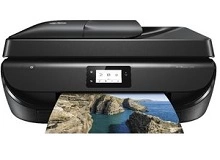
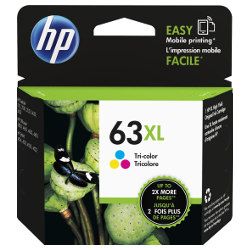
Your HP OfficeJet 5220 uses the 63 / 63XL cartridge series, featuring a two-cartridge system consisting of one black and one tri-colour unit. Because the tri-colour cartridge houses cyan, magenta, and yellow ink in a single reservoir, any one colour running low requires a full replacement of the unit. This printer is typically utilised in home office environments where text and occasional colour graphics are the priority. For those managing regular administrative tasks, shifting to the 63XL high-yield variants reduces the frequency of physical replacements while maintaining consistent internal printhead performance.


Choosing the right cartridge setup
Managing replacements for the HP OfficeJet 5220 depends largely on your weekly document output. If you print mainly text, the black 63XL is often the most sensible choice as it offers a significantly higher capacity than the standard version. For households that print infrequently, the standard 63 cartridges prevent ink from sitting unused for too long. If you find yourself replacing both units simultaneously, bundle packs provide a streamlined way to stock up. All HP consumables are backed by our returns policy. Free delivery applies on all orders over $99 (conditions apply), with stock dispatched from our warehouses in Perth, Brisbane, Sydney, Melbourne, and Adelaide to ensure prompt arrival. You can browse our full range of HP ink cartridges online.
Expected page output and replacement cycles
Page yields for the HP 63 series are determined using the ISO/IEC 24711 standard for inkjet printing. In real-world home office use, the actual number of prints will fluctuate based on the density of your documents and how often the printer performs maintenance cycles. The tri-colour cartridge is particularly sensitive to "colour imbalance"; if your documents feature heavy use of one specific shade, that reservoir will deplete and require the entire cartridge to be replaced even if other colours remain.
| Cartridge Number | Type | Colour | Page Yield | Cost Per Page |
|---|---|---|---|---|
| 63 | Standard | Black | 190 | $0.23 |
| 63 | Standard | Colour | 165 | $0.35 |
| 63XL | High Yield | Black | 480 | $0.20 |
| 63XL | High Yield | Colour | 330 | $0.31 |
Cost Per Page = Total Cartridge Price ÷ Page Yield (at 5% coverage)
Pro Tip
The HP 63 series uses an integrated printhead design. This means the actual firing mechanism is located on the cartridge itself rather than inside the printer. If your print quality begins to streak or fade even with ink remaining, replacing the cartridge effectively installs a brand-new printhead, often resolving hardware-related clarity issues instantly.
Frequently Asked Questions
Can I use a 63XL cartridge in the OfficeJet 5220 if I normally use the standard 63?
Yes. The 63XL high-yield cartridges share the same physical dimensions and fit into the same slots as the standard 63 cartridges. The only difference is the volume of ink contained inside the reservoir and the resulting number of prints you can achieve before replacement.
Why does my printer say ink is low when I have only printed a few colour photos?
The 63 tri-colour cartridge contains all three primary colours in one unit. High-density colour printing, such as full-page photos, consumes ink much faster than the standard text documents used for yield testing. Once a single colour (like Cyan) is exhausted, the printer cannot accurately mix colours and will prompt for a new cartridge.
What is the benefit of the two-cartridge system over individual colour tanks?
The primary advantage for the OfficeJet 5220 is maintenance. Since the printhead is built into the 63/63XL cartridges, you are refreshing the most critical part of the printing hardware every time you change the ink. This is ideal for home users who may leave the printer idle for weeks, as any dried ink in the nozzles is simply discarded with the old cartridge.


