
HP OfficeJet 4630 Ink Cartridges
Your HP OfficeJet 4630 uses the 61, 61XL ink cartridge system, comprising one black cartridge and one tri-colour cartridge. We have been supplying reliable consumables for this printer since Nov 2014, helping households maintain consistent text and photo output. Our 4.8 Google rating proves it: we consistently supply premium cartridges backed by rock-solid reliability. Because the tri-colour setup contains cyan, magenta, and yellow ink in a single housing, uneven depletion of one shade requires replacing the entire colour unit, a factor that influences regular household printing habits.
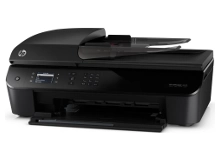
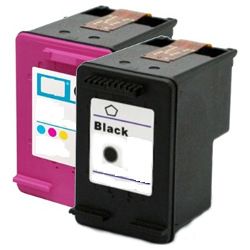
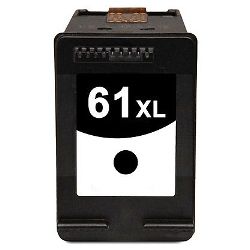


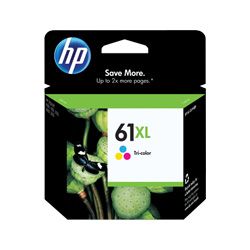
Expected page output and replacement cycles
Page yields for the 61 and 61XL series are determined under the ISO/IEC 24711 standard for inkjet systems. Standard tanks suit rare printing, while XL options significantly expand the intervals between cartridge swaps for busier home environments.
| Cartridge Number | Type | Colour | Page Yield | Cost Per Page |
|---|---|---|---|---|
| 61 | Standard | Black | 190 | $0.25 |
| 61 | Standard | Colour | 165 | $0.35 |
| 61XL | High Yield | Black | 480 | $0.21 |
| 61XL | High Yield | Colour | 330 | $0.33 |
Cost Per Page = Total Cartridge Price ÷ Page Yield (at 5% coverage). Prices based on Genuine cartridges.
Choosing between genuine and compatible options
Our compatible 61XL alternatives match the physical dimensions and fitting requirements of the original printer. Under Australian Consumer Law, using compatible cartridges does not void your printer warranty. For a detailed breakdown of how these alternatives measure up against name-brand products, read our genuine vs compatible cartridges guide.
Stocking your printer efficiently
For text-dense family documents or homework, investing in high-yield black cartridges reduces maintenance downtime. Tri-colour cartridges benefit users who print mixed graphical layouts evenly. If you want to minimise total printing costs, compatible bundles carry a full money-back guarantee should any performance issues arise. You can view our return criteria via the Returns policy page. Free delivery applies on all orders over $99 (conditions apply), shipped quickly from our national distribution warehouses across Brisbane, Sydney, Melbourne, Adelaide, and Perth. Explore our full range of HP ink cartridges today.
Pro Tip
Because the 61 series integrates the printhead mechanism directly onto the base of the ink cartridge, replacing an exhausted cartridge completely replaces the firing nozzles. If you encounter persistent banding or missing lines that automatic cleaning cycles cannot resolve, replacing the ink unit will completely refresh the physical printing mechanism.
Frequently Asked Questions
Can I use a 61XL high-yield cartridge if my printer originally came with a standard 61?
Yes, the 61XL cartridge has the exact same external dimensions as the standard 61 cartridge and slots into the same carrier inside your printer. The only difference is the internal sponge capacity, which holds more ink to deliver a higher page output.
Why does my printer report low ink when there is still one colour printing fine?
The 61 and 61XL colour systems are tri-colour cartridges, meaning cyan, magenta, and yellow ink are stored in three separate internal chambers within a single shell. If you print items with heavy yellow tones, that specific chamber will empty first, requiring a full cartridge replacement even if cyan and magenta ink remain.
How do I prevent my ink cartridges from drying out during long periods of inactivity?
To protect the integrated nozzles from drying out, always turn off the printer using its physical power button rather than a power board switch. This action commands the print carriage to retreat to its home docking station, which caps and seals the nozzles from open exposure to air.


