
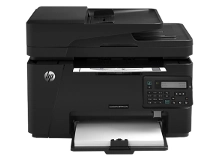
HP LaserJet Pro MFP M127fn M127fp M127fw Toner Cartridges
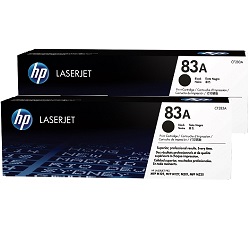
Your HP LaserJet Pro MFP M127fn M127fp M127fw uses the 83A, 83X cartridge series, working with a single black toner system built to handle daily workplace operations. Backed by our 4.8 Google rating, we are committed to delivering premium consumable cartridges that maintain clear text outputs. We have been supplying replacement alternatives for this monochrome setup since Feb 2014, supporting small commercial teams and busy home offices with continuous administrative workflows. Because high-yield setups encounter constant text-heavy document demands rather than occasional use, purchasing multi-packs or bundle options offers a practical way to lower print management frequency, leading workplace teams to secure spare supplies proactively to guarantee uninterrupted office printing.



Expected page output and replacement cycles
Daily administrative workflows require predictable print capacities to maintain efficient office routines. Manufacturer lifespan testing for the 83A monochromatic cartridge series relies on the industry-wide ISO/IEC 19752 standard, which evaluates consumption patterns under continuous coverage across standard text documents. Review the available options below to coordinate your workplace inventory requirements.
| Cartridge Number | Type | Colour | Page Yield | Cost Per Page |
|---|---|---|---|---|
| 83A | Standard | Black | 1,500 | $0.10 |
Cost Per Page = Total Cartridge Price ÷ Page Yield (at 5% coverage). Prices based on Genuine cartridges.
Genuine vs compatible cartridges
Reducing ongoing business printing expenses is straightforward when transitioning to premium generic toner replacements. Under Australian Consumer Law, using compatible cartridges does not void your printer warranty. These cost-effective alternatives match original factory components in their precise structural fit and clean black text resolution, and you can explore more details via our genuine vs compatible cartridges guide.
Best way to stock these cartridges
When your business relies heavily on clear text printing, multi-page accounting logs, or customer invoices, choosing high-capacity 83A bundle configurations provides the most dependable protection against sudden office downtime. Premium compatible toners are backed by a complete money-back guarantee, ensuring absolute financial protection for your office inventory. Free delivery applies on all orders over $99 (conditions apply). To facilitate rapid dispatch timelines nationwide, we ship packages directly from regional distribution facilities located in Sydney, Melbourne, Brisbane, Adelaide, and Perth. View our complete catalog of HP toner cartridges to restock your workstation.
Pro Tip
The 83A toner configuration uses an all-in-one design that integrates the internal drum unit and the main toner hopper within one physical assembly. If your printed pages reveal persistent vertical lines, faint tracking shadows, or repeating white gaps that automatic software cleanings cannot fix, replacing the toner cartridge completely switches out the worn drum component to restore sharp text clarity immediately.
Frequently Asked Questions
Can I run a compatible CF283A toner cartridge alongside genuine HP consumables?
Yes, this monochromatic printing system lets you install compatible 83A options into the internal chamber without triggering software lockouts. The exterior guide tracks and electronic microchips are engineered to replicate factory layouts exactly, allowing the printer tracking utilities to accept the replacement unit and display supply status accurately.
Why does my multifunction printer show a toner low message while loose powder is still audible inside?
The integrated smart microchip calculates remaining supply levels by logging total internal roller revolutions and character coverage density rather than weighing the physical powder left in the hopper. If your team prints brief emails or small labels with minimal text, the alert system will trigger before the physical toner reservoir is entirely empty.
How do I fix faded text or uneven light patches down the middle of my printed reports?
Faint patches usually occur when the internal toner powder settles unevenly along one side of the cartridge housing during prolonged print runs. To fix this, open the printer access door, pull out the 36A cartridge by its center handle, gently rock the unit horizontally five times to redistribute the powder evenly, and reinsert it into the track.


