
HP Envy 5540 Printer Ink Cartridges
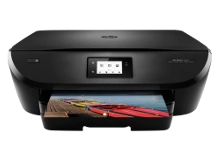
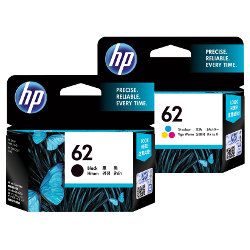
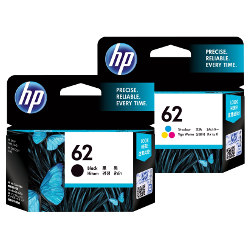
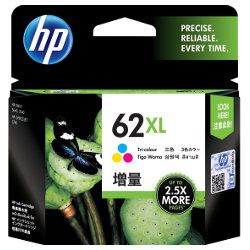
Your HP Envy 5540 uses the HP 62 and 62XL ink cartridge series, featuring a two-cartridge system that consists of a dedicated black and a single tri-colour unit. We have been supplying reliable consumables for this printer since 27 Apr 2016, helping home users maintain consistent print results. Because the tri-colour cartridge houses cyan, magenta, and yellow together, the entire unit requires replacement once the first colour runs dry. To manage this depletion pattern, many users opt for the XL high-yield variants to extend the interval between these inevitable swaps.



Managing Replacements and Value
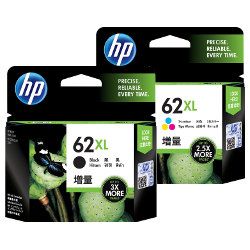
When selecting ink for the Envy 5540, the decision usually comes down to your monthly printing volume. If you only print occasionally, the standard HP 62 cartridges are a safe entry point. However, for those printing school assignments or weekly reports, moving to the 62XL high-yield series is a more practical strategy. The XL cartridges contain significantly more ink within the same physical footprint, reducing the frequency of cartridge changes. For those who want to avoid the inconvenience of a mid-project empty tank, we offer multi-pack bundles that ensure you have both the black and colour units ready to go.
Understanding Page Yield
The number of prints you can expect depends heavily on whether you are using standard or XL high-yield cartridges. HP determines these page yields based on the ISO/IEC 24711 standard, which uses a series of five standard pages printed continuously. In real-world home use, your mileage may vary depending on the density of your documents and how often the printer performs maintenance cycles, which consume a small amount of ink to keep the printheads clear.
| Cartridge Number | Type | Colour | Page Yield | Cost Per Page |
|---|---|---|---|---|
| 62 | Standard | Black | 200 | $0.21 |
| 62 | Standard | Colour | 165 | $0.25 |
| 62XL | High Yield | Black | 600 | $0.17 |
| 62XL | High Yield | Colour | 415 | $0.26 |
Cost Per Page = Total Cartridge Price ÷ Page Yield (at 5% coverage). All calculations use Genuine cartridge prices.
Ordering and Delivery Information
To keep your printer running without interruption, we recommend keeping at least one spare tri-colour cartridge on hand, as these often deplete faster than expected if you print photos or graphics. We ship all HP orders from our distribution centres in Brisbane, Sydney, Melbourne, Adelaide, and Perth to ensure the fastest possible transit times.
Free delivery applies on all orders over $99 (conditions apply). If you are unsatisfied with your purchase, please refer to our Returns policy. You can browse our full range of HP ink cartridges online.
Pro Tip
Since the HP 5540 uses a tri-colour cartridge, printing many images with a single dominant colour (like a blue sky) will exhaust the entire cartridge quickly, even if the other colours are full. To extend the life of your colour ink, use "Draft" or "Greyscale" mode for internal documents.
Frequently Asked Questions
Can I install a 62XL cartridge if my printer came with standard HP 62 inks?
Yes, the 62XL cartridges are fully compatible with the HP Envy 5540. While they contain more ink, the external dimensions are designed to fit into the same carriage slots as the standard versions.
Why does my printer report low ink when I've only printed a few colour photos?
The HP 62 tri-colour system is sensitive to "colour imbalance." Because cyan, magenta, and yellow share one tank, if you print a series of photos with heavy red tones, the magenta will deplete. Once any one of the three colours is empty, the entire cartridge must be replaced to maintain colour accuracy.
Is it better to buy the cartridges individually or in a bundle pack?
For the HP Envy 5540, bundle packs are generally the most efficient choice. Since the printer will stop printing if either the black or colour cartridge is completely empty, purchasing them together ensures you aren't caught out by a single empty tank, and it typically offers a lower price than buying them separately.


