
HP Envy 5530 Ink Cartridges
Your HP Envy 5530 uses the 61, 61XL ink cartridge system. We have been supplying consumables for this printer since 24 Nov 2014, providing reliable text and photo ink support for domestic workstations. Because this compact arrangement houses all active liquid distribution across a straightforward twin-tank block, tracking ongoing use patterns reveals clear consumption thresholds between everyday assignments and color creative projects. Households handling regular homework sets and administrative schedules quickly discover that standard containers demand frequent replacement intervals, establishing the larger physical reservoir tanks as the logical selection to secure consistent family project momentum.

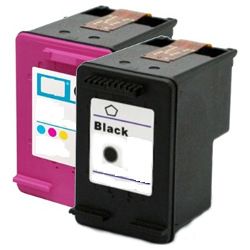
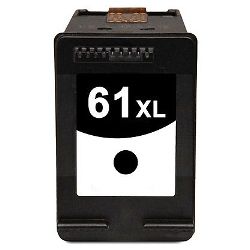


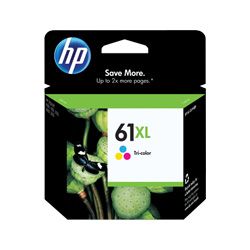
Understanding the twin-cartridge architecture
This printing framework deploys a dedicated black tank alongside a single multi-colour companion casing. The HP 61 tri-colour system integrates the printhead into the cartridge itself, meaning every time you replace the ink, you are also refreshing the printer's firing mechanism - essential for maintaining clear print lines on the Envy 5530. Under Australian Consumer Law, using compatible cartridges does not void your printer warranty.
Expected page output and replacement cycles
Domestic thermal inkjet tanks calculate average document longevity parameters using standard international ISO/IEC 24711 measurement rules. This comprehensive test format determines potential output based on a uniform five per cent text distribution pattern across plain paper sheets. Real-world residential print runs routinely diverge from these standard numbers when student research materials, image-heavy school assignments, or colorful craft designs accelerate overall consumption. Upgrading to the high-yield XL models shifts the internal sponge capacity without modifying the external dimensions of the cartridge shell, which helps family environments remain fully productive during busy school assessment periods.
| Cartridge Number | Type | Colour | Page Yield | Cost Per Page |
|---|---|---|---|---|
| 61 | Standard | Black | 190 | $0.25 |
| 61 | Standard | Colour | 165 | $0.35 |
| 61XL | High Yield | Black | 480 | $0.21 |
| 61XL | High Yield | Colour | 330 | $0.33 |
Cost Per Page = Total Cartridge Price ÷ Page Yield (at 5% coverage). Prices based on Genuine cartridges.
Managing household budgets with genuine and compatible options
Balancing running costs against sharp document presentation requires selecting the right container tier for your ongoing print volume. Standard text documents, shipping manifests, and school drafts remain highly economical when running high-capacity premium compatible choices. These premium compatibles are backed by a complete money-back guarantee, allowing home users to manage household expenses safely without risking print head blockages. To review additional supplies across different models, look through our national database of HP ink cartridges. Check out deeper performance perspectives on our genuine vs compatible cartridges blog.
Strategic ordering and rapid delivery logistics
Insulating your home office from unexpected mid-page print halts requires keeping a spare set of backup tanks stored safely in the desk drawer. Choosing bundled multi-packs lowers individual container procurement costs considerably while ensuring your workstation remains active during late-night assignment rushes. Free delivery applies on all orders over $99 (conditions apply), with inventory sent out directly from our local capital city logistics centres in Perth, Brisbane, Sydney, Melbourne, and Adelaide. Our transparent Returns policy provides structured assistance if an incorrect item is accidentally selected.
Pro Tip
When the printer software flashes a low ink warning, do not take out the tank immediately. The internal monitoring system estimates remaining levels based on programmatic droplet counts rather than direct physical weight, meaning a significant amount of active ink remains trapped within the inner sponge; you can safely dismiss the prompt and continue printing until document text or image lines show visible fading.
Frequently Asked Questions
Can I run a high-capacity 61XL black cartridge alongside a standard 61 colour cartridge?
Yes, the printer firmware tracks each individual cartridge bay independently. You can combine different capacity fills, such as deploying a high-capacity black tank for text-heavy school essays alongside a standard capacity color tank for light graphical tasks, without encountering software warnings or processing issues.
Why does my tri-colour cartridge show as completely empty when I have mostly printed dark text files?
Even when printing plain documents, inkjet engines periodically draw small volumes of colour ink from the tri-colour chamber to clean the integrated nozzles and maintain moisture. Additionally, if the paper settings are set to certain photo styles, the printer will mix cyan, magenta, and yellow fluid to deepen text shadows, depleting the color well silently.
What is the structural size difference between standard 61 and high-yield 61XL cartridges?
The external plastic dimensions of both standard and XL cartridge models are identical to ensure they click into the exact same carriage slots inside the printer. The structural variance is entirely internal, where the 61XL version features a significantly larger retention sponge saturated with an increased volume of ink fluid.


