
HP DeskJet Ink Advantage 5075 Ink Cartridges
Your HP DeskJet Ink Advantage 5075 uses the 65 and 65XL ink cartridge series, printing on a two-cartridge configuration containing one black and one integrated tri-colour assembly. Our 4.8 Google Star rating shows that our customers consistently receive high-quality cartridges backed by reliable performance. Supplying premium printing consumables for this household printer since Aug 2018, we understand the domestic usage patterns of families and students. Because home printing involves lengthy periods of inactivity between assignments, selecting premium value bundles helps lower running costs while refreshing the integrated printhead firing mechanism with every single replacement cycle.
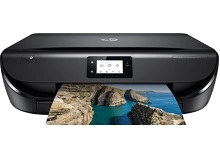


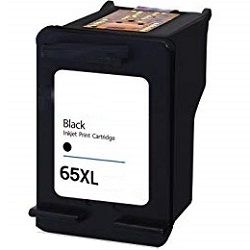
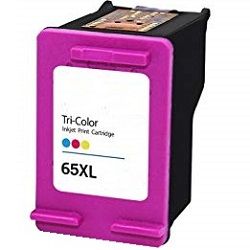
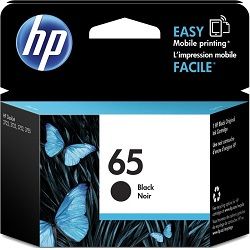

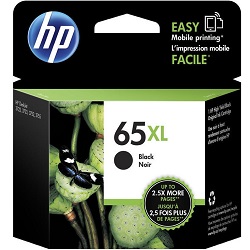

What to expect from each cartridge type
Standard variants suit occasional document printing, whereas students or home offices benefit from high-yield sizes. HP measures page yields using the ISO/IEC 24711 standard, which tests ink longevity under a continuous text script layout. For a home environment, print volume dictates replacement frequency because intermittent print jobs cause additional ink use during automated startup maintenance sweeps.
| Cartridge Number | Type | Colour | Page Yield | Cost Per Page |
|---|---|---|---|---|
| 65 | Standard | Black | 120 | $0.28 |
| 65 | Standard | Colour | 100 | $0.37 |
| 65XL | High Yield | Black | 300 | $0.24 |
| 65XL | High Yield | Colour | 300 | $0.29 |
Cost Per Page = Total Cartridge Price ÷ Page Yield (at 5% coverage). Prices based on Genuine cartridges.
Choosing between genuine and compatible options
For everyday printing, third-party alternatives offer an immediate reduction in running expenses without affecting your device. Under Australian Consumer Law, using compatible cartridges does not void your printer warranty. Compatible replacements come with a structural money-back guarantee, ensuring peace of mind if any faults emerge. To learn more about how these options compare, check out our full analysis of genuine vs compatible cartridges.
Best way to stock these cartridges
If you mostly print text documents, purchasing an XL black cartridge keeps your school or work assignments moving smoothly. For general multi-colour graphics or photos, a bundle configuration protects you against running out of a single primary shade at an inconvenient time. For orders, our delivery network spans across regional depots in Perth, Brisbane, Sydney, Melbourne, and Adelaide. Free delivery applies on all orders over $99 (conditions apply). Full transactional details are covered via our Returns policy. Browse our complete range of HP ink cartridges online.
Pro Tip
The tri-colour cartridge combines cyan, magenta, and yellow ink reservoirs into one single unit. If your prints show a strange colour shift because one specific shade has completely run dry, you will need to replace the entire tri-colour housing to restore full colour replication.
Frequently Asked Questions
Can I use a high-yield 65XL cartridge if my printer previously had a standard 65 cartridge installed?
Yes, 65XL cartridges are structurally identical to standard 65 cartridges and slide directly into the same physical slot inside the printer carriage. The only difference is that the XL version contains a larger internal fluid volume.
Why does my tri-colour cartridge exhaust ink quicker than expected when I only print black text documents?
Your printer automatically draws tiny fractions of colour ink during regular printhead cleaning and priming sequences to prevent blockages. Additionally, rich black text options in software settings can combine colour and black ink to produce a deeper shade.
What happens if I leave my cartridges unused in the printer for several weeks at home?
Infrequent home printing can cause dried ink to crust over the fine microscopic nozzles on the underside of the cartridge. If horizontal lines or blank pages appear, run a printhead cleaning cycle through the software to clear out any blockage.


