
HP DeskJet 2130 Ink Cartridges
Your HP DeskJet 2130 uses the 63 / 63XL ink cartridge series, a two-cartridge system consisting of one black and one tri-colour unit. Ink Depot has been supplying consumables for this printer since 11 September 2015. Because the tri-colour cartridge contains cyan, magenta, and yellow ink in a single chamber, the entire unit must be replaced once the first colour runs out. This setup is common for home users who value a simpler replacement process over individual colour management, though it requires monitoring colour-heavy print jobs to avoid early depletion.

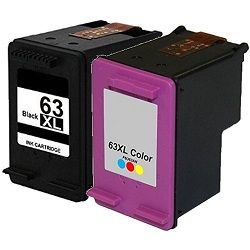


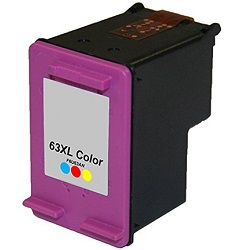



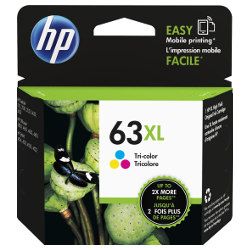
Expected page output and replacement cycles
Page yields for the 63 series are determined by HP using the ISO/IEC 24711 international standard for inkjet printing. For home and student use, the standard 63 cartridges are suitable for occasional documents, whereas the 63XL high-yield variants provide more than double the volume, making them a better choice for university assignments or regular home office tasks. Since the black cartridge usually handles the bulk of text-based work, it typically requires more frequent replacement than the colour unit.
| Cartridge Number | Type | Colour | Page Yield | Cost Per Page |
|---|---|---|---|---|
| 63 | Standard | Black | 190 | $0.23 |
| 63 | Standard | Colour | 165 | $0.35 |
| 63XL | High Yield | Black | 480 | $0.20 |
| 63XL | High Yield | Colour | 330 | $0.31 |
Cost Per Page = Total Cartridge Price ÷ Page Yield (at 5% coverage). All calculations use Genuine cartridge prices.
Choosing between genuine and compatible options
To reduce your daily printing costs, we offer compatible 63XL cartridges that provide the same page yield as the original versions. Under Australian Consumer Law, using compatible cartridges does not void your printer warranty. These are a reliable alternative for standard document printing and are backed by a full money-back guarantee. You can find more details in our guide to genuine vs compatible cartridges.
Selecting the right cartridge setup
If your printing is mostly limited to black text documents, purchasing individual black 63XL cartridges is the most logical path. However, if you frequently print school projects or colour-coded reports, our multi-packs offer a lower combined price compared to buying black and colour units separately. All compatibles come with a money-back guarantee if they do not meet your expectations. You can view our returns policy for peace of mind. Free delivery applies on all orders over $99 (conditions apply), and we ship directly from our local warehouses in Perth, Brisbane, Sydney, Melbourne and Adelaide to ensure your HP ink cartridges arrive promptly.
Pro Tip
Since the HP 63 series uses an integrated printhead (the copper strip on the cartridge), every time you replace the cartridge, you are installing a brand-new firing mechanism. If you notice horizontal lines or poor print quality, a new cartridge usually fixes the issue immediately, as you are replacing the part responsible for the actual ink delivery.
Frequently Asked Questions
Can I install a 63XL cartridge if my printer currently has a standard 63?
Yes. The 63 and 63XL cartridges have identical external dimensions and fit into the same slots. The "XL" designation simply refers to the volume of ink contained inside the tank, not the physical size of the plastic shell.
What happens if only the yellow ink runs out in my tri-colour cartridge?
Because the 63 series colour cartridge is a single unit, you cannot replace individual colours. Once any one of the three colours (cyan, magenta, or yellow) is depleted, the printer will prompt for a replacement to maintain colour accuracy, even if the other two colours still have ink remaining.
Why does the printer sometimes show a 'Used' or 'Counterfeit' message with compatibles?
This is a standard prompt from the printer firmware when it detects a non-genuine chip. You can simply click 'OK' or 'Continue' to bypass the message and proceed with printing; it does not stop the cartridge from functioning or affect the print quality.


