
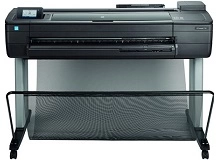
HP DesignJet T730 T830 Ink Cartridges
Your HP DesignJet T730 T830 uses the 728, 728B ink cartridge series, operating on a heavy-duty commercial colour laser setup engineered to deliver crisp professional text documents, high-volume archival business paperwork, and sharp office spreadsheets. Backed by our 4.8 Google rating, we are dedicated to supplying premium replacements that guarantee precise black text alignment and clean greyscale background gradients. We have been providing replacement alternatives for this specific setup since Jan 2019, helping busy corporate environments, industrial workspaces, and school offices maintain a steady, high-efficiency workflow. Because multi-colour inkjet printing systems process heavy text workloads rapidly, operations teams frequently select high-capacity multi-pack bundle options to simplify supply management and optimise long-term print value.


Page yield expectations and corporate printing lifecycles
Maintaining high office productivity requires transparent oversight over inventory stock levels and individual cartridge lifespans. HP establishes expected capacities for the 728B black and 728 cyan, magenta, and yellow ink configurations using standardised millilitre volume measurements rather than traditional uniform text pages, given their use in continuous wide-format graphical layouts. Review the detailed product options below to assess print capacities before completing your purchase.
Genuine ink cartridges
Lowering ongoing workplace printing expenses is straightforward when transitioning to premium replacement options. Utilizing authentic factory-certified original equipment manufacturer (OEM) consumables provides total compatibility without risk. These durable components match original factory specifications in their physical housing structure, fine micro-fine powder formulation properties, and deep black density, ensuring your official corporate reports, legal documentation, and administrative manifests retain an entirely professional presentation. Discover more about managing your office consumable choices by reading our genuine vs compatible cartridges guide.
Best ways to manage your print supply
When your daily schedule involves heavy administrative document production, medical transcription logs, or high-volume report sets, ordering 728 and 728B multi-pack bundle configurations provides the most secure protection against unexpected downtime during a major print run. Every original ink supply unit is backed by a full warranty, giving total financial peace of mind to procurement teams. Free shipping applies to all transactions exceeding $99 (conditions apply). To facilitate rapid logistics nationwide, we dispatch packages directly from regional distribution centres across Sydney, Melbourne, Brisbane, Adelaide, and Perth. Browse our complete range of HP ink cartridges and toners to restock your team.
Pro Tip
The HP DesignJet T730 and T830 plotters rely heavily on the health of their dynamic printhead assembly. To prevent lines in your architectural drawings and blueprint grids, never leave the printer turned off at a wall socket for extended periods; keeping the plotter in standby mode allows the hardware to run automatic micro-purging maintenance routines that prevent ink from drying inside the nozzles.
Frequently Asked Questions
What is the difference between the HP 728 and HP 728B cartridge codes?
The HP 728B designation specifically applies to the newly updated Matte Black ink formulations, which are designed to optimise contrast and prevent smudging on technical papers. The standard HP 728 code applies to the Cyan, Magenta, and Yellow high-performance chromatic ink supplies used to fill out full-colour designs.
Why should our technical department invest in high-capacity 728 ink bundles?
Purchasing genuine high-volume multipack bundles minimises the frequency of supply replacement cycles during major engineering project handovers. For design teams handling continuous blueprints and CAD layouts, high-capacity bundles lower your net running costs and keep workflows uninhibited by supply-out system stops.
Does my wide-format printer require regular calibration to maintain line accuracy?
Yes. To ensure crisp geometric compliance and colour accuracy on large-format media, you should run the built-in paper advance calibration wizard after changing paper rolls or switching between standard bond paper and heavy-weight coated presentations.


