
HP Colour LaserJet Pro MFP M476dn M476dw M476nw Toner
Your HP Colour LaserJet Pro MFP M476dn M476dw M476nw uses the 312A & 312X cartridge series, operating on a high-speed four-colour laser setup engineered to deliver professional business reports, vibrant marketing materials, and crisp everyday office documentation. Backed by our 4.8 Google rating, we are dedicated to supplying premium replacements that guarantee sharp text and highly accurate colour transitions. We have been providing replacement alternatives for this specific setup since Jun 2014, helping small business environments and corporate workspaces maintain a steady, professional workflow. Because multi-colour laser configurations encounter diverse visual workloads, administrative teams and office managers frequently choose high-capacity multi-pack bundle options to simplify stock management and optimise long-term print value.


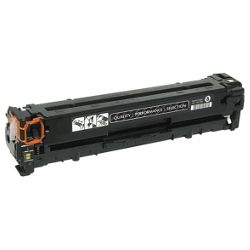

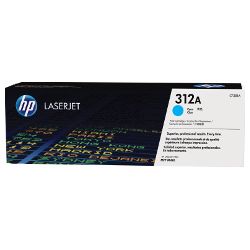
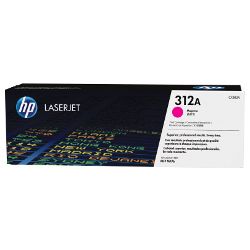
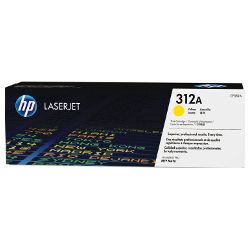
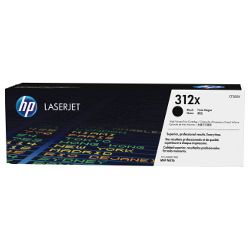
Page yield expectations and commercial printing lifecycles
Maintaining high workplace productivity requires clear oversight over inventory management and consumable lifespans. HP establishes expected page yield capacities for the 312A standard and 312X high-yield toner configurations using the standard ISO/IEC 19798 testing framework for colour laser systems, which tracks continuous consumption patterns using uniform, mixed-text-and-graphic files. Review the detailed product options below to assess print capabilities before completing your purchase.
| Cartridge Number | Type | Colour | Page Yield | Cost Per Page |
|---|---|---|---|---|
| 312A | Standard | Black | 2,400 | $0.091 |
| 312A | Standard | Cyan | 2,700 | $0.11 |
| 312A | Standard | Magenta | 2,700 | $0.11 |
| 312A | Standard | Yellow | 2,700 | $0.11 |
| 312X | High Yield | Black | 4,400 | $0.063 |
Cost Per Page = Total Cartridge Price ÷ Page Yield (at 5% coverage). Prices based on Genuine cartridges.
Genuine vs compatible toner cartridges
Lowering ongoing workplace printing expenses is straightforward when transitioning to premium generic replacement options. Under Australian Consumer Law, utilising high-quality compatible consumables does not void your original printer warranty. These cost-effective alternatives match original factory components in structural layout, vibrant colour accuracy, and deep black crispness, ensuring your corporate reports, client proposals, and marketing handouts retain an entirely professional presentation. Discover additional insights by reading our genuine vs compatible cartridges guide.
Best ways to manage your print supply
When your daily schedule involves multi-page marketing flyers, colourful presentations, or client proposals, ordering full 312A or 312X colour multi-pack bundle configurations provides the most secure protection against unexpected downtime when a single colour runs low. Every premium generic unit is backed by a full money-back guarantee, providing complete financial reassurance for your administrative budget. Free shipping applies to all transactions exceeding $99 (conditions apply). To facilitate rapid logistics nationwide, we dispatch packages directly from regional distribution centres across Sydney, Melbourne, Brisbane, Adelaide, and Perth. Browse our complete range of HP toner cartridges to restock your team.
Pro Tip
The HP LaserJet Pro M476 series relies on a precise internal fuser unit to heat and bond the fine toner powder onto the paper fibers. If your printed office documents display repetitive vertical streaks, loose toner powder that smudges when touched, or ghosted images from previous pages, it usually indicates that the fuser assembly has gathered excess residue or is wearing out. Running a few blank sheets of thick paper or initiating a built-in cleaning cycle via the device menu can often clear minor residue and restore pristine text clarity.
Frequently Asked Questions
Can I run a compatible 312A or 312X toner cartridge alongside original HP components?
Yes, this professional multifunction laser setup lets you install compatible 312A or 312X colour or black options into the individual toner slots without experiencing software blocks or communication issues. The exterior tracks and integrated microchips are engineered to mirror factory specifications exactly, allowing the internal monitoring utility to recognise the replacement and track remaining levels accurately.
Why does my display indicate a low toner warning when loose powder can still be heard inside?
The built-in smart chip estimates remaining capacity by tracking internal roller revolutions and character density rather than conducting a physical weight test of the hopper contents. If your team mostly prints brief emails or short memos with minimal colour coverage, the digital alert system will trigger slightly before the physical powder reservoir is completely spent.
How do I fix faint horizontal bands or uneven image clarity across my multi-page reports?
Faded areas often happen when the fine toner powder shifts unevenly inside the hopper chamber during heavy print operations. To resolve this, open the front access panel, pull out the affected 312A or 312X cartridge by its center handle, gently rock the unit from side to side five times to evenly distribute the powder across the internal assembly, and reinsert it onto the tracks.


