
HP Color LaserJet Pro M283fdw Toner Cartridges
Your HP Color LaserJet Pro M283fdw uses the 206A, 206X cartridge series, running on a precise four-colour laser engine that locks micro-fine toner powder onto business documents. Ink Depot has been supplying consumables for this printer since 15 Apr 2020, keeping small office administrative workflows operating smoothly. Commercial teams frequently print high volumes of monochrome text alongside graphics-heavy client presentations, leading to faster black toner depletion. Professional users counteract these uneven replacement patterns by investing in high-yield multi-packs, safeguarding corporate print queues against unexpected downtime during critical payroll and invoicing cycles.


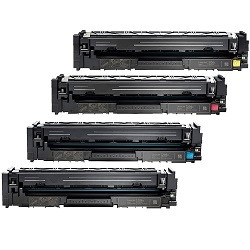


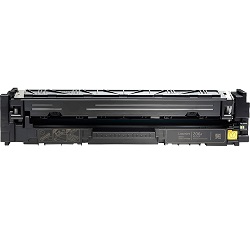
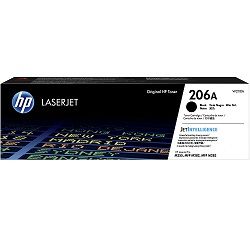
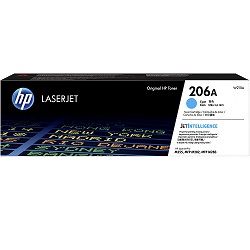


Expected page output and replacement cycles
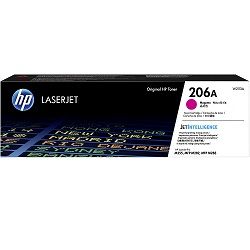
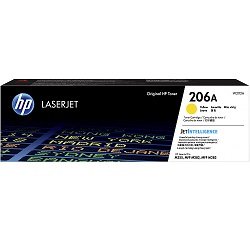
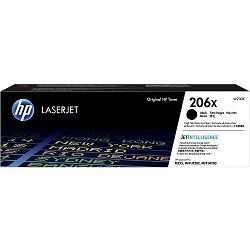
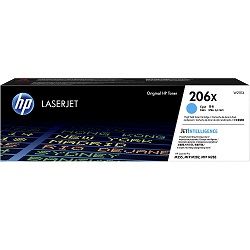
Corporate print coordination requires explicit visibility over cartridge longevity to ensure daily office admin loops remain consistent. The standard-yield 206A toner series satisfies modest document runs, while the high-yield 206X variants expand capacity significantly by packed-in powder reserves. Original high-yield black toner configurations deliver an estimated 3,150 pages, whereas the corresponding cyan, magenta, and yellow toner blocks achieve roughly 2,450 pages each.
These specified limits are rigorously calculated in strict compliance with the ISO/IEC 19798 quality evaluation standard for multi-colour laser systems. The testing criteria utilize specialized coverage matrices under uniform climate controls. Real-world commercial deployment regularly involves multi-page financial audits, digital invoices, and colour-rich sales summaries that consume greater toner volume per page than basic test parameters.
| Cartridge Number | Type | Colour | Page Yield | Cost Per Page |
|---|---|---|---|---|
| 206A | Standard | Black | 1,350 | $0.10 |
| 206A | Standard | Cyan | 1,250 | $0.13 |
| 206A | Standard | Magenta | 1,250 | $0.13 |
| 206A | Standard | Yellow | 1,250 | $0.13 |
| 206X | High Yield | Black | 3,150 | $0.066 |
| 206X | High Yield | Cyan | 2,450 | $0.090 |
| 206X | High Yield | Magenta | 2,450 | $0.090 |
| 206X | High Yield | Yellow | 2,450 | $0.090 |
Cost Per Page = Total Cartridge Price ÷ Page Yield (at 5% coverage). Prices based on Genuine cartridges.
Genuine vs compatible cartridges
Procurement departments can balance asset protection against budget priorities by selecting between original and aftermarket options. Original manufacturer toner blocks provide exact factory tolerances, anchoring fine powder seamlessly onto premium bond papers. For businesses aiming to lower operating costs, our premium compatible toner alternatives provide an outstanding financial alternative. Under Australian Consumer Law, using compatible cartridges does not void your printer warranty. These third-party options match the physical dimensions and micro-chip interfaces of the original supplies, ensuring error-free tracking within internal office network consoles. You can read a complete operational breakdown regarding these alternative options in our genuine vs compatible cartridges blog post.
Choosing the right cartridge setup
Workplace deployment habits dictate the most effective stocking strategy for your printing infrastructure. If you print mainly text documents, keeping a high-yield 206X black block on hand alongside a multi-pack of standard colours helps manage ongoing expenditures. If your workflow requires frequent sales collateral or multi-page brochures, selecting complete high-yield bundle configurations represents the most stable long-term method. Our entire compatible toner inventory features a comprehensive money-back guarantee if they do not work, providing full peace of mind for financial officers managing corporate overheads.
All shipments leave our dedicated distribution centers in Perth, Brisbane, Sydney, Melbourne, and Adelaide to ensure rapid transport to your doorstep. Free delivery applies on all orders over $99 (conditions apply). For a full breakdown of dispatch timelines and returning items, please view our Returns policy. To view supplies for alternative corporate laser setups across your office environment, explore our complete catalogue of HP toner cartridges.
Pro Tip
HP 206A and 206X toner cartridges feature a delicate integrated smart chip exposed on the side panel. Static charges or fingerprint oils can corrupt the memory block, leading to an immediate "Supply Memory Error" on your printer panel. Always hold the plastic cartridge housing by its central handling grip, and avoid making direct physical contact with the copper chip face during installation.
Frequently Asked Questions
Why does my printer display a "Cartridge Low" alert while the printed text remains crisp and dark?
Laser printers estimate toner levels by logging internal developer roller rotations rather than physically weighing the remaining powder. The alert triggers early as a structural protection mechanism, ensuring you have enough time to source replacement stock before the supply runs completely empty and causes faded text or imaging anomalies.
Can I run a premium high-yield 206X black toner cartridge alongside standard 206A colour toner cartridges?
Yes. The printer allows you to mix standard 206A and high-yield 206X cartridges in the internal tray. Both capacities use identical track dimensions and slide seamlessly into the matching colour bays, enabling you to optimize your high-volume monochrome text requirements without replacing the colour supplies prematurely.
What is the best way to resolve horizontal streaking or light spots immediately after installing a new 206X toner?
Toner powder can settle unevenly inside the internal hopper during transit. To fix this without wasting supplies, remove the affected cartridge, hold it level with both hands, and gently rock it backward and forward horizontally five times to redistribute the powder evenly across the internal doctor blade.


