
Canon PIXMA PRO-200 Ink Cartridges
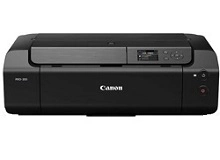
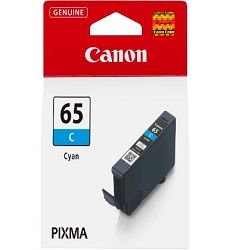
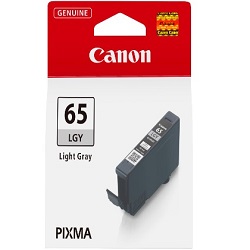
Your Canon PIXMA PRO-200 uses the CLI-65 ink cartridge series, an 8-colour dye-based system designed specifically for professional-grade photographic output. This specialised array includes Photo Cyan, Photo Magenta, Grey, and Light Grey, which work together to produce smooth tonal gradations and reduce graininess in highlights. Because photo printing draws on different colours at varying rates depending on the subject matter, such as a landscape versus a portrait, you will find that specific grey or photo-tone cartridges often deplete faster than the standard primary colours.





How long these cartridges last in real use
The CLI-65 series is measured using the ISO/IEC 29102 standard for colour photo printing on 10x15cm and A3+ photo paper. Unlike standard office documents, photo ink yield is highly subjective to the "ink density" of your images. For example, printing black-and-white photography on the PRO-200 will consume the Grey and Light Grey cartridges at a significantly higher rate than the vibrant colours.
Managing replacements and stock
For creative professionals and photographers, the most efficient way to manage this 8-ink system is through multipacks. Replacing individual cartridges as they expire is necessary for colour accuracy, but purchasing the full set ensures you aren't caught with a "printer halted" error during a production run. If you primarily produce high-gloss prints, you may notice the Photo Cyan (65PC) and Photo Magenta (65PM) cartridges require more frequent attention than the standard Yellow or Black. All orders are covered by our comprehensive returns policy.
Free delivery applies on all orders over $99 (conditions apply). We ship directly from our local warehouses in Perth, Brisbane, Sydney, Melbourne and Adelaide to ensure your studio stays productive. Browse our full range of Canon ink cartridges for all your printing needs.
Pro Tip
Always keep a spare CLI-65 Grey and Light Grey on hand. These two shades are the backbone of the PRO-200's neutrality; even a tiny shift in their availability can prevent the printer from accurately rendering shadows and monochrome gradients.
Frequently Asked Questions
Why does my PRO-200 stop printing when only one colour is low?
The Canon PIXMA PRO-200 requires all eight CLI-65 cartridges to have ink to protect the printhead from overheating. If a single tank like Light Grey is empty, the printer will pause to prevent air from entering the nozzles, which could cause permanent hardware damage.
Can I mix and match different CLI-65 cartridges from different regions?
No, you must use the Australian-region CLI-65 cartridges. While Canon printers sold globally may look identical, the chips on the cartridges are region-coded. Using a series from overseas will result in a "cartridge not recognised" error.
What is the difference between Cyan and Photo Cyan in this 8-ink system?
Standard Cyan is used for deep, saturated blues and mixed greens. Photo Cyan (65PC) is a lower-density ink used to create smooth sky gradients and fine details in light-coloured areas. Without the Photo Cyan, your high-resolution photos would appear much grainier in the highlights.


