
Canon PIXMA MP495 Ink Cartridges
Your PIXMA MP495 uses the PG-510 / CL-511 cartridge series, operating on a two-cartridge system that separates text black from a combined multi-colour tank. General home users often encounter distinct consumption imbalances depending on daily tasks, as routine text printing depletes the dedicated black cartridge while multi-colour operations rely heavily on the tri-colour tank. This combined architecture ensures that with every single cartridge swap, you are refreshing the essential firing mechanism across the entire printhead array.


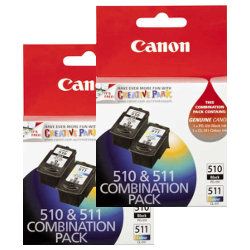



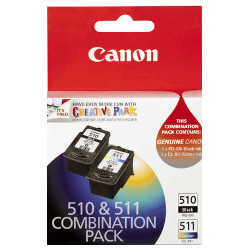
Expected page output and replacement cycles
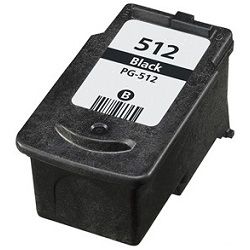
Stated page yields for these integrated consumables are calculated based on international ISO/IEC 24711 and 24712 standards for continuous text document production on plain A4 media. Actual household page output varies significantly depending on specific use cases, such as high-density school projects or colour graphics. Document sets with dark illustrations or colour borders pull heavy volumes across all three internal wells of the tri-colour block simultaneously, meaning upgrading to high-yield PG-512 or CL-513 options provides far more printing stability between replacement interventions.
| Cartridge Number | Type | Colour | Page Yield | Cost Per Page |
|---|---|---|---|---|
| PG-510 | Standard | Black | 220 | $0.14 |
| CL-511 | Standard | Colour | 244 | $0.14 |
Cost Per Page = Total Cartridge Price ÷ Page Yield (at 5% coverage). Prices based on Genuine cartridges.
Choosing between genuine and compatible options
Australian families searching for an economical alternative for daily household tasks can confidently switch between original equipment and premium third-party replacements. Under Australian Consumer Law, using compatible cartridges does not void your printer warranty. These aftermarket alternatives carry exactly the same physical footprint and matching electrical circuitry as original options, facilitating smooth household print runs at a reduced cost structure. To read a detailed overview comparing original and compatible fluid properties, visit our educational overview on our blog at genuine vs compatible..
Choosing the right cartridge setup
For domestic settings focused on regular family documentation or student homework sets, purchasing pre-configured value bundles is the most secure method to maintain balanced reserves. Compatible multi-packs offer a significant cost advantage and include a full money-back guarantee if they do not meet performance expectations. Review our printer return guidelines directly at returns policy.. Free delivery applies on all orders over $99 (conditions apply), with shipments departing daily from local distribution centers in Perth, Brisbane, Sydney, Melbourne, and Adelaide. Browse our full catalogue of Canon ink cartridges to quickly secure your required inventory.
Pro Tip
The tri-colour cartridge in this printer houses cyan, magenta, and yellow ink together in three independent internal reservoirs. Because a single colour depletion requires replacing the entire cartridge block, checking your print layout properties to ensure the monochrome setting is active for regular text drafts will prevent premature disposal of a tank that still contains abundant remaining colour.
Frequently Asked Questions
Can I use the high-capacity PG-512 black cartridge if my printer currently has a standard PG-510 installed?
Yes, the high-capacity PG-512 and CL-513 cartridges share identical physical dimensions and terminal connections as the standard PG-510 and CL-511 variants, meaning they install cleanly into the exact same carriage slots inside the printer.
Why does my colour cartridge show low ink levels when I have only printed black text layouts?
The printer performs automated nozzle-clearing routines during activation cycles to prevent ink crystallization. These diagnostic steps pull small volumes of fluid from all colour reservoirs, causing the tri-colour chamber to slowly lower over time even without direct colour tasks.
What happens if one colour chamber in my tri-colour cartridge runs empty while the other two have ink?
The integrated layout stops printing once any individual colour compartment is fully exhausted to safeguard the nozzle assembly from burning, meaning you must swap out the complete multi-colour block even if the remaining colour wells are partially filled.


