
Canon PIXMA MG5150 Ink Cartridges
Your Canon PIXMA MG5150 uses the PGI-525 / CLI-526 cartridge series, operating on an individual five-ink system that isolates the large document black from the photographic ink palette. We have been supplying replacement consumables for this printer since Sep 2010, supporting home office environments with reliable text and graphic reproduction. Our 4.8 Google rating reflects a long-standing track record of premium cartridge performance. Because this configuration targets accurate graphic rendering alongside standard office tasks, document text requirements run on an independent depletion path completely distinct from the dye-based photo and colour channels.

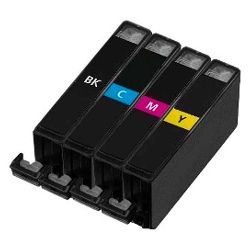



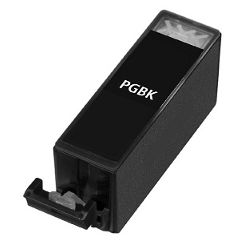

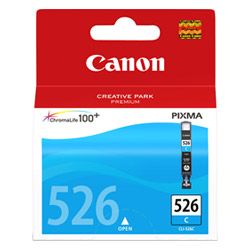
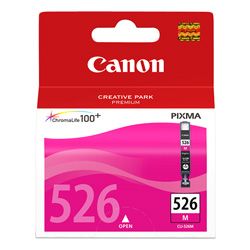


Document vs photo ink replacement lifecycles
Understanding how long these individual elements persist in everyday operation requires matching supplies with your typical text and image generation habits. The wider PGI-525BK cartridge contains dark pigment ink formulated explicitly for crisp line art on plain office stock, whereas the slimmer CLI-526 units use vivid dye inks structured for deep tones on coated media. Because these paths deploy separately, a household producing heavy textual paperwork will drain the text black channel at an accelerated rate while remaining colour slots stay fully charged. Listed page yields for this specific inkjet family are calculated using the international ISO/IEC 24711 production standard, providing an objective frame of reference for tracking continuous sheet usage.
| Cartridge Number | Type | Colour | Page Yield | Cost Per Page |
|---|---|---|---|---|
| CLI-526BK | Standard | Black | 2,185 | $0.011 |
| PGI-525BK | Standard | Black | 311 | $0.076 |
| CLI-526C | Standard | Cyan | 462 | $0.051 |
| CLI-526M | Standard | Magenta | 437 | $0.054 |
| CLI-526Y | Standard | Yellow | 450 | $0.052 |
Cost Per Page = Total Cartridge Price ÷ Page Yield (at 5% coverage). Prices based on Genuine cartridges.
Choosing between genuine and compatible options
Relying on premium compatible alternative cartridges serves as a highly practical avenue for curbing standard domestic administration outlays without risking hardware wear. Many household workstations maintain mixed setups where an original factory tank functions concurrently in the carriage next to alternative compatible slots without error. Under Australian Consumer Law, using compatible cartridges does not void your printer warranty. To assess individual formula stability ratings and structural differences, feel free to inspect our detailed data guide found in our genuine vs compatible cartridges blog post.
Options for stocking and local delivery
Procuring matched multi-packs offers the most secure path to prevent untimely project disruptions when finishing work or domestic files. For operators who primarily generate mono text letters or shipping sheets, keeping an extra standalone pigment black casing on hand alongside your primary bundle ensures a far smoother backup workflow. Every generic replacement alternative we ship arrives backed by a comprehensive money-back guarantee to ensure your absolute confidence. Review our full refund terms directly on our returns policy page. Free delivery applies on all orders over $99 (conditions apply), with all stock leaving our network of local dispatch hubs positioned across Perth, Brisbane, Sydney, Melbourne and Adelaide. Discover wider category purchasing paths by visiting our core Canon ink cartridges brand catalogue.
Pro Tip
The Canon PIXMA MG5150 incorporates separate optical chips on the base of every PGI-525 and CLI-526 cartridge that communicate directly with the carriage sensor. When replacing empty tanks, verify that the small red indicator light on the front of the cartridge housing illuminates steadily after insertion; a flashing or unlit housing indicates the tank has not locked into place properly, which stops all printer operations.
Frequently Asked Questions
Why does my printer contain two different black cartridges, and which one finishes first?
The system deploys a wide PGI-525BK pigment black for crisp text documents and a slim CLI-526BK dye black for shading in photographs. If your weekly output consists mainly of standard office correspondence or letters, the larger pigment black cartridge will deplete significantly faster while the photo black remains mostly full.
Can I continue printing an urgent text document if one of the colour cartridges is completely empty?
No, the printer firmware prevents all printhead activity if any single ink channel, whether a colour slot or text black, reads as completely empty. This hard lock is engineered into the system to stop air from being sucked into the fine micro-nozzles, avoiding permanent heat fatigue to the printhead structure.
What causes my printer to not recognise a compatible cartridge that I just installed?
This issue usually stems from a minor alignment error during installation or static on the smart chip. Try removing the unrecognised cartridge, wiping the small golden electronic chip face gently with a dry, lint-free cloth to clear any residue, and firmly clicking it back down until the red LED status light activates.


