Canon PIXMA MG3660 Ink Cartridges
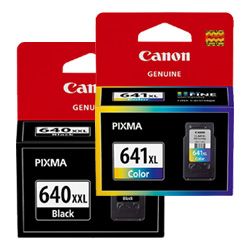
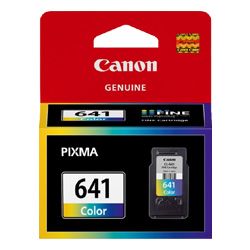
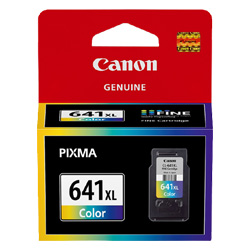
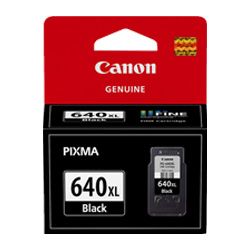
Your Canon PIXMA MG3660 uses the PG-640 and CL-641 cartridge series, a two-tank system consisting of one dedicated black and one tri-colour ink. Because this printer is often used for a mix of student assignments and home administration, the tri-colour cartridge faces a unique challenge: when one primary colour is exhausted, the entire unit requires replacement. Frequent colour printers usually find the XL high-yield variants provide more stable performance, while the availability of an XXL black cartridge allows the MG3660 to handle heavy text documents without constant maintenance interruptions.








Choosing between genuine and compatible options
For users looking to reduce their daily printing overheads, we offer compatible PG-640XL and CL-641XL cartridges. These units are designed to fit the same carriage as the original manufacturer versions and provide a high-yield alternative for busy households. Under Australian Consumer Law, using compatible cartridges does not void your printer warranty. If you are trying compatibles for the first time, they are backed by a money back guarantee if they do not work, which you can read about in our Returns policy.
Understanding cartridge yield for the MG3660
The number of prints you get out of these cartridges depends heavily on the content of your pages. Canon determines the page yield for the PG-640 and CL-641 series using the ISO/IEC 24711 standard, which involves printing a suite of five standard pages continuously until the ink is depleted. In a home environment, however, "stop-start" printing and automatic head cleaning cycles will consume small amounts of ink, meaning real-world results may vary from the laboratory ratings.
| Cartridge Number | Type | Colour | Page Yield | Cost Per Page |
|---|---|---|---|---|
| PG-640 | Standard | Black | 180 | $0.14 |
| CL-641 | Standard | Colour | 180 | $0.19 |
| PG-640XL | High Yield | Black | 400 | $0.082 |
| CL-641XL | High Yield | Colour | 400 | $0.094 |
| PG-640XXL | Extra High Yield | Black | 600 | $0.081 |
Cost Per Page = Total Cartridge Price ÷ Page Yield (at 5% coverage)
Best way to stock these cartridges
The most effective way to manage replacements for this printer is through bundle packs. Since the black and colour tanks rarely run out at the exact same moment, keeping a value pack on hand ensures you aren't left unable to print a single page because one colour has hit the empty mark. We ship these bundles from our warehouses in Perth, Brisbane, Sydney, Melbourne and Adelaide to ensure they reach you quickly. free delivery applies on all orders over $99 (conditions apply). You can find more options on the Canon Ink Cartridges category page.
Cartridge size and installation
The PIXMA MG3660 is compatible with three different capacities: standard, XL, and XXL (for the black only). Even though the XXL black contains significantly more ink than the standard PG-640, the external plastic shell is designed to fit the same internal slot. If you are currently using standard cartridges, you can switch to XL or XXL without any hardware modifications.
Pro Tip
If your MG3660 is reporting a "Low Ink" warning on the tri-colour cartridge but your prints still look fine, you can often continue printing for a short period. However, avoid printing large blocks of a single colour (like a sky or field) once this warning appears, as running the microscopic nozzles completely dry can lead to air bubbles in the print head, making it difficult for the next cartridge to prime properly.
Frequently Asked Questions
Can I install the PG-640XXL black cartridge even if I've only used the standard PG-640 before?
Yes. The XXL designation refers to the internal ink volume, not the physical size of the cartridge's interface. It will slot into the same black ink cradle and is the most cost-effective option for those who print a high volume of text-based documents or school essays.
Why does my MG3660 refuse to print in black and white when the colour cartridge is empty?
The Canon PIXMA MG3660 requires both the black and the tri-colour cartridge to be present and contain ink to complete a circuit. Even if you set your printer software to "Greyscale," the printer still performs a startup check on both cartridges. If the colour cartridge is completely depleted or missing, the printer will trigger an error to prevent the print head from overheating.
Does the CL-641 tri-colour cartridge run out faster than the black?
This depends on your usage, but for most home users, the CL-641 is replaced more often. This is because it contains Cyan, Magenta, and Yellow in one unit. If you print a series of photos with a lot of blue sky, the Cyan will deplete first; once it's gone, you must replace the whole cartridge even if Magenta and Yellow ink remain.