Canon PIXMA Home TS5360a Ink Cartridges
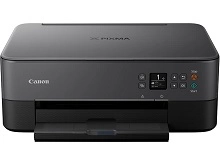
Your Canon PIXMA Home TS5360a uses the PG-660, CL-661, PG-660XL, CL-661XL cartridge series, engineered around a basic two-cartridge system that splits your printing between a black ink tank and a combined tri-colour tank. This mechanical configuration serves home or student setups characterized by sporadic document generation and light homework tasks. Because the cyan, magenta, and yellow dyes are stored inside a single structural casing, running creative projects with dominant single-colour blocks creates an ink imbalance, forcing a replacement of the entire tri-colour tank when one single colour runs dry.


Expected page output and replacement cycles
Domestic and study spaces generate a wide variety of document types, leading to fluctuating depletion patterns. To anchor expectations, manufacturers gauge capacity using the standardized ISO/IEC 24711 metric for inkjet printers, utilizing test targets printed continuously on plain paper. Real-world page counts deviate significantly from these lab environments depending on your chosen font thickness, the density of graphic backgrounds, and the volume of microscopic ink droplets spent during automated printhead maintenance routines.
| Cartridge Number | Type | Colour | Page Yield | Cost Per Page |
|---|---|---|---|---|
| CL-661XL | High Yield | Colour | 300 | $0.16 |
| PG-660XL | High Yield | Black | 400 | $0.12 |
Cost Per Page = Total Cartridge Price ÷ Page Yield (at 5% coverage)
Information on compatible cartridge options
Running premium aftermarket print blocks is a practical approach to keeping running costs low during busy school terms. Under Australian Consumer Law, using compatible cartridges does not void your printer warranty. These alternative options drop directly into your printer's carriage mechanism and communicate cleanly with the ink monitoring systems. Learn more about your consumer protection options on our blog post at https://www.inkdepot.com.au/genuine_vs_compatible.php.
Managing replacements and shipping
Your day-to-day document types dictate your ideal stocking strategy. If your printing tasks consist mostly of plain-text documents, purchasing standalone high-capacity black units isolates your expenses. For households handling colour-heavy school assignments or occasional graphics, selecting pre-arranged multi-pack bundles lowers the absolute overhead per millilitre.
Because aftermarket tanks sometimes offer extreme cost benefits, they feature a full backup guarantee if they do not work, which you can explore on our Returns policy page. Free delivery applies on all orders over $99 (conditions apply), with items dispatched directly from localized distribution centers in Perth, Brisbane, Sydney, Melbourne and Adelaide. Browse the comprehensive catalogue by heading directly to the Canon Ink Cartridges primary destination page.
Pro Tip
If your printer stays unused for multiple weeks between university assignments, print a single page containing all four primary colours before launching large documents. This action pushes clean ink through the microscopic firing nozzles, safely clearing dried pigment film before it causes frustrating horizontal lines across your finished pages.
Frequently Asked Questions
Can I install a PG-660XL high-yield cartridge if my printer previously used a standard PG-660?
Yes, the high-yield and standard capacity models utilise the exact same structural casing shell and fit into identical slots. The high-capacity version is loaded with a higher initial volume of ink during manufacturing, letting it print longer without causing any alignment or physical clearance problems.
Why does my printer signal that ink is low immediately after installing a new compatible cartridge?
Occasionally, the printer internal memory retaining data from the spent cartridge struggles to reset automatically. Holding down the stop or reset button on the printer panel for a continuous five seconds clears the legacy message, resetting the internal tracking mechanism so you can continue printing.
How does printing simple black text documents cause the tri-colour cartridge level to drop?
To optimise edge crispness and eliminate grey tinting on standard paper stock, the print driver quietly blends tiny quantities of cyan, magenta, and yellow ink alongside pure black ink. This composite dark process steadily depletes the multi-colour tank even when you are printing documents that appear strictly monochrome.