Canon imagePROGRAF PRO-300 Ink Cartridges
Canon imagePROGRAF PRO-300 Ink Cartridges are designed for photographers and creative professionals who demand gallery-quality prints with outstanding colour accuracy and long-term durability.
The PRO-300 uses Canon’s advanced LUCIA PRO pigment ink system, delivered through the PFI-300 ink cartridge series, producing deep blacks, smooth tonal gradations, and exceptional fade resistance.
Choose genuine Canon inks below for consistent results across fine-art, exhibition, and professional photo printing.


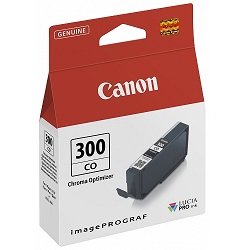

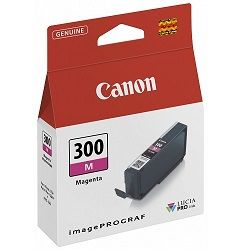
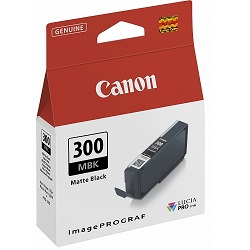


What ink does the Canon imagePROGRAF PRO-300 use?
The Canon imagePROGRAF PRO-300 uses Canon PFI-300 LUCIA PRO pigment ink cartridges, a professional-grade ink system engineered for superior colour accuracy, deep blacks, and archival print longevity. Each cartridge is individually replaceable, allowing precise colour control and reduced ink waste.
Why LUCIA PRO pigment ink is ideal for fine-art printing
LUCIA PRO pigment inks are designed to deliver exceptional lightfastness and colour stability. Compared to dye-based inks, pigment inks sit closer to the paper surface, producing sharper detail, richer blacks, and superior resistance to fading and environmental exposure.
This makes the PRO-300 particularly suitable for gallery prints, exhibition photography, client portfolios, and archival artwork.
Key advantages of genuine Canon PRO-300 ink cartridges
- Exceptional colour accuracy and tonal consistency
- Improved black density and shadow detail
- Archival-quality longevity for professional prints
- Optimised performance with Canon PRO-series print heads
Ink colours used by the Canon imagePROGRAF PRO-300
The PRO-300 uses a multi-colour LUCIA PRO ink set designed to deliver precise colour reproduction across a wide tonal range. The expanded colour set improves gradation smoothness and colour separation for both colour and monochrome prints.
Managing ink usage on the imagePROGRAF PRO-300
Each PFI-300 ink cartridge is colour-specific and individually replaceable. This allows photographers to replace only the colours used most frequently, helping reduce operating costs while maintaining colour accuracy.
Print quality tips for Canon imagePROGRAF PRO-300
- Use fine-art or photo papers designed for pigment inks
- Allow prints to fully cure before framing or stacking
- Run periodic nozzle checks during extended print sessions
- Keep printer firmware and ICC profiles up to date
Frequently Asked Questions
Which ink cartridges are compatible with Canon imagePROGRAF PRO-300?
The Canon imagePROGRAF PRO-300 is compatible with genuine Canon PFI-300 LUCIA PRO pigment ink cartridges, designed specifically for this printer model.
Are PRO-300 inks pigment or dye based?
PFI-300 inks are pigment-based, offering superior fade resistance, sharper detail, and longer archival life compared to dye-based inks.
Is the imagePROGRAF PRO-300 suitable for black and white printing?
Yes. The LUCIA PRO ink system provides excellent tonal control, deep blacks, and smooth greyscale transitions, making it ideal for monochrome photography.
Can I replace individual ink colours?
Yes. Each PFI-300 ink colour is housed in a separate cartridge and can be replaced individually as needed.
What happens if I use non-genuine ink cartridges?
Non-genuine inks may affect colour accuracy, print longevity, and printer reliability. Genuine Canon PFI-300 inks are recommended to maintain professional print standards.