
Canon imagePROGRAF PRO-300 Ink Cartridges
Your Canon imagePROGRAF PRO-300 uses the PFI-300 cartridge series, operating a sophisticated ten-cartridge pigment ink setup that splits monochromatic duties between photo black, matte black, and grey options alongside dedicated creative shades and a gloss-regulating clear coat. Built specifically for exhibition printmaking and fine-art studio spaces, this professional system ensures you only replace individual spent tanks rather than discarding composite multi-colour blocks when a single shade depletes. Because specialized creative print profiles pull ink asymmetrically based on the selected media, keeping independent replacements on hand ensures continuous art production without unexpected system pauses.


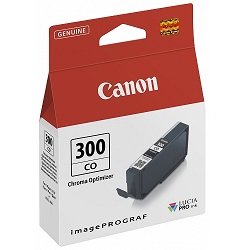

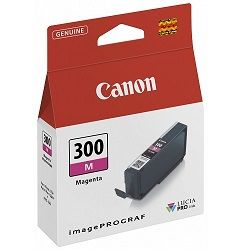
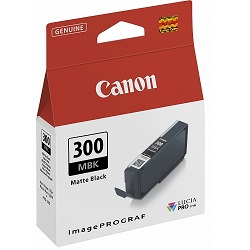


What to expect from each cartridge type
Page outputs for the PFI-300 series are measured under the industry-standard ISO/IEC 24711 framework for graphic printing layouts, establishing baseline expectations via uniform test documents. Real-world consumption patterns inside fine-art studios deviate significantly from these standard metrics because premium photography and deep shadow renderings distribute ink unevenly across the page. Professional printmaking environments exhibit notable yield consistency variations because a monochrome gallery run will exhaust the grey and matte black wells rapidly while leaving red or yellow levels untouched, making consumption highly dependent on user portfolio styles.
| Cartridge Number | Type | Colour | Page Yield | Cost Per Page |
|---|---|---|---|---|
| PFI-300MBK | Standard | Black | 300 | $0.084 |
| PFI-300PBK | Standard | Photo Black | 300 | $0.084 |
| PFI-300PC | Standard | Cyan | 300 | $0.084 |
| PFI-300C | Standard | Cyan | 300 | $0.084 |
| PFI-300PM | Standard | Magenta | 300 | $0.084 |
| PFI-300M | Standard | Magenta | 300 | $0.084 |
| PFI-300GY | Standard | Yellow | 300 | $0.084 |
| PFI-300Y | Standard | Yellow | 300 | $0.084 |
| PFI-300CO | Standard | Chrome optimizer | 300 | $0.084 |
| PFI-300R | Standard | Red | 300 | $0.084 |
Cost Per Page = Total Cartridge Price ÷ Page Yield (at 5% coverage). All calculations use Genuine cartridge prices.
Choosing the right cartridge setup
If you print photos across varied paper stocks, stocking a complete array of primary tones alongside the core monochrome tanks avoids workflow interruptions during large art editions. For studio managers running daily production lines, investing in comprehensive multi-cartridge bundles lowers individual procurement costs and ensures critical blending components like the clear coat do not run empty mid-job.
Free delivery applies on all orders over $99 (conditions apply). To maintain reliable transit times across Australia, we dispatch our stock directly from regional logistics facilities in Perth, Brisbane, Sydney, Melbourne, and Adelaide. Select your required supplies from our complete catalogue of Canon ink cartridges to support your studio, and review our standalone returns policy if you ever need assistance with an unsealed product order.
Pro Tip
The PFI-300 clear gloss optimizer tank regulates gloss differentials on glossy and semi-gloss papers, but it is not utilized when printing on fine-art matte or cotton rag surfaces. You can manage ink conservation by grouping your matte print runs together, as switching between media coatings triggers automated printhead prep cycles that draw small maintenance amounts from the entire ink array.
Frequently Asked Questions
Why does the PFI-300 grey cartridge deplete faster when I am printing vivid colour landscapes?
The LUCIA PRO pigment system relies heavily on the grey ink tank to neutralise graininess, stabilise mid-tones, and smooth out delicate colour gradations within pale skies or skin reflections, meaning it actively assists in complex colour generation rather than just black and white imagery.
Can I leave an empty slot in the print carriage if I do not currently need to print with that specific colour?
No. The printer requires all ten PFI-300 pigment ink tanks to be physically installed with functional chip connections before it will initiate any print job or maintenance cycle, regardless of whether that specific colour is required for the upcoming image.
How does the printer handle matte black versus photo black usage when swapping paper types?
The printer features independent internal nozzle lines for both black variants, meaning it shifts automatically between matte black for textured rag media and photo black for glossy stocks based on your print driver settings, eliminating manual ink drainage or flushing cycles.


