
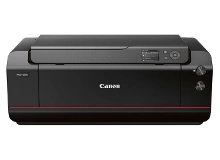
Canon imagePROGRAF PRO-1000 Ink Cartridges
Your Canon imagePROGRAF PRO-1000 uses the PFI-1000 ink cartridge series. We have been supplying premium printing consumables for this specialised 12-ink professional photo system since 04 Nov 2016. Fine art and creative print tasks exhibit highly complex colour depletion patterns, meaning specific hues like photo grey, blue, or the chroma optimiser will deplete at completely different rates depending on your image profiles. Managing these individual lines ensures your high-end creative workflows remain uninterrupted.


Understanding Colour Consumption and Print Yields
Predicting the lifespan of a multi-ink professional setup requires assessing your specific portfolio rather than basic document metrics. Standard document criteria rarely reflect the intensive coverage required for fine art photography. For photographic and creative printing, ink yield consistency depends heavily on your image tones, paper selection, and gloss optimization choices. Canon measures these professional tanks using the ISO/IEC 29102 standard for continuous photo reproduction.
Essential Care and Maintenance Kits
Beyond regular ink management, specialised wide-format systems require active waste management. This system utilises the genuine MC-20 maintenance cartridge to capture excess ink droplets during borderless printing cycles and automatic printhead cleans. When your printer displays a near-full maintenance kit warning, secure a replacement immediately, as the printer will completely lock out further printing once the MC-20 reaches maximum absorption capacity.
Sourcing Your Creative Consumables
Managing a 12-slot professional ink architecture requires a structured replenishment strategy. Because specific tinting inks deplete rapidly during targeted monochrome or high-contrast print runs, ordering complete multipacks alongside individual high-use channels keeps your studio fully operational. All items are backed by our comprehensive warranty protections, and you can view the complete details regarding exchanges on our Returns policy page. Free delivery applies on all orders over $99 (conditions apply), dispatched quickly from our national warehouse network spanning Brisbane, Sydney, Melbourne, Adelaide, and Perth. Discover our complete range of premium Canon ink cartridges for all your creative projects.
Pro Tip
Never turn off your photo printer using a power board or mains switch. Always use the physical power button on the printer panel so the mechanism can properly cap the printhead nozzles, preventing the expensive PFI-1000 archival inks from drying out and clogging between print sessions.
Frequently Asked Questions
Why does my Chroma Optimiser deplete faster than the standard colour inks?
The Chroma Optimiser is applied across the entire surface of gloss and semi-gloss papers to regulate surface reflections and eliminate bronzing. Because it coats the entire image area rather than just specific design elements, it often depletes much faster than individual colour channels during high-gloss production runs.
Can I continue printing black and white images if one of the color inks like Blue or Red is completely empty?
No, the printer will refuse to print if any single PFI-1000 tank is entirely empty. Even when executing pure monochrome prints, the system uses micro-drops of creative colours like blue and red to neutralise native paper warmth and create perfectly balanced tonal gradations.
How does the printer handle switching between Matte Black and Photo Black ink?
Unlike older generations that shared a single physical delivery pipe, this system features dedicated, independent nozzles for both Matte Black and Photo Black inks. This eliminates the need to purge the ink lines when changing paper stocks, saving significant amounts of ink over the lifecycle of your consumables.


